

続き。
実行後の確認
% cat ~/.zshrc
. "$HOME/.local/bin/env"
# Hermes Agent — ensure ~/.local/bin is on PATH
export PATH="$HOME/.local/bin:$PATH"
% source ~/.zshrc
% which hermes
/Users/kinneko/.local/bin/hermes
% hermes --version
Hermes Agent v0.15.1 (2026.5.29)
Project: /Users/kinneko/.hermes/hermes-agent
Python: 3.11.15
OpenAI SDK: 2.24.0
Update available: 117 commits behind — run 'hermes update'
設定の診断。
% hermes doctor
┌─────────────────────────────────────────────────────────┐
│ 🩺 Hermes Doctor │
└─────────────────────────────────────────────────────────┘
◆ Security Advisories
✓ No active security advisories
◆ Python Environment
✓ Python 3.11.15
✓ Virtual environment active
✓ Version files consistent (0.15.1)
◆ Required Packages
✓ OpenAI SDK
✓ Rich (terminal UI)
✓ python-dotenv
✓ PyYAML
✓ HTTPX
✓ Croniter (cron expressions) (optional)
⚠ python-telegram-bot (optional, not installed)
⚠ discord.py (optional, not installed)
◆ Configuration Files
✓ ~/.hermes/.env file exists
✓ API key or custom endpoint configured
✓ ~/.hermes/config.yaml exists
✓ Config version up to date (v25)
◆ xAI Model Retirement (May 15, 2026)
✓ No retired xAI models in config
◆ Auth Providers
⚠ Nous Portal auth (not logged in)
⚠ OpenAI Codex auth (not logged in)
→ No Codex credentials stored. Run hermes auth to authenticate.
→ codex CLI not installed (optional — only required to import tokens from an existing Codex CLI login)
⚠ Google Gemini OAuth (not logged in)
⚠ MiniMax OAuth (not logged in)
⚠ xAI OAuth (not logged in)
→ No xAI OAuth credentials stored. Select xAI Grok OAuth (SuperGrok / Premium+) in hermes model.
◆ Directory Structure
✓ ~/.hermes directory exists
✓ ~/.hermes/cron/ exists
✓ ~/.hermes/sessions/ exists
✓ ~/.hermes/logs/ exists
✓ ~/.hermes/skills/ exists
✓ ~/.hermes/memories/ exists
✓ ~/.hermes/SOUL.md exists (persona configured)
✓ ~/.hermes/memories/ directory exists
→ MEMORY.md not created yet (will be created when the agent first writes a memory)
→ USER.md not created yet (will be created when the agent first writes a memory)
→ ~/.hermes/state.db not created yet (will be created on first session)
◆ Command Installation
✓ Venv entry point exists (venv/bin/hermes)
✓ ~/.local/bin/hermes exists (non-symlink)
◆ External Tools
✓ git
✓ ripgrep (rg) (faster file search)
⚠ docker not found (optional)
✓ Node.js
✓ agent-browser (Node.js) (browser automation)
✓ Playwright Chromium (browser engine)
⚠ Browser tools (agent-browser) deps (0 critical, 1 high, 5 moderate — run: cd /Users/kinneko/.hermes/hermes-agent && npm audit fix)
◆ API Connectivity
⚠ OpenRouter API (not configured)
◆ Tool Availability
✓ browser
✓ clarify
✓ code_execution
✓ computer_use
✓ cronjob
✓ terminal
✓ delegation
✓ file
✓ memory
✓ session_search
✓ skills
✓ todo
✓ tts
✓ web
✓ kanban (runtime-gated; loaded only for dispatcher-spawned workers)
⚠ browser-cdp (system dependency not met)
⚠ discord (missing DISCORD_BOT_TOKEN)
⚠ discord_admin (missing DISCORD_BOT_TOKEN)
⚠ feishu_doc (system dependency not met)
⚠ feishu_drive (system dependency not met)
⚠ homeassistant (system dependency not met)
⚠ image_gen (system dependency not met)
⚠ moa (missing OPENROUTER_API_KEY)
⚠ messaging (system dependency not met)
⚠ video_gen (system dependency not met)
⚠ vision (system dependency not met)
⚠ video (system dependency not met)
⚠ x_search (missing XAI_API_KEY)
⚠ hermes-yuanbao (system dependency not met)
⚠ spotify (system dependency not met)
◆ Skills Hub
⚠ Skills Hub directory not initialized (run: hermes skills list)
⚠ No GITHUB_TOKEN (60 req/hr rate limit — set in ~/.hermes/.env for better rates)
◆ Memory Provider
✓ Built-in memory active (no external provider configured — this is fine)
────────────────────────────────────────────────────────────
Found 2 issue(s) to address:
1. Browser tools (agent-browser) has 6 npm vulnerabilities
2. Run 'hermes setup' to configure missing API keys for full tool access
Tip: run 'hermes doctor --fix' to auto-fix what's possible.
ブラウザツールのnpm依存に脆弱性警告があるのと、セットアップをやってねと出る。
セットアップはまだやっていないので当然。
ブラウザツールの項目を見るとこんな表示が出ている。
⚠ Browser tools (agent-browser) deps (0 critical, 1 high, 5 moderate — run: cd /Users/kinneko/.hermes/hermes-agent && npm audit fix)
ブラウザツール本体は入っているが、npm依存に既知の脆弱性があるという警告になっている。とりあえず指示通り解消しておく。
% cd /Users/kinneko/.hermes/hermes-agent
% git status
On branch main
Your branch is behind 'origin/main' by 117 commits, and can be fast-forwarded.
(use "git pull" to update your local branch)
nothing to commit, working tree clean
% npm audit fix
added 1 package, removed 13 packages, changed 6 packages, and audited 1298 packages in 5s
321 packages are looking for funding
run npm fund for details
found 0 vulnerabilities
これでdoctorを実行しても問題がなくなった。
セットアップ
次にセットアップ。setupは、Hermes Agentの初期設定ウィザード的なやつ。
さっきインストールでやったのと基本的に同じことね。大半スキップしちゃったので、設定が終わっていないということかな。
実行すると、主に「どのLLMを使うか」「どのツールを有効にするか」「認証情報をどう入れるか」を対話形式で設定することになる。個別設定用に hermes model、hermes tools、hermes gateway setup があり、全部まとめて設定するものが hermes setup という位置づけのようだ。
LLMプロバイダ設定:OpenAI / Anthropic / OpenRouter / Nous Portal / DeepSeek など
モデル選択:Claude / GPT / Gemini / DeepSeek など
APIキーまたはOAuth設定:API key入力、Claude OAuth、Nous Portal OAuthなど
ツール設定:Web検索、ブラウザ操作、画像生成、TTS、MCP、terminal sandbox など
Gateway設定:Telegram / Discord / Slack / LINE などの外部チャット連携
設定ファイル更新:/.hermes/config.yaml、/.hermes/.env~/.hermes/auth.json など
一度にやらないで、バラバラにやることもできる。
hermes model:LLMプロバイダとモデルだけ変更
hermes tools:ブラウザ、Web検索、画像生成、TTSなどのツール設定
hermes gateway setup:Telegram、Discord、Slack、LINEなどのメッセージング連携設定
hermes doctor:設定や依存関係の確認。
実行する。
% hermes setup
やっぱ、インストールのときと同じバッチになるのね。
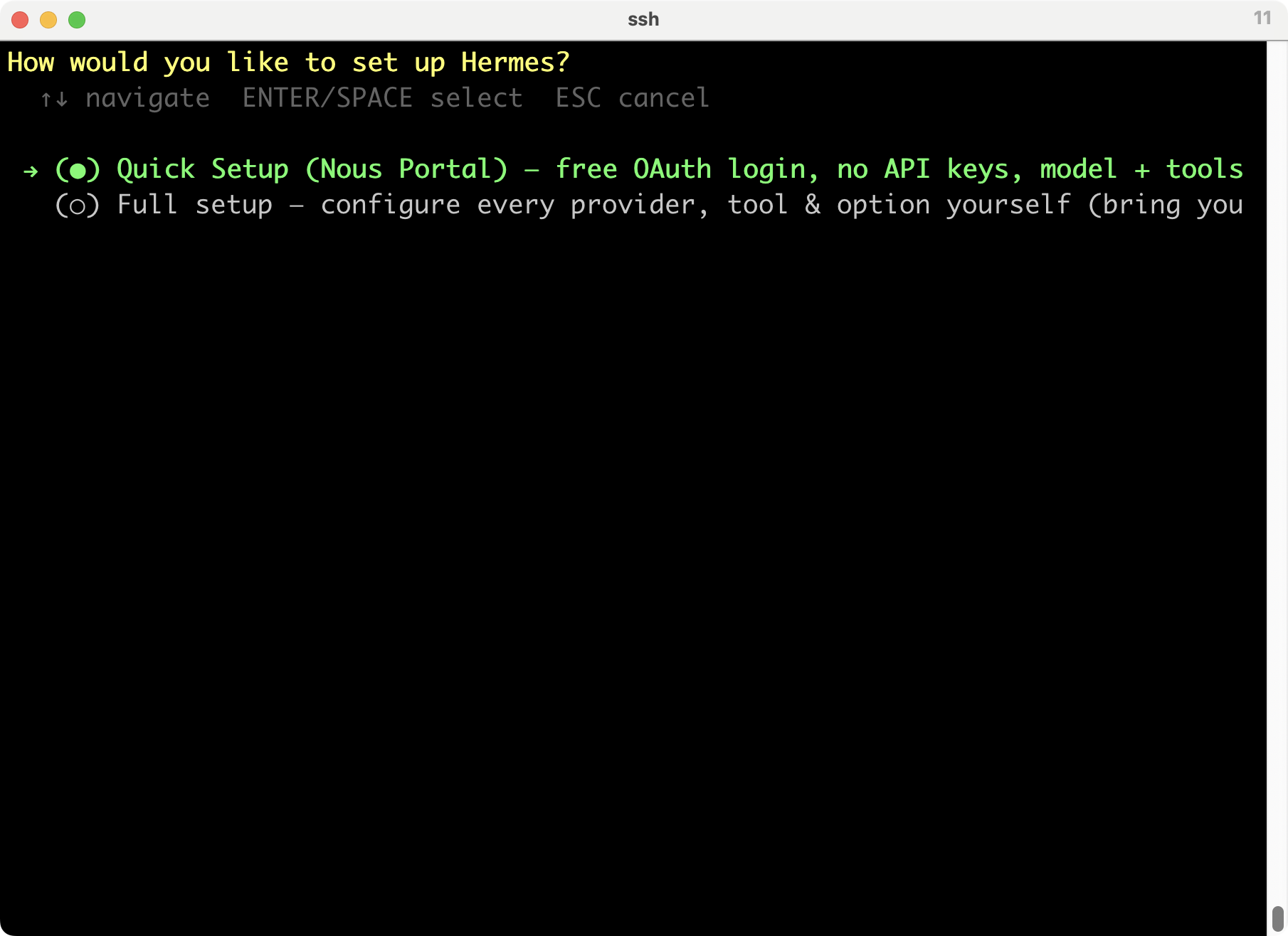
同じことやるのはイヤなので、1つずつやるかな。一旦終了する。
┌─────────────────────────────────────────────────────────┐
│ ⚕ Hermes Agent Setup Wizard │
├─────────────────────────────────────────────────────────┤
│ Let's configure your Hermes Agent installation. │
│ Press Ctrl+C at any time to exit. │
└─────────────────────────────────────────────────────────┘
How would you like to set up Hermes?
● Quick Setup (Nous Portal) — free OAuth login, no API keys, model + tools (recommended)
○ Full setup — configure every provider, tool & option yourself (bring your own keys)
Enter for default (1) Ctrl+C to exit
Select [1-2] (1): ^C
モデルの設定
% hermes model
まぁ、別々にやっても、同じは同じか。
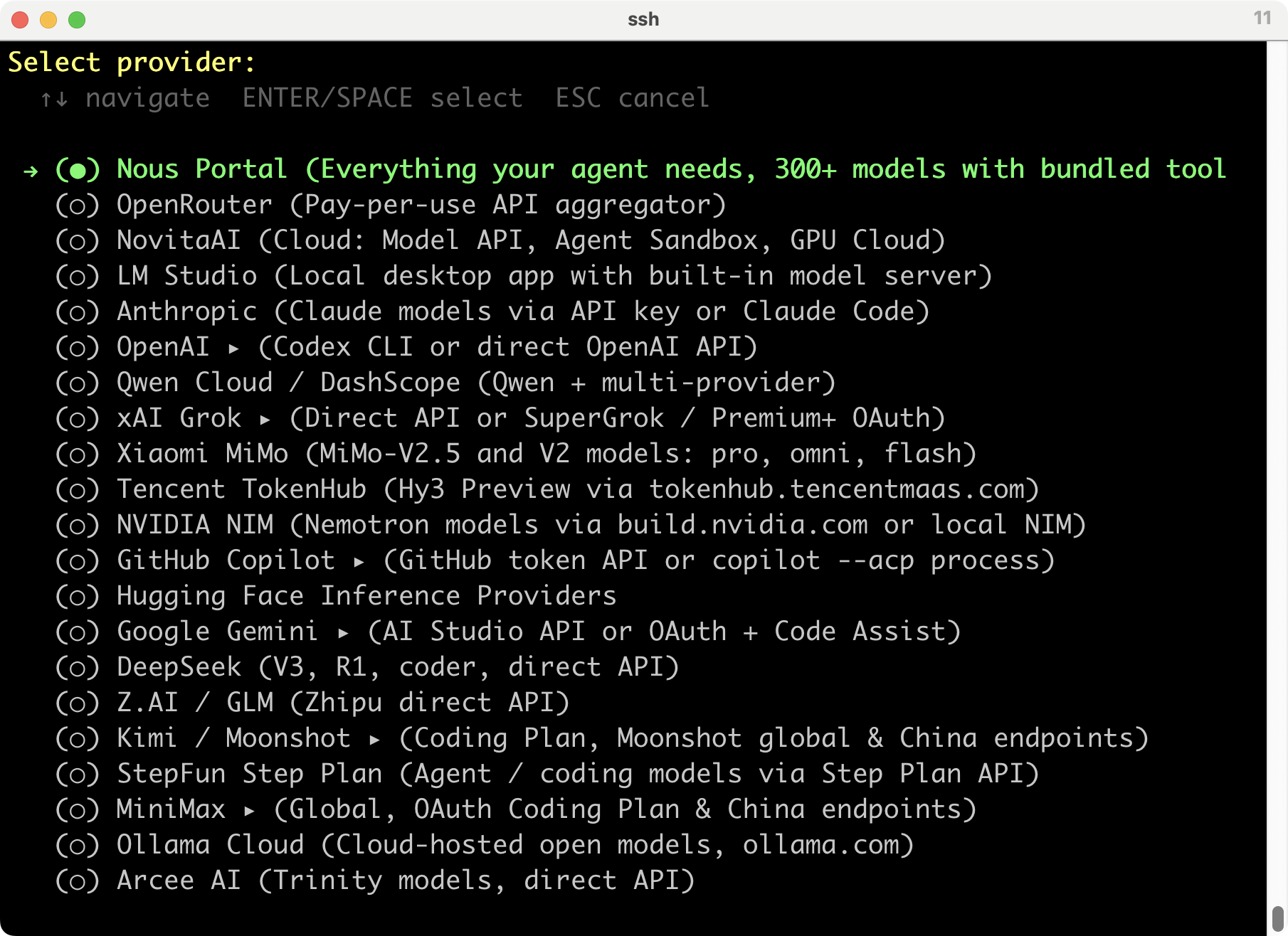
sshな端末でClaude Codeをインストールしたときには、連携設定はURLが表示されて、そこでアクセスして認証したら利用可能になったのだけど、Hermesではどうしたらいいのだろうか?
Claude Codeはやめて、Codexでやってみようかな。
$20/月のChatGPT Plusでは、Codexは“a few focused coding sessions each week” と説明されている。軽い作業をちょっとだけみたいな感じ。5時間の共有枠で、以下が利用できる。とりあえず、これでいいか。
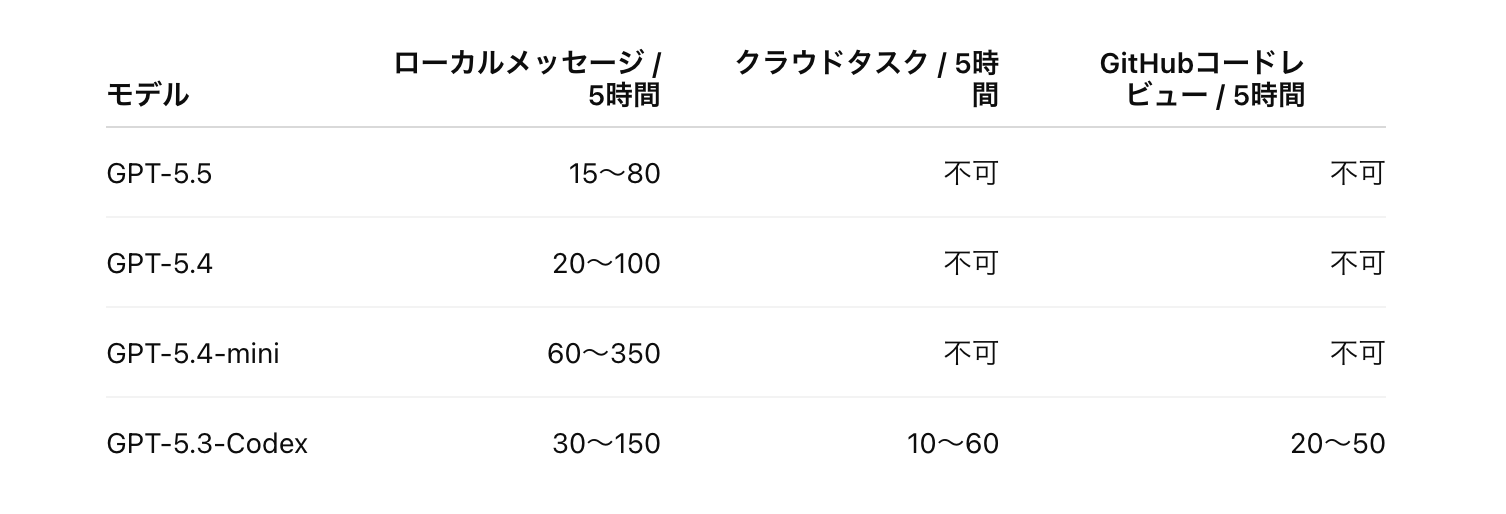
無理そうなら、Claude Codeに切り替える予定で。
→ (○) OpenAI ▸ (Codex CLI or direct OpenAI API)
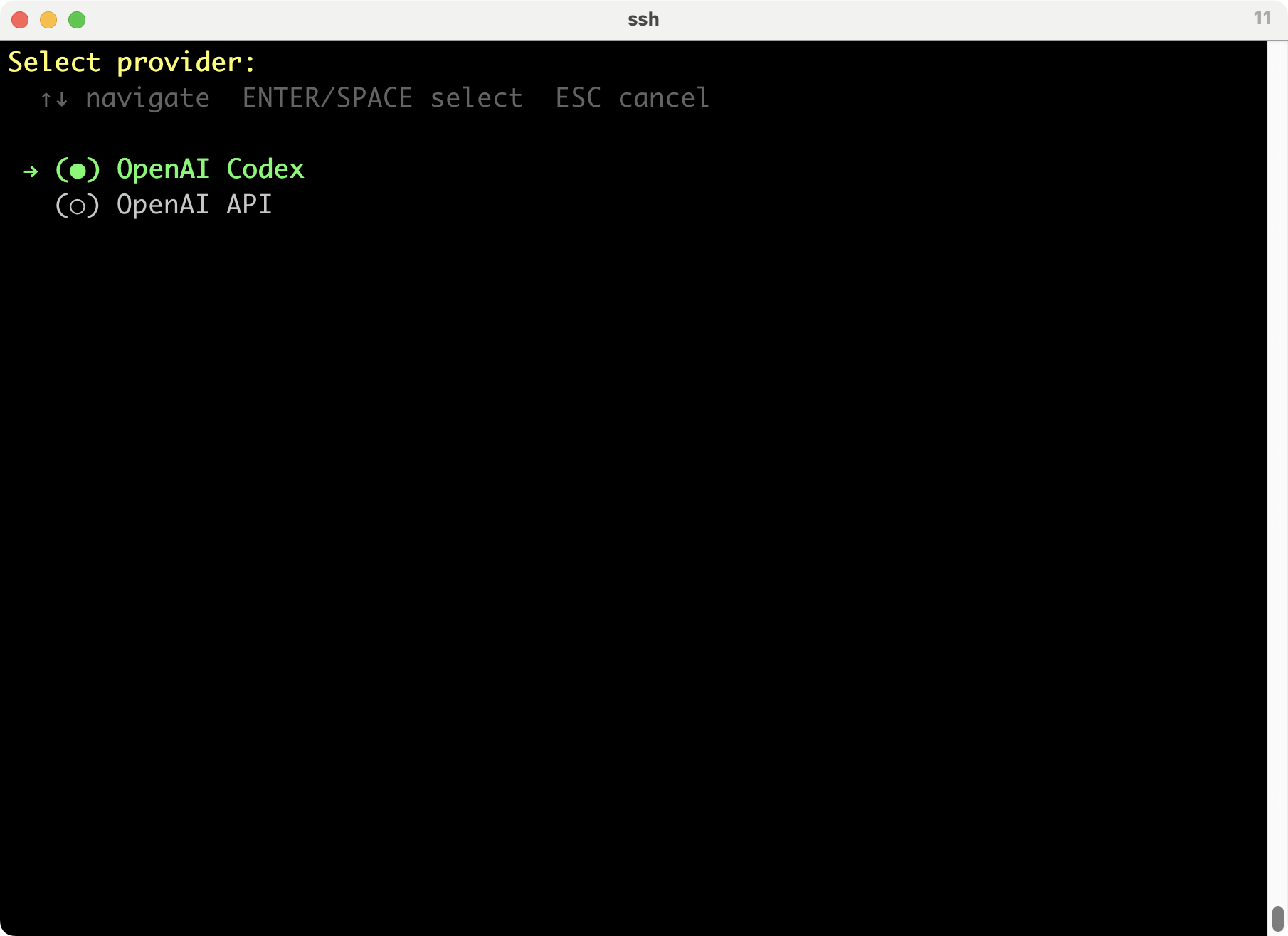
Select provider:
↑↓ navigate ENTER/SPACE select ESC cancel
→ (●) OpenAI Codex
(○) OpenAI API
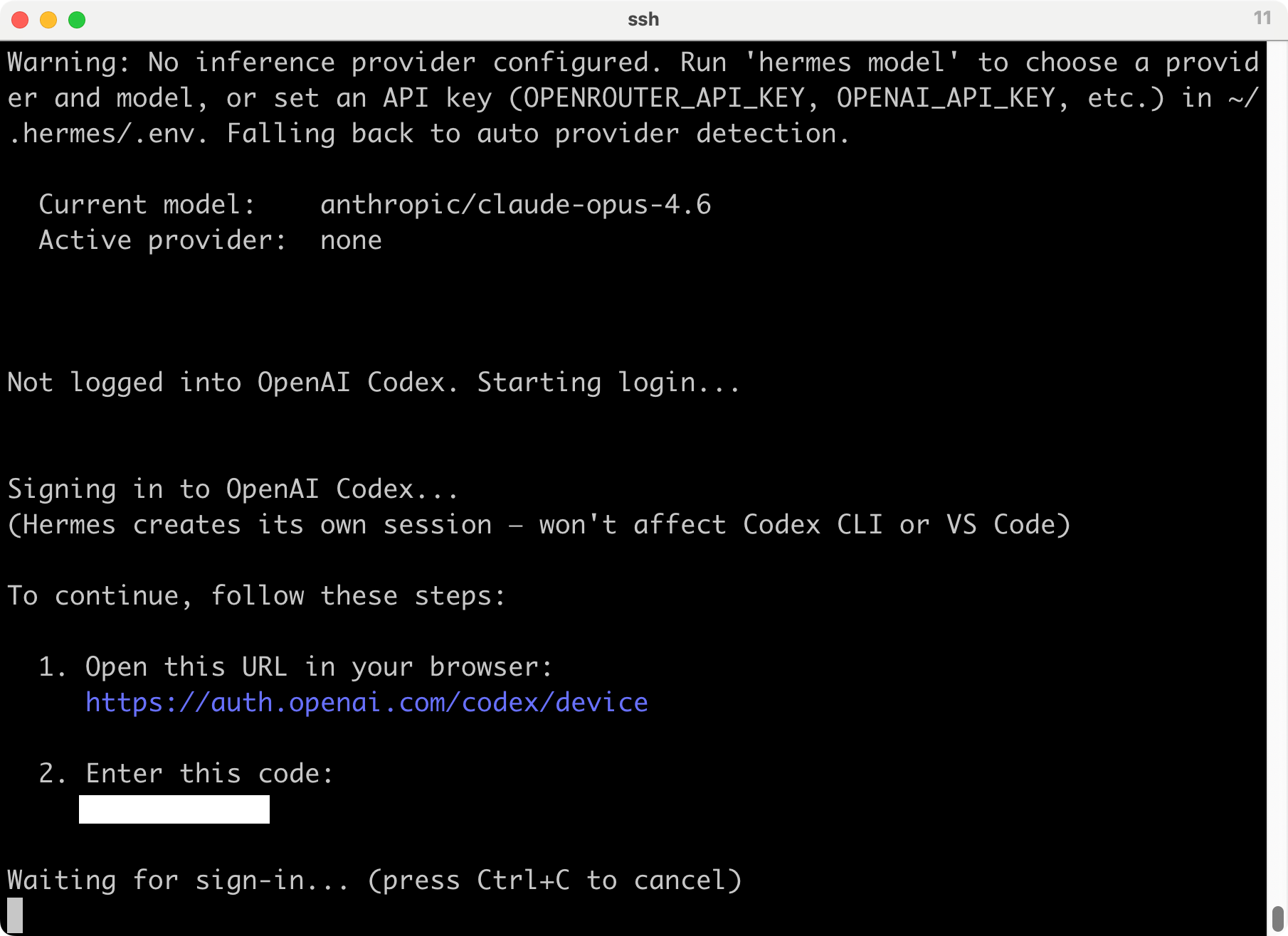
Warning: No inference provider configured. Run 'hermes model' to choose a provider and model, or set an API key (OPENROUTER_API_KEY, OPENAI_API_KEY, etc.) in ~/.hermes/.env. Falling back to auto provider detection.
Current model: anthropic/claude-opus-4.6
Active provider: none
Not logged into OpenAI Codex. Starting login...
Signing in to OpenAI Codex...
(Hermes creates its own session — won't affect Codex CLI or VS Code)
To continue, follow these steps:
- Open this URL in your browser:
https://auth.openai.com/codex/device
2. Enter this code:
XXXX-XXXXX
Waiting for sign-in... (press Ctrl+C to cancel)
指定のURLにアクセスして、表示されたコードを入れるように言われた。
URLを開くと普通にユーザー認証が求められる。
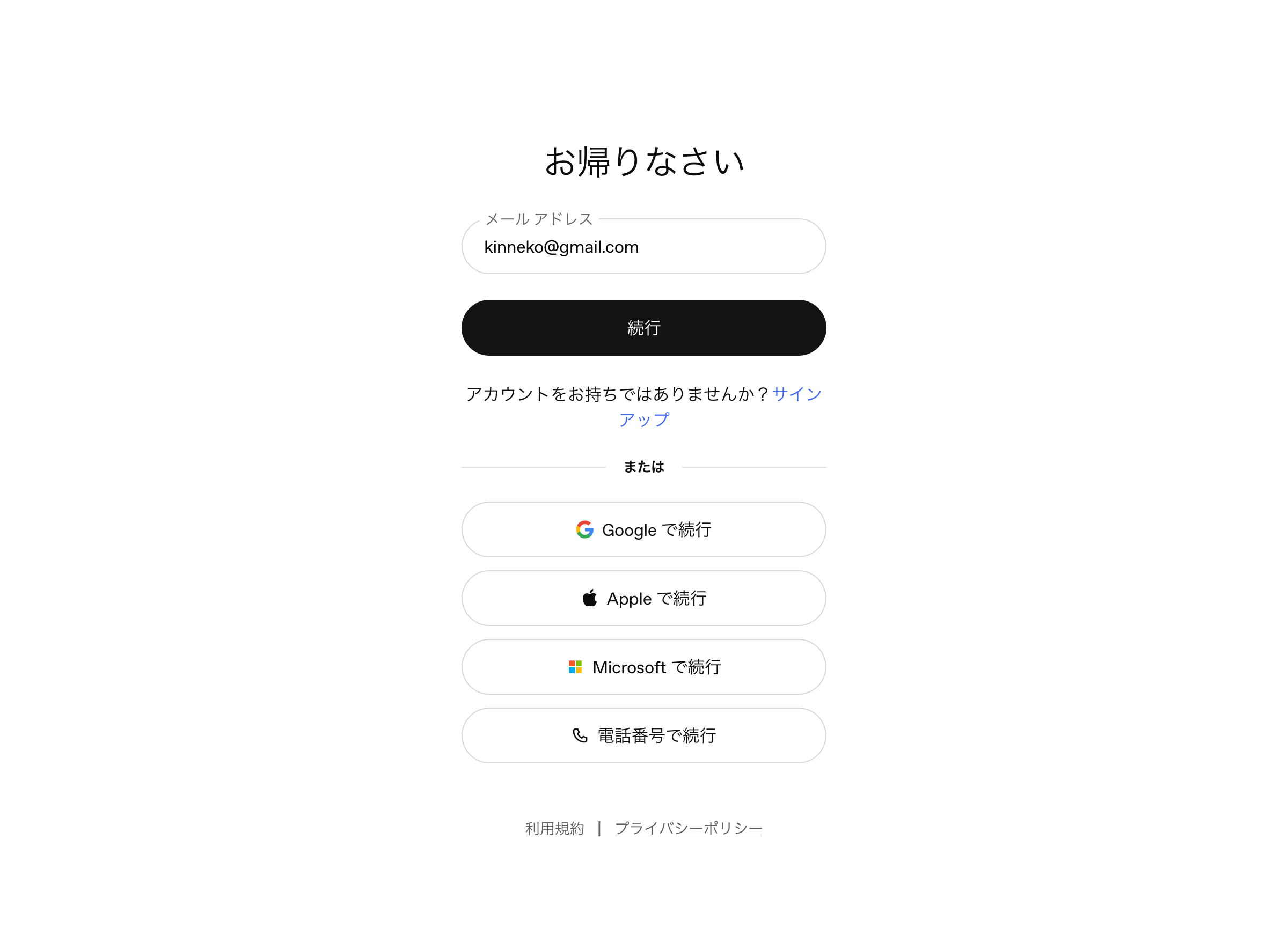
このアカウントでは、Codexは使ったことないので、なんか続行できないね。
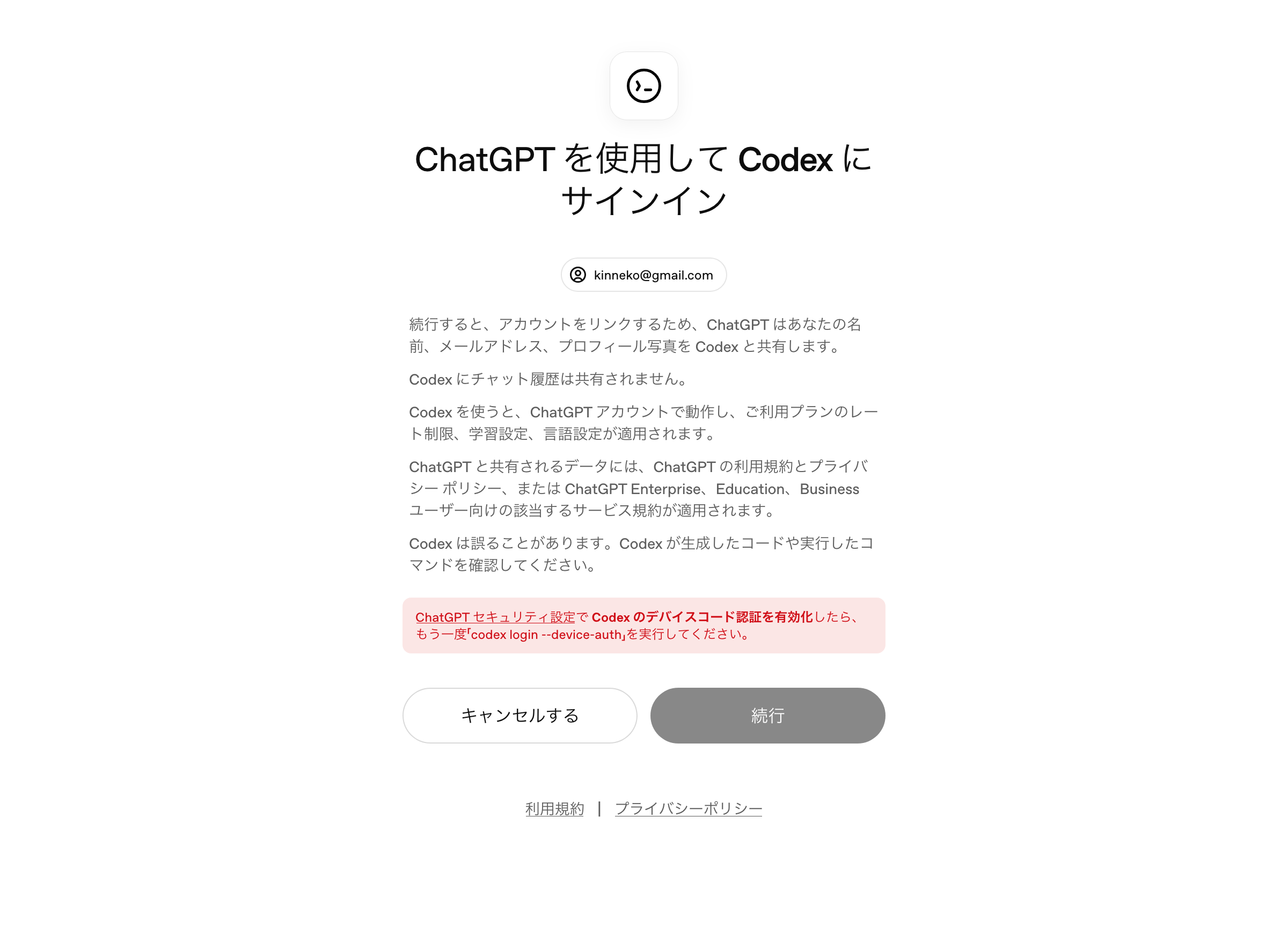
ChatGPT セキュリティ設定で Codex のデバイスコード認証を有効化したら、もう一度「codex login --device-auth」を実行してください。
https://chatgpt.com/#settings/Security
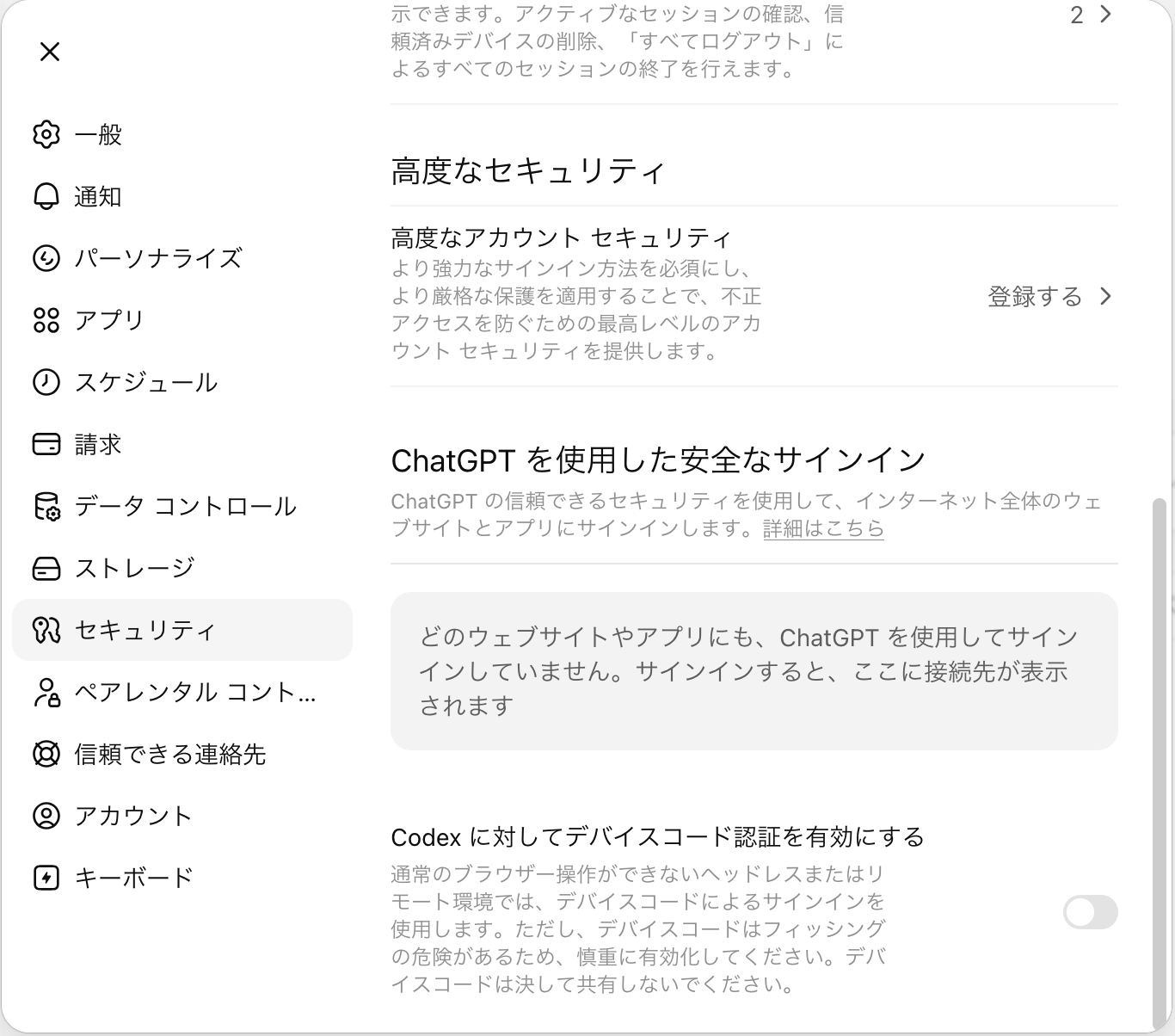
Codex に対してデバイスコード認証を有効にする
通常のブラウザー操作ができないヘッドレスまたはリモート環境では、デバイスコードによるサインインを使用します。ただし、デバイスコードはフィッシングの危険があるため、慎重に有効化してください。デバイスコードは決して共有しないでください。
有効にチェックを入れる。
再度サインインすると、続行できるようになった。
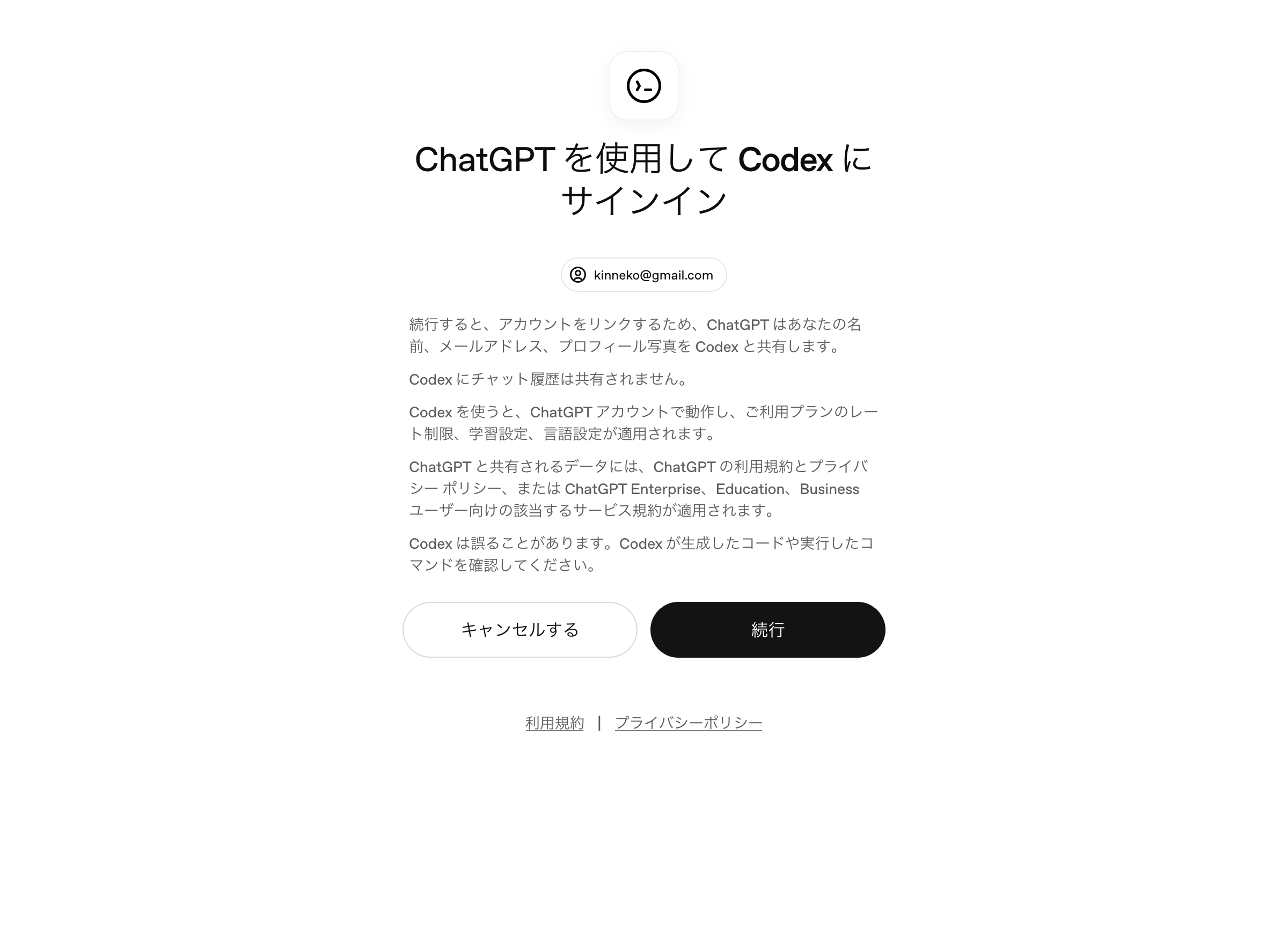
ここで、先ほどのコードを入れるといいのかな?
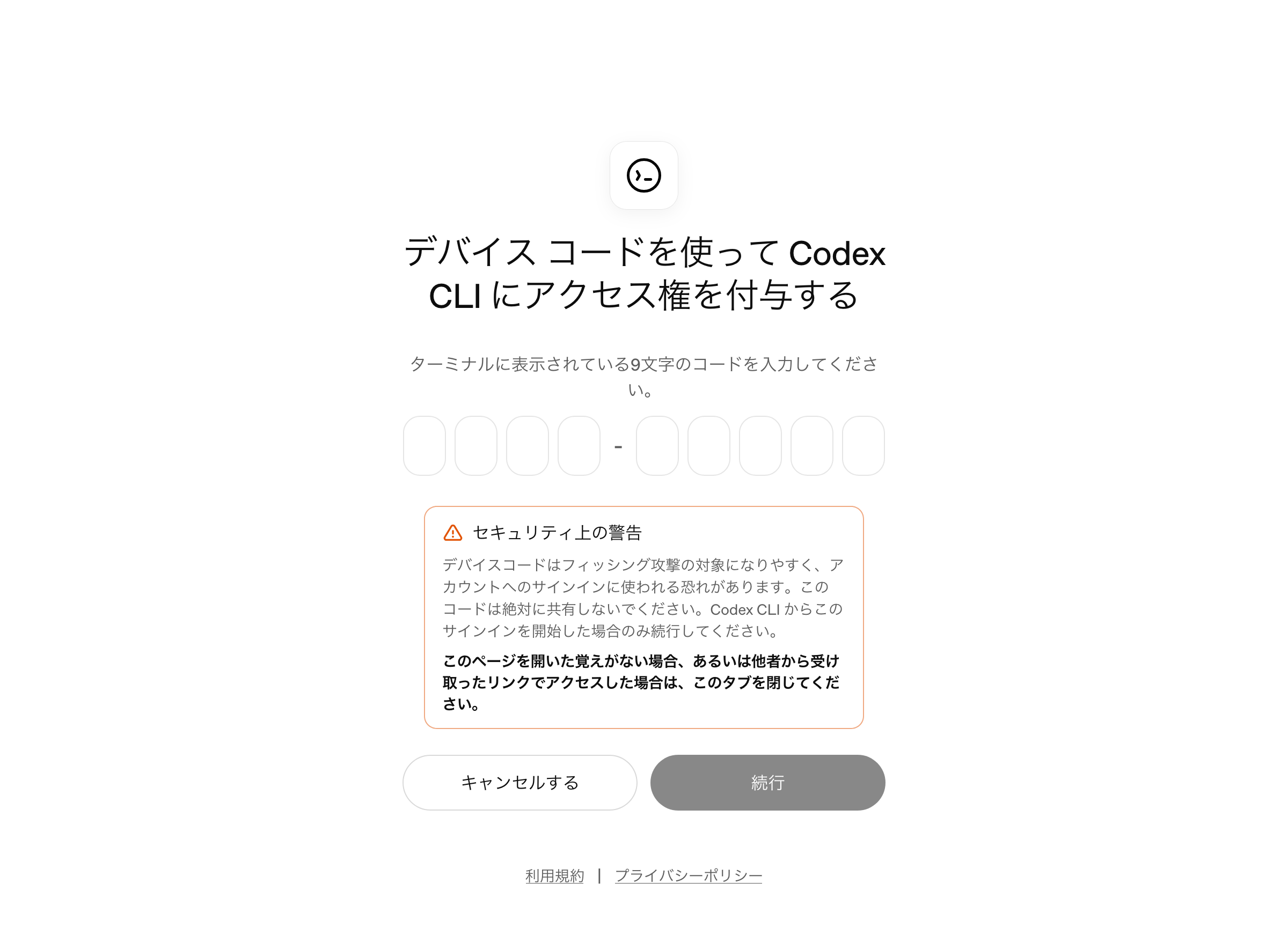
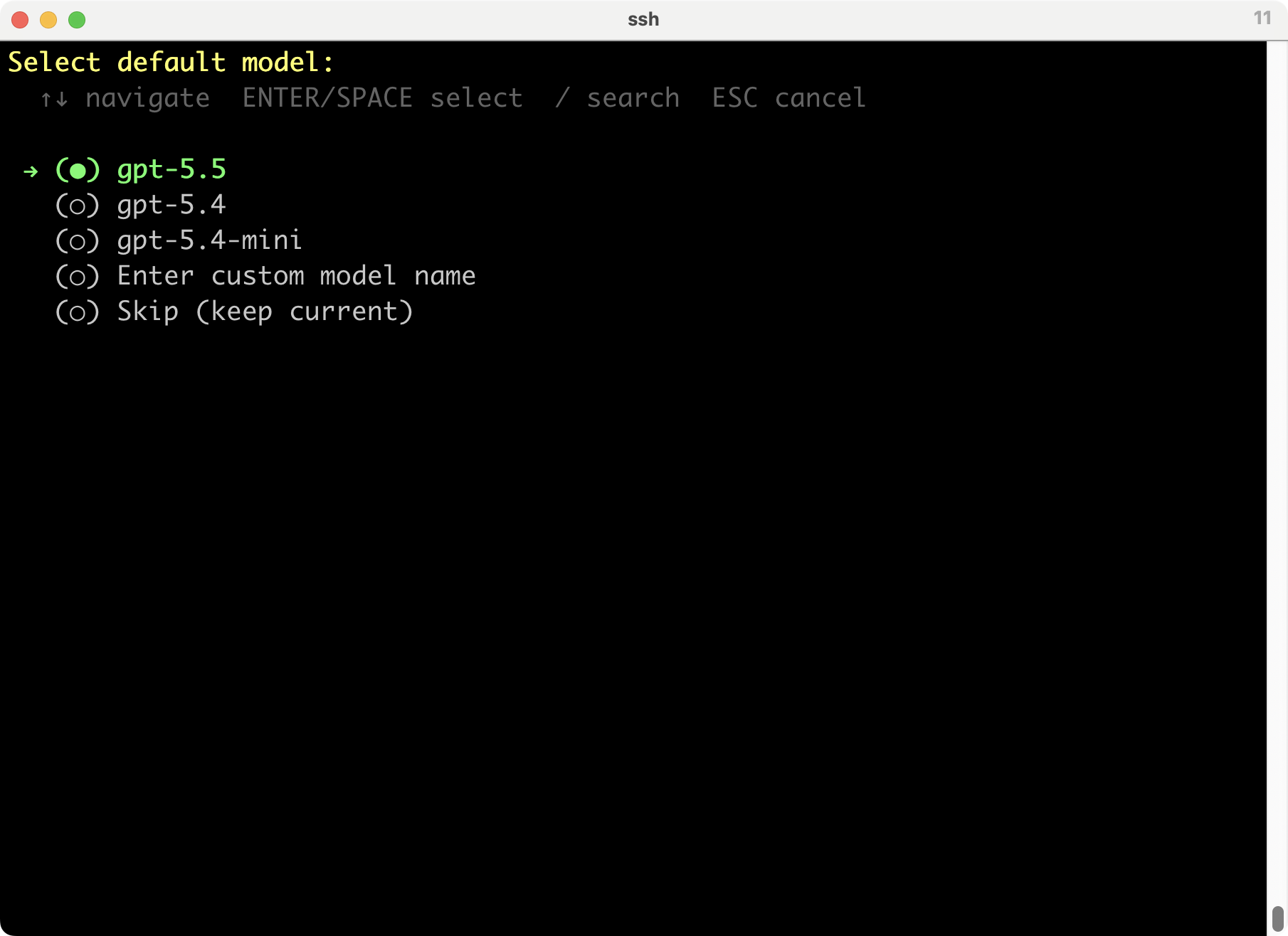
5.3-Codexは出てこないな。5.4-miniでいいかな。
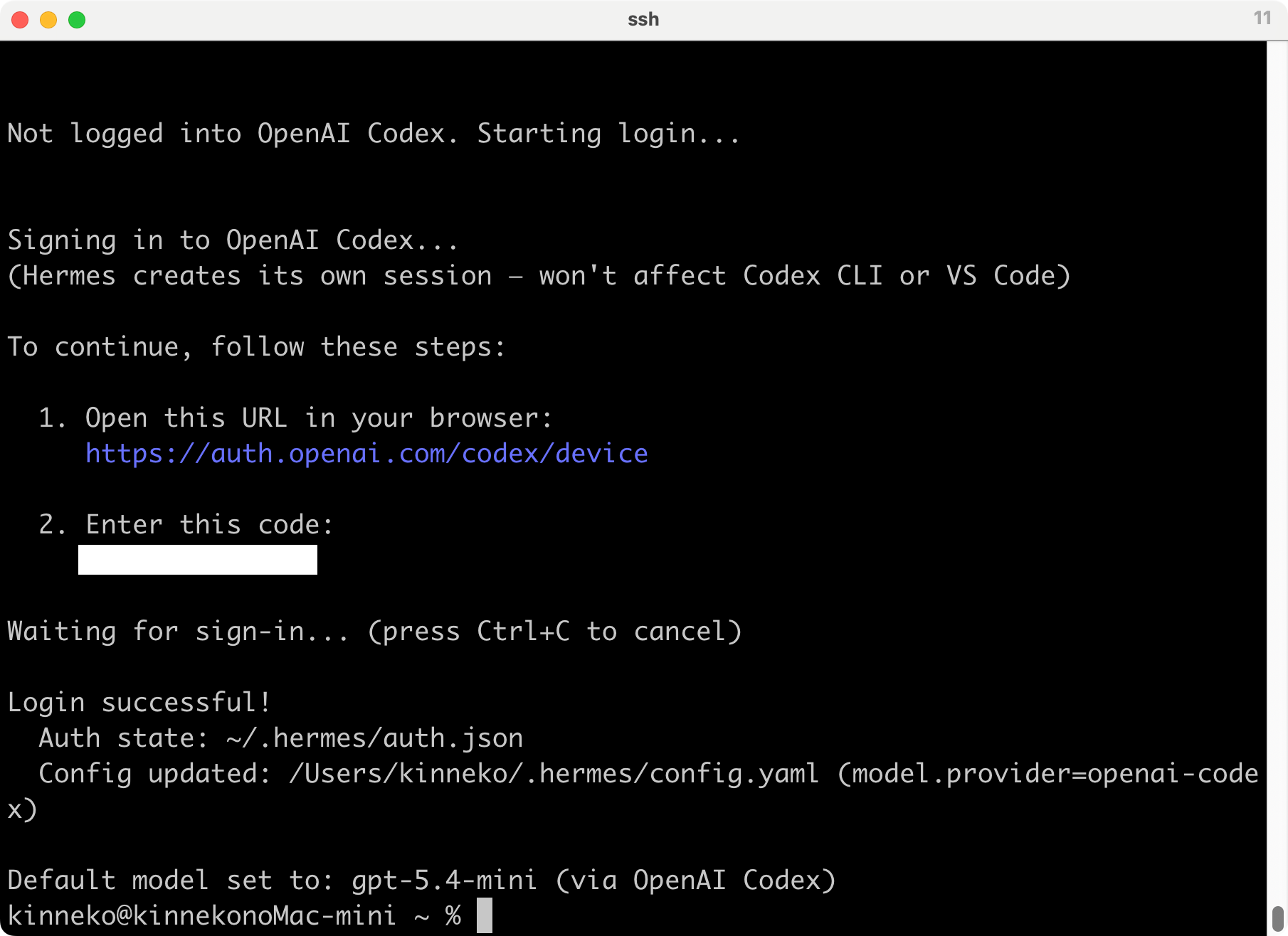
うまくいったようだ。
まだ先は長いな。
オリジナル投稿:
hermes-agent試す? -3-|kinneko|pixivFANBOX
https://kinneko.fanbox.cc/posts/12014884