

というわけで、インストールを実行する。
% curl -fsSL https://hermes-agent.nousresearch.com/install.sh | bash
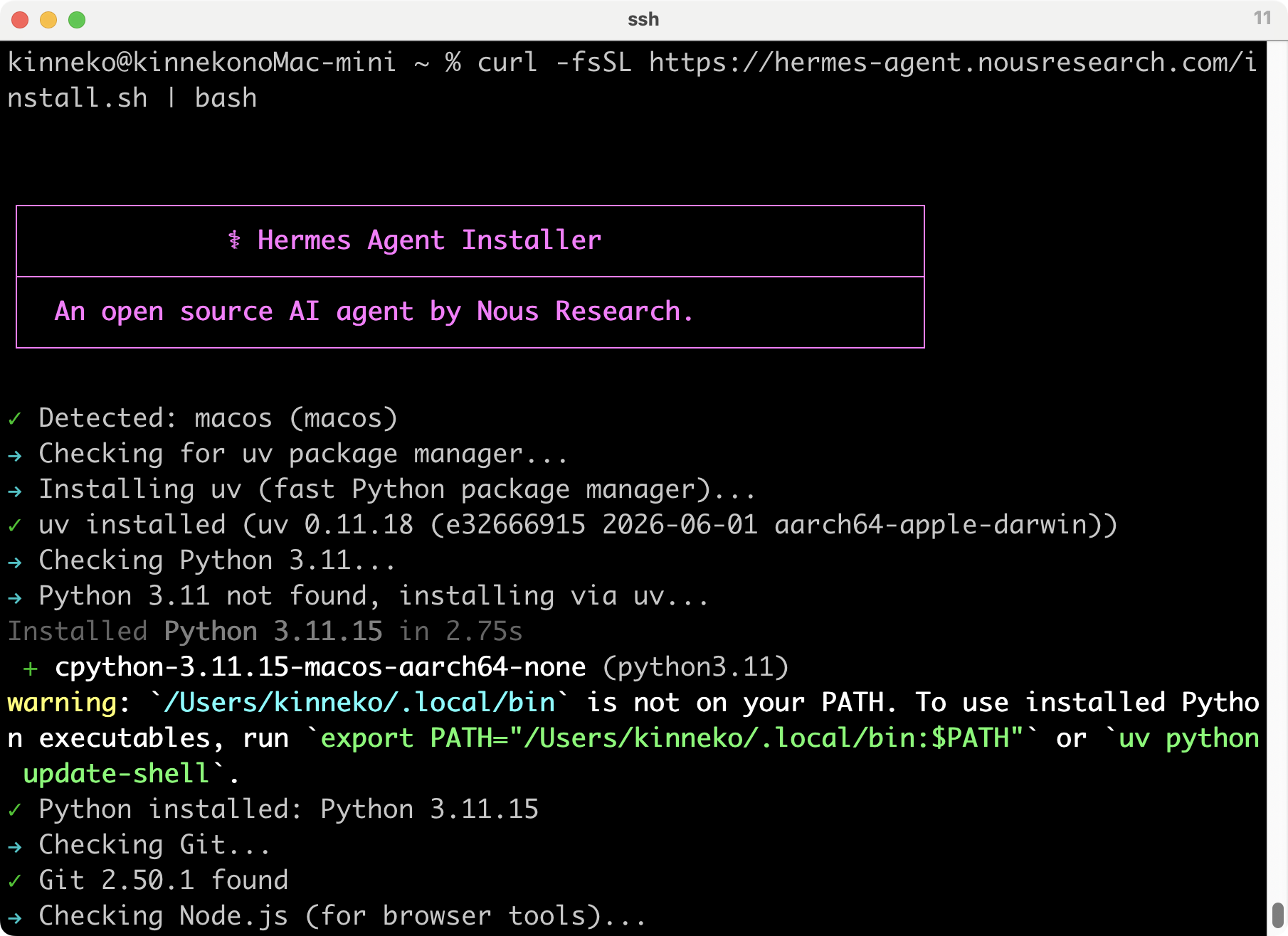
なんだこれ?
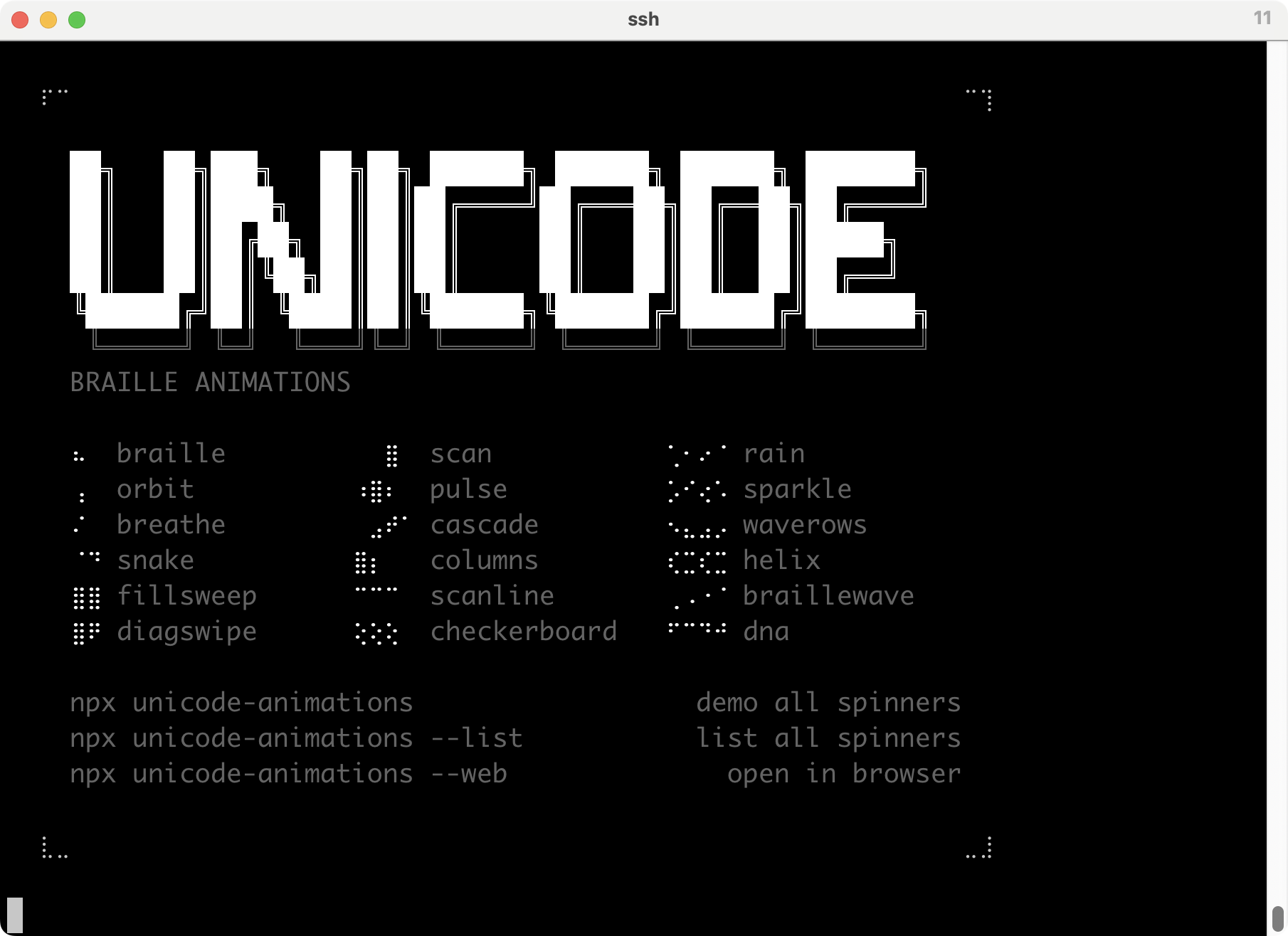
途中でこんな質問出た。
How would you like to set up Hermes?
↑↓ navigate ENTER/SPACE select ESC cancel
→ (●) Quick Setup (Nous Portal) — free OAuth login, no API keys, model + tools
(○) Full setup — configure every provider, tool & option yourself (bring you
うーん、どうすべ。Nous Portalにはアカウント作ってないしな。中でQwen3は無料で使えるらしいけど。Nous Portalにログインして、モデルとツールをまとめて使える状態にする簡単設定なのだそうだけど、途中でブラウザ開くようなOAuth設定が入るみたいだし、普通にAPIサービスを選ぶほうがいいかな。
と、サービス一覧が出てきたよ。ぜんぶ入れてあとで設定するんじゃないのか。
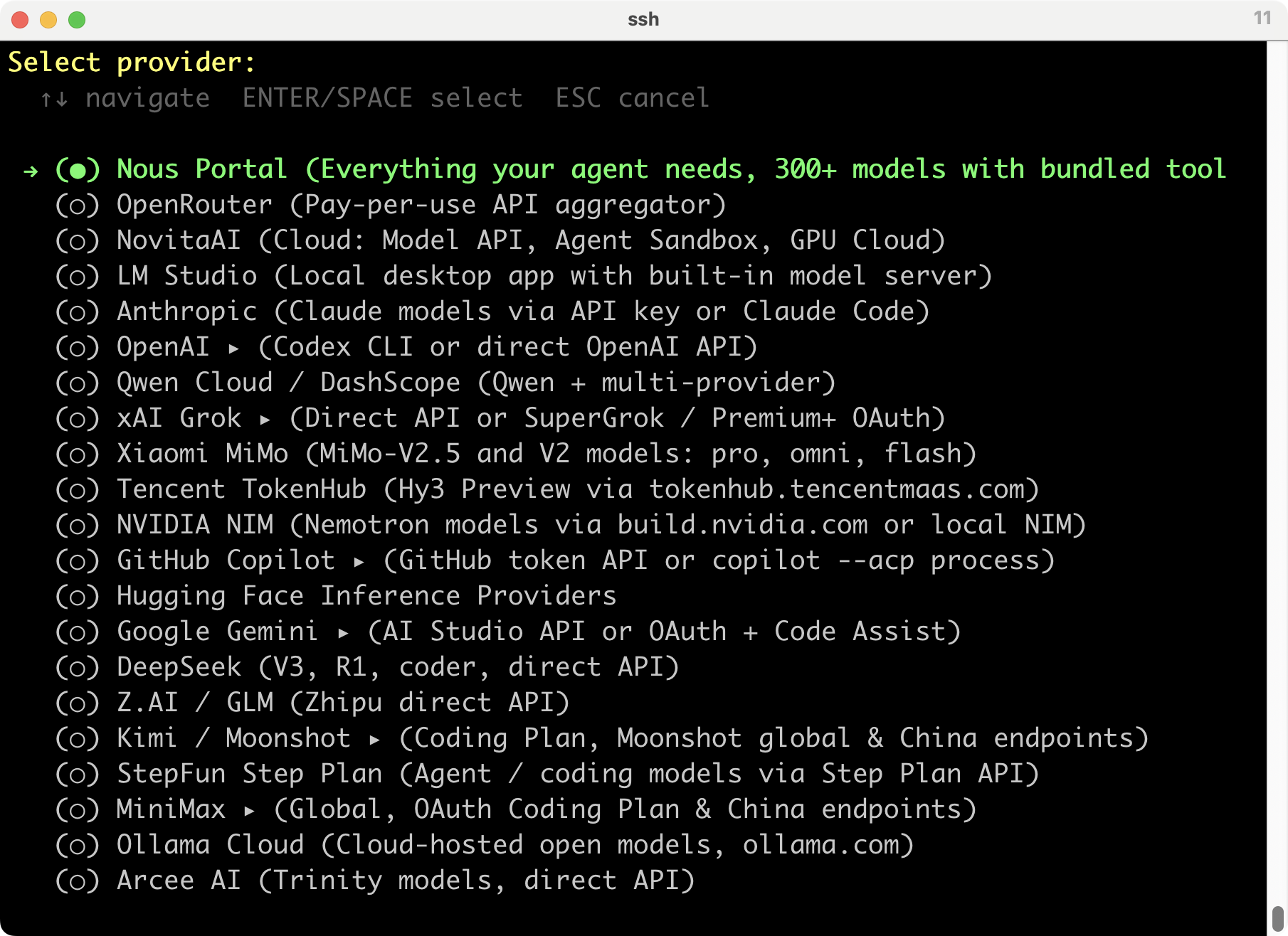
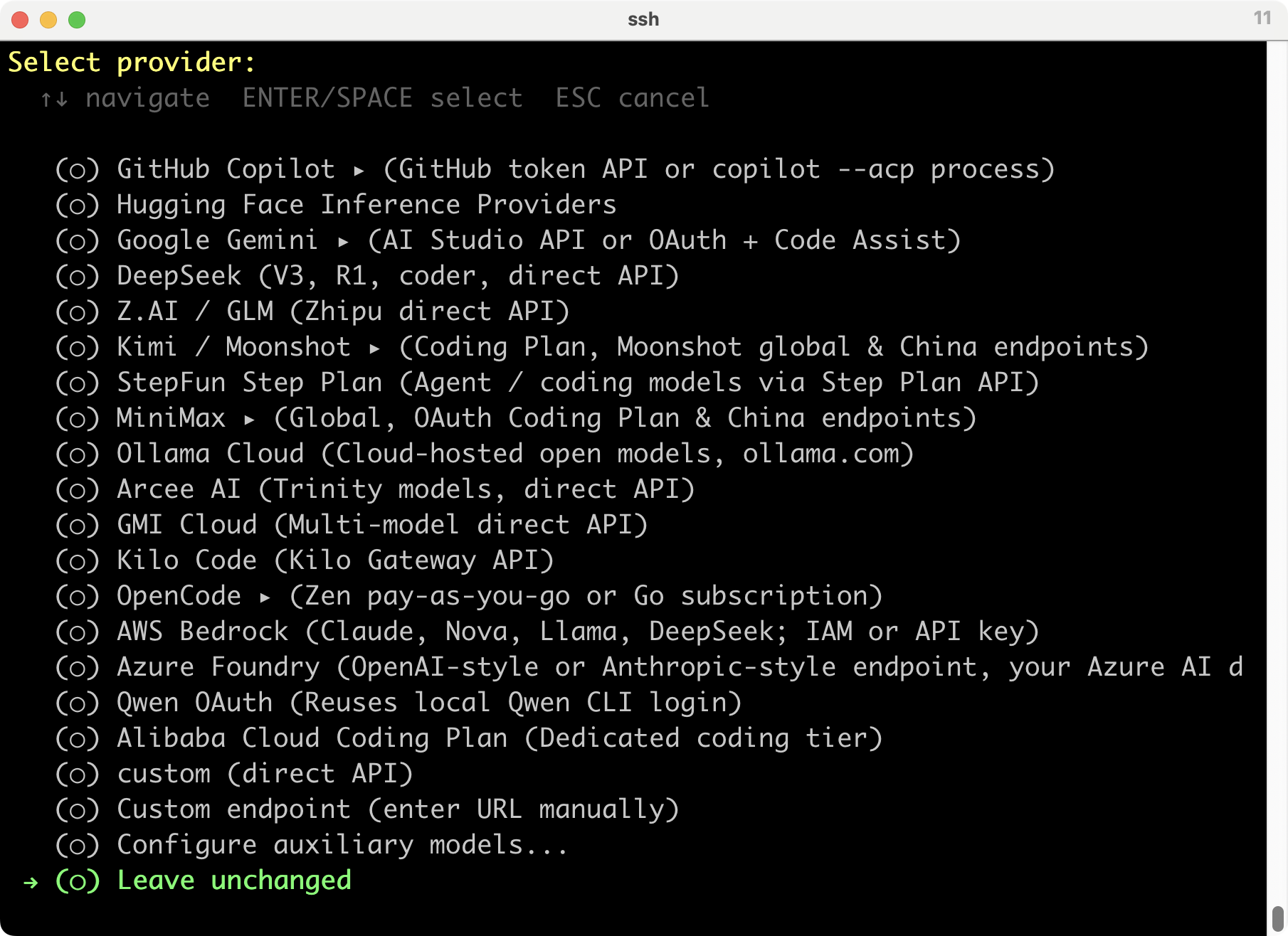
とりあえず、Anthropicにしてみるかな。
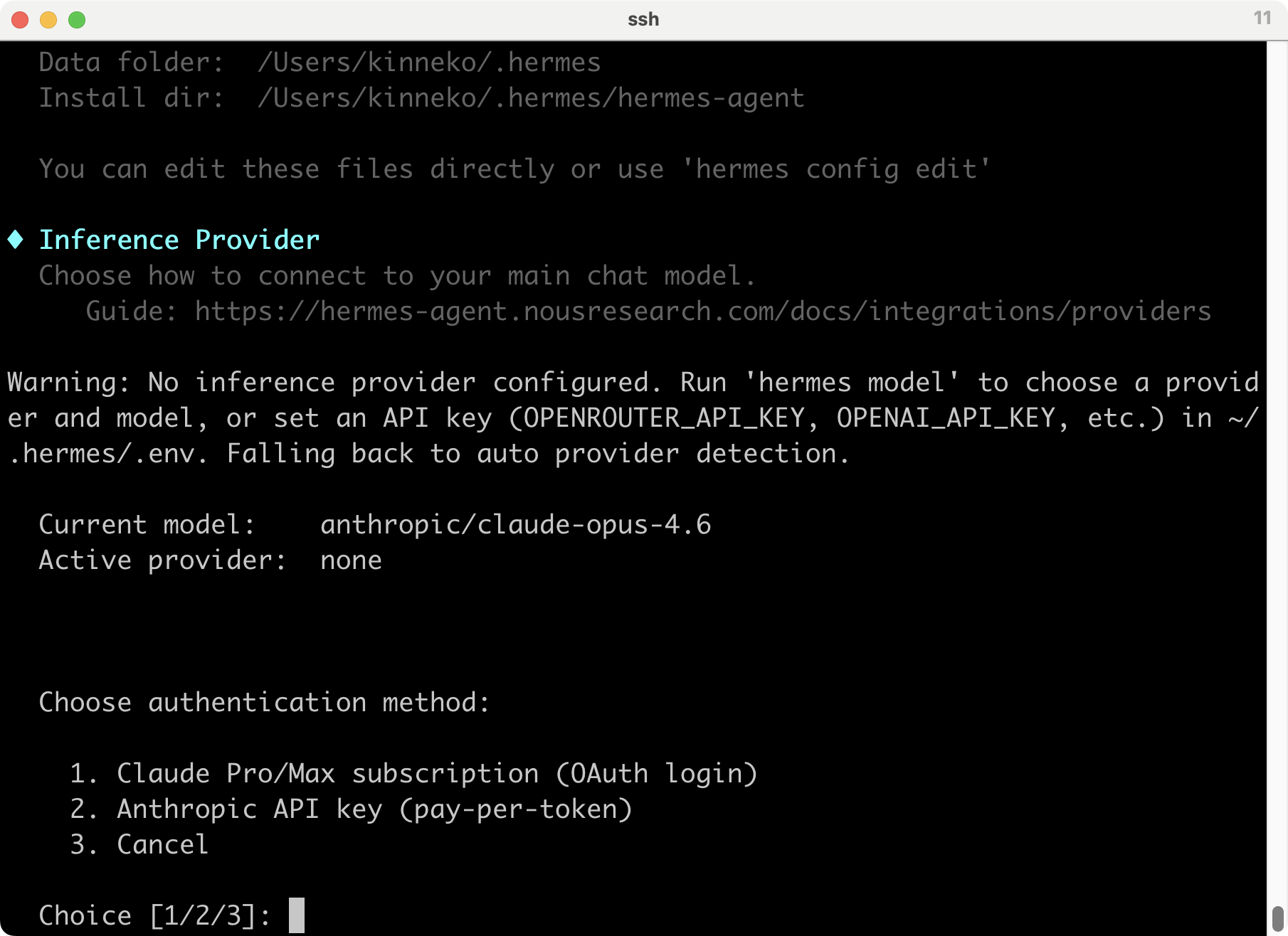
APIはお金かかるのでやめたから、1だね。
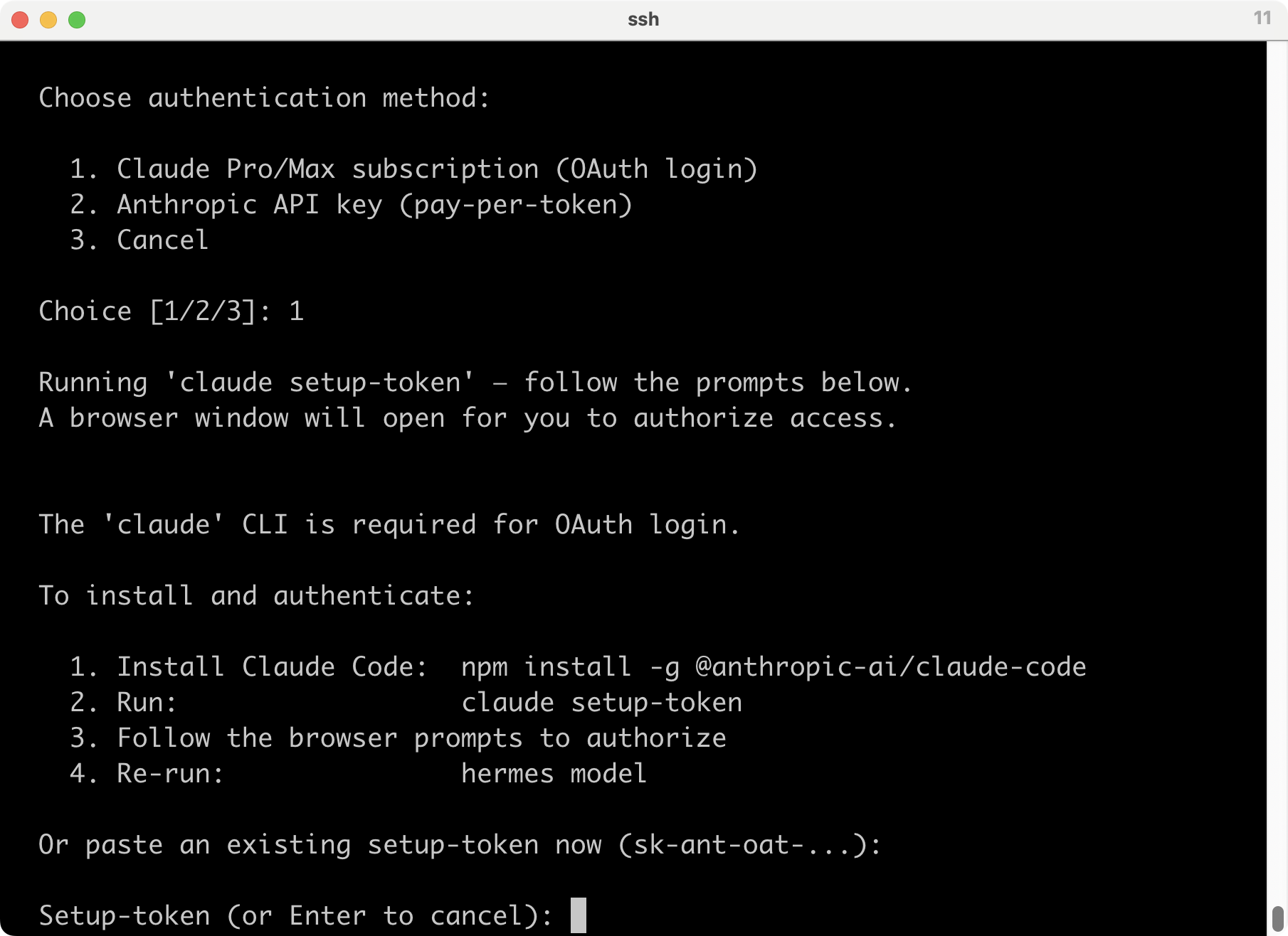
ブラウザ開いたからっていっているけど、sshのリモート環境からじゃわかんないわ。
トークンないから、ここはいったんEnterでキャンセルして、先に進む。
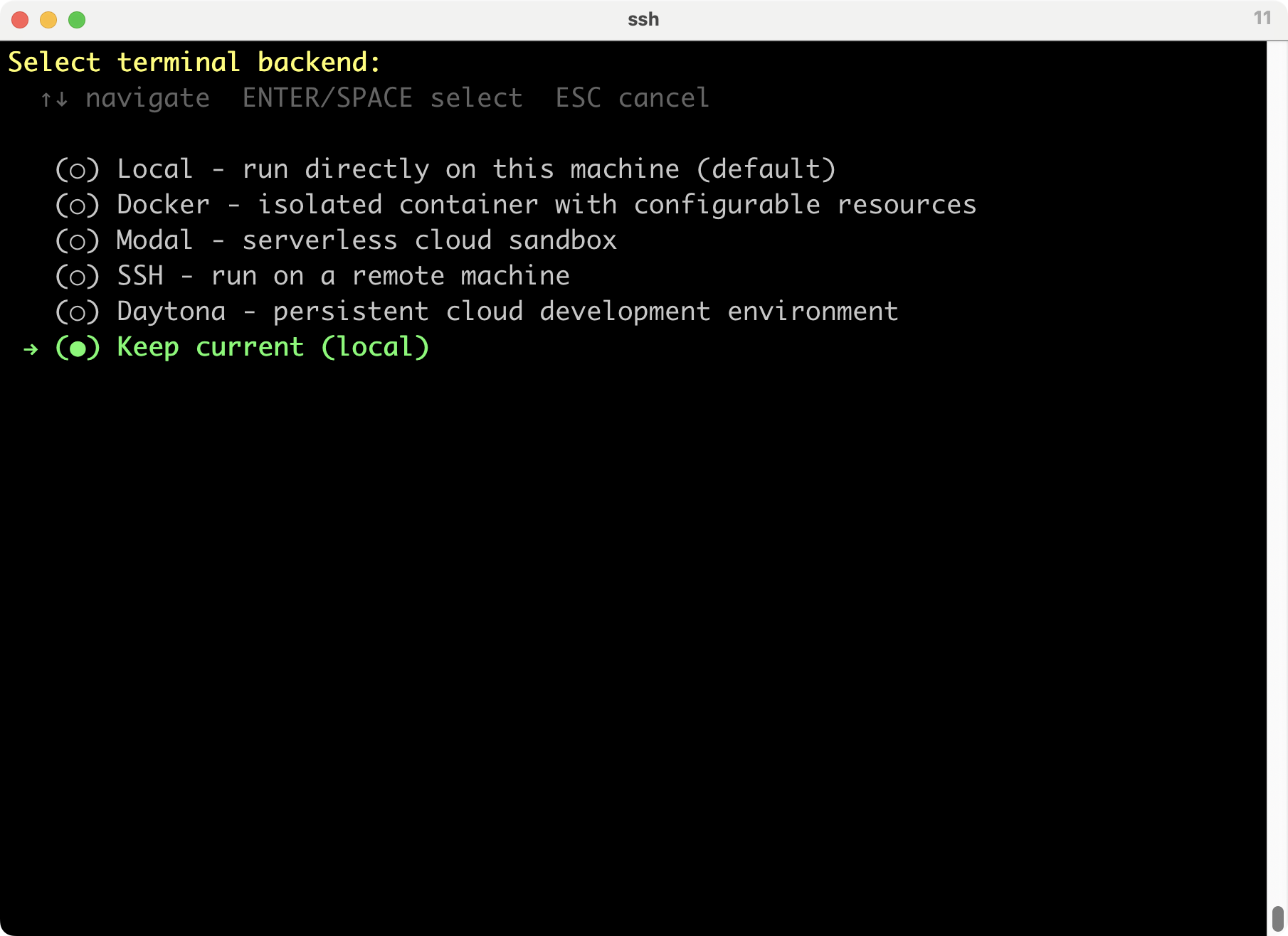
連携するサービスの選択。これもあとでいいかな。
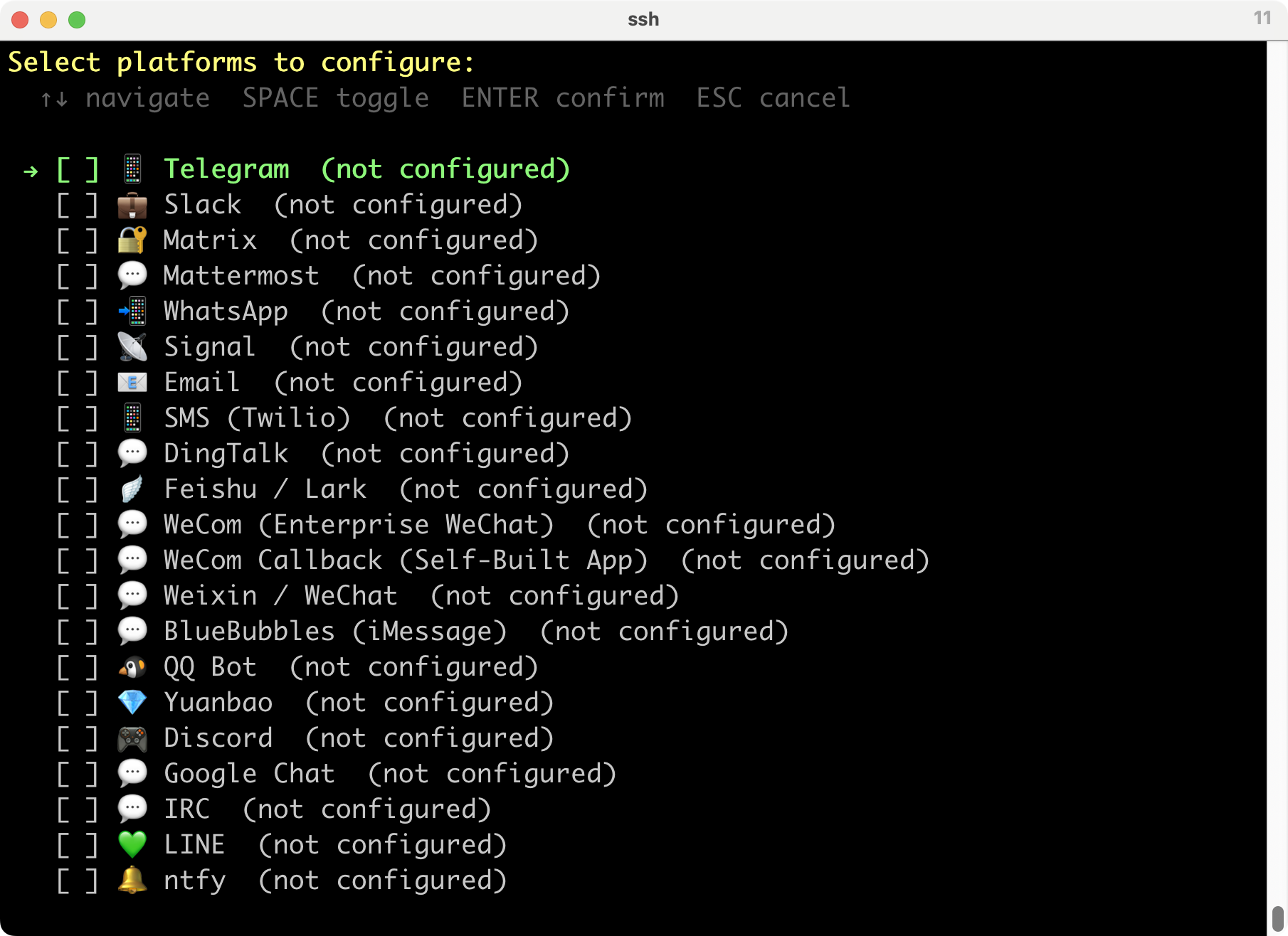
[ ] 🔒 SimpleX Chat (not configured)
→ [ ] 💼 Microsoft Teams (not configured)
とりあえず、ESCでキャンセル。
CLIで使うツールの選択。デフォルトでいっぱいチェック入っているので、そのままでいいかな。
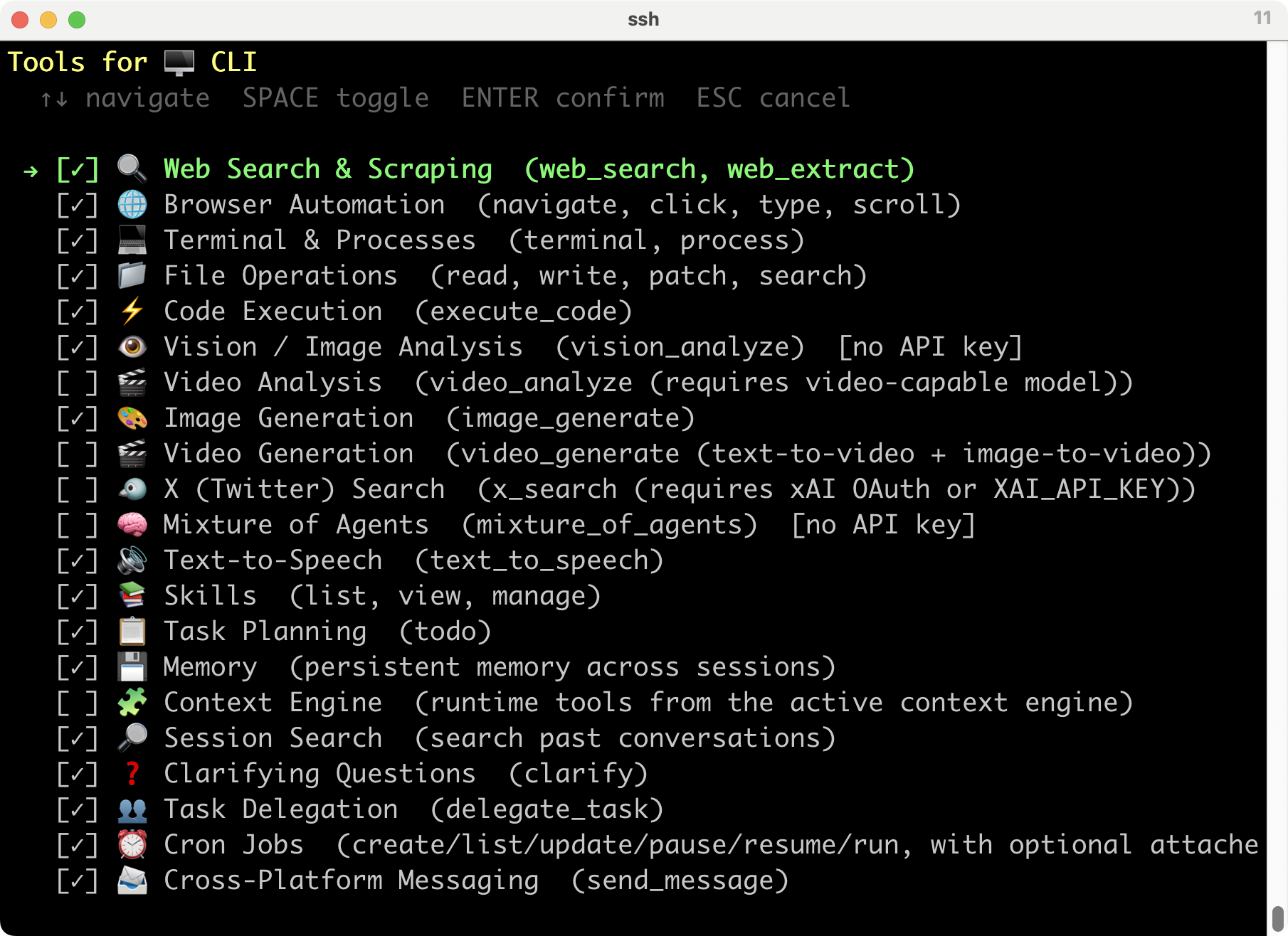
[ ] 🏠 Home Assistant (smart home device control) [no API key]
[ ] 🎵 Spotify (playback, search, playlists, library)
[ ] 🤖 Yuanbao (group info, member queries, DM)
→ [✓] 🖱️ Computer Use (macOS) (background desktop control via cua-driver)
Enterで次へ進む。
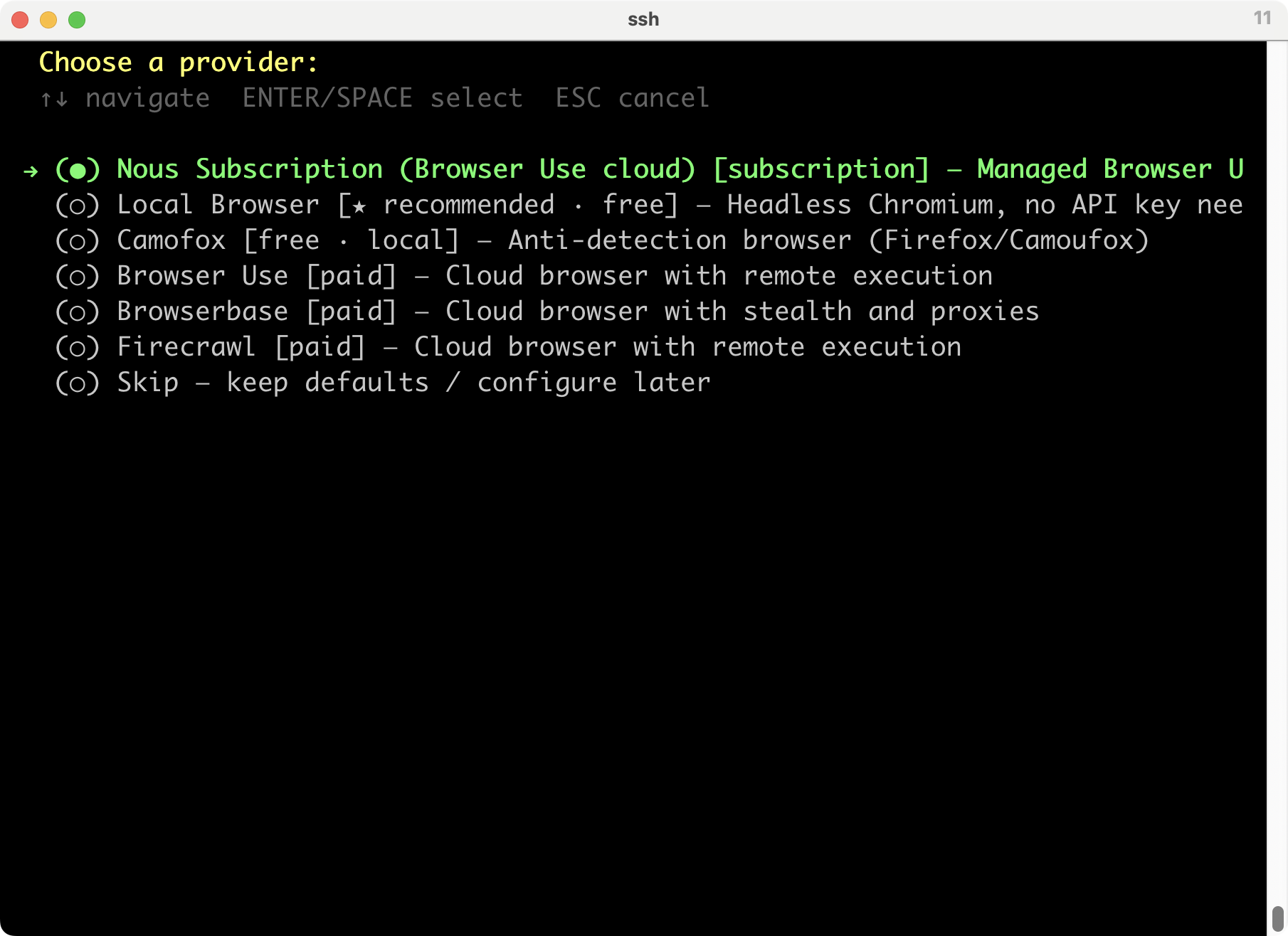
Hermes Agentのブラウザ操作ツールの接続先を選ぶ画面が出た。
Webページを開いたり、クリックしたり、スクリーンショットを取ったりするために、どのブラウザ実行環境を使うかを選ぶ。
有料ばっかり並んでいるので、ローカルブラウザかな。Camofoxというのもあるのね。
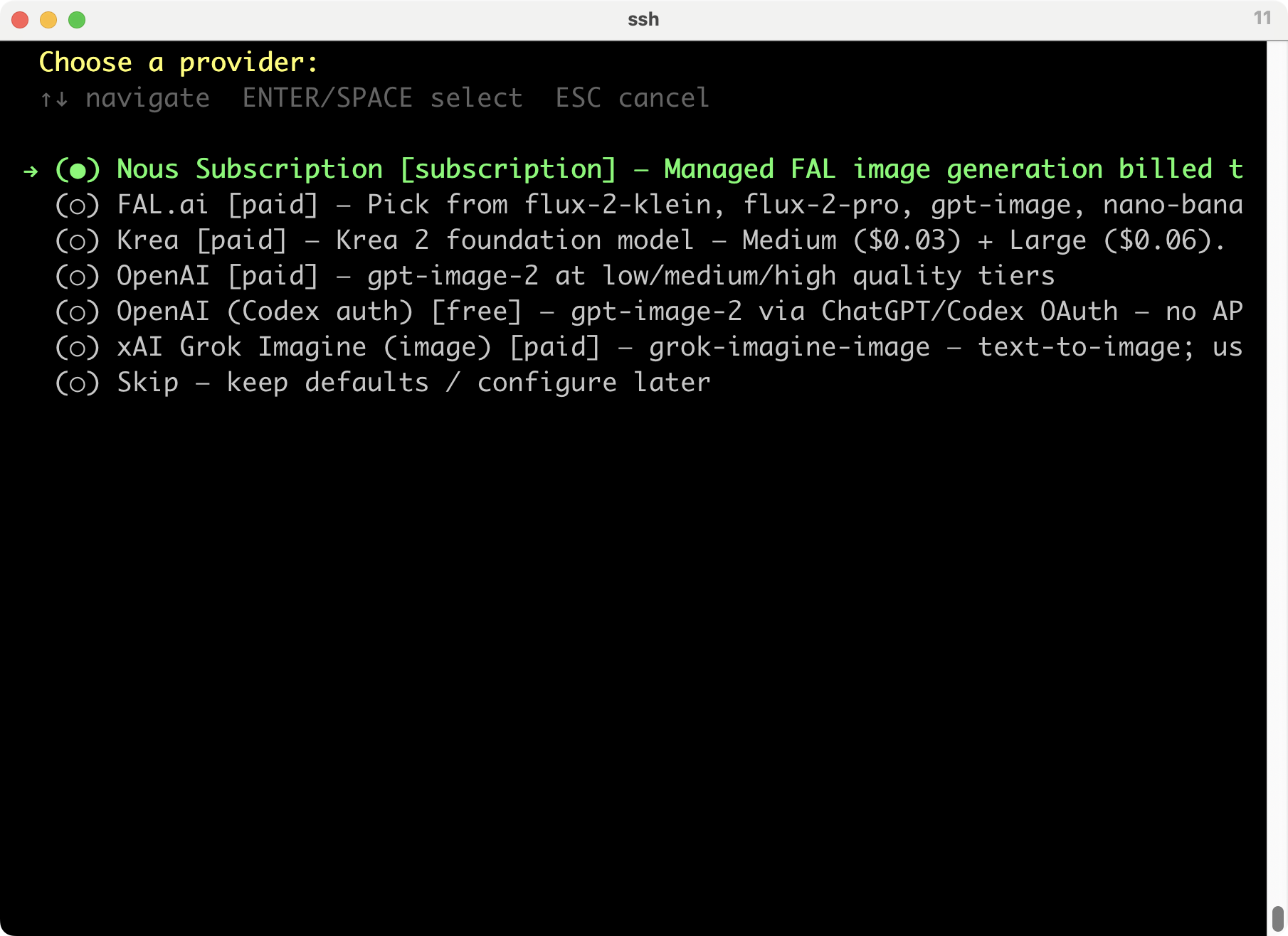
画像生成ツールのプロバイダ選択。画像を生成してと指示されたときに、どのサービスを使って画像生成するかを選ぶ。これも有料メインなので、スキップで。
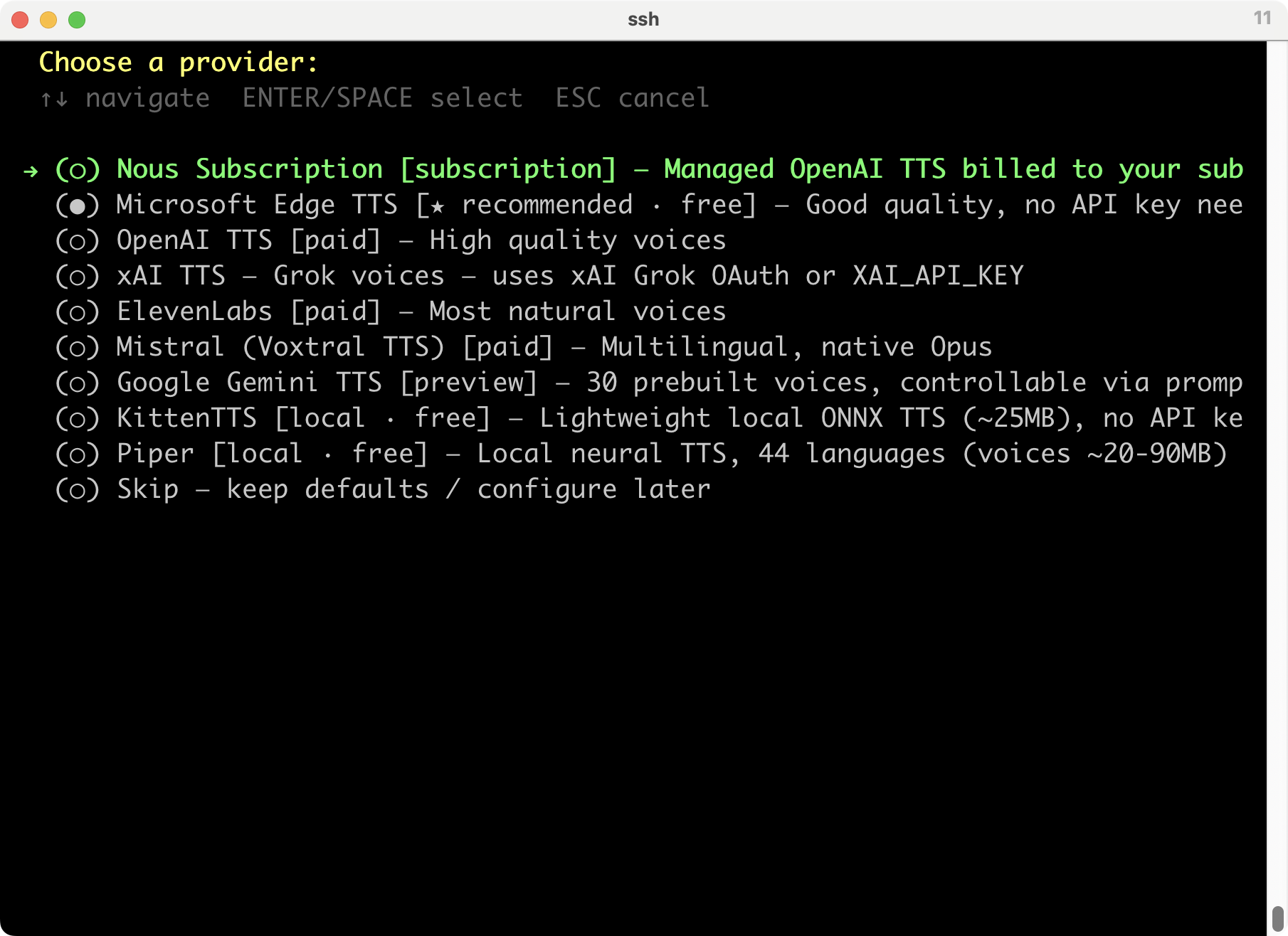
TTSサービスを選ぶ。MSのやつか、Piperでローカルでやるかか。piper-plusじゃないので、日本語はダメね。日本語対応しているみたいなので、MSのやつにしておくか。
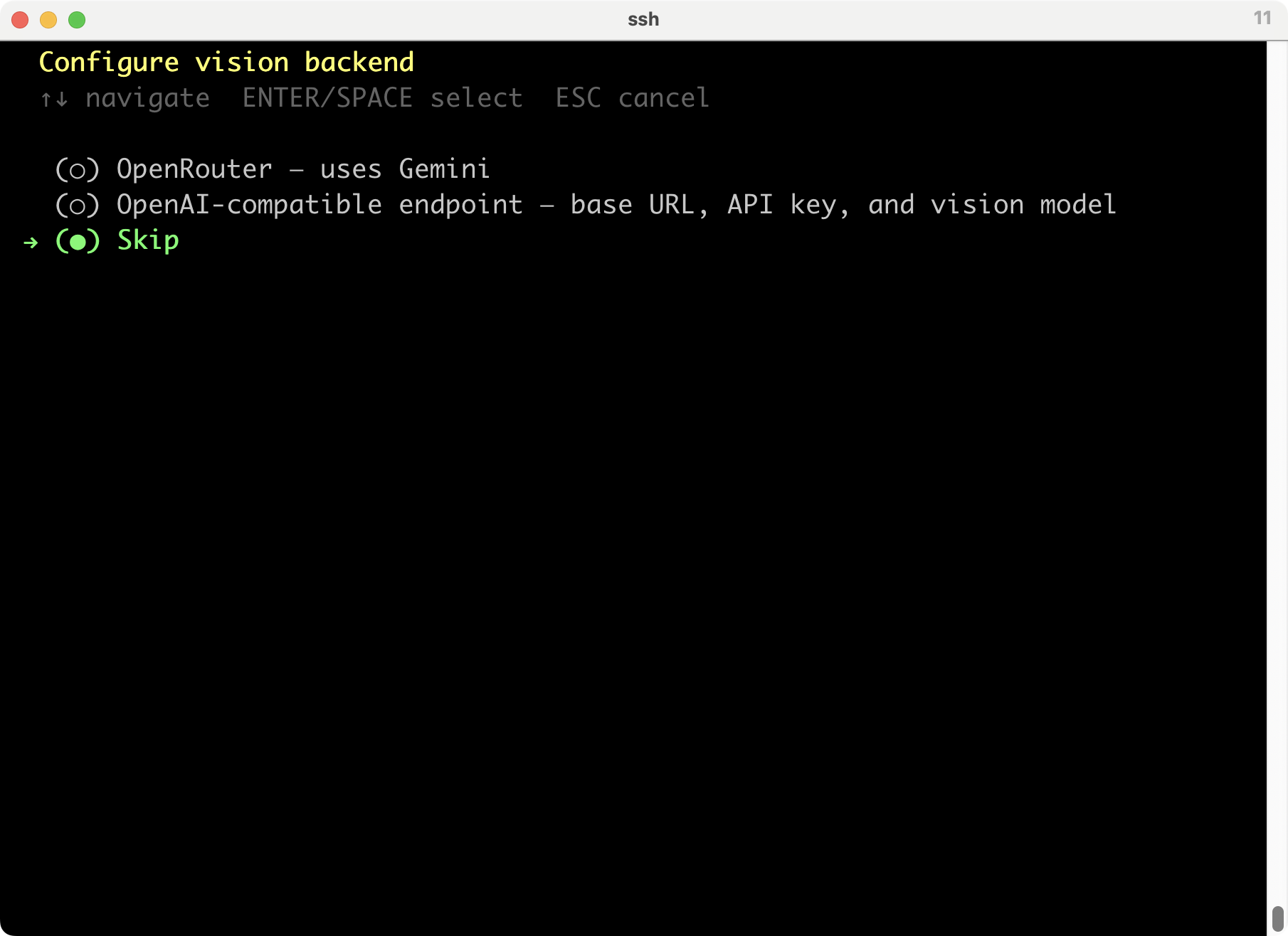
画像認識のバックエンド設定。これはスキップで。
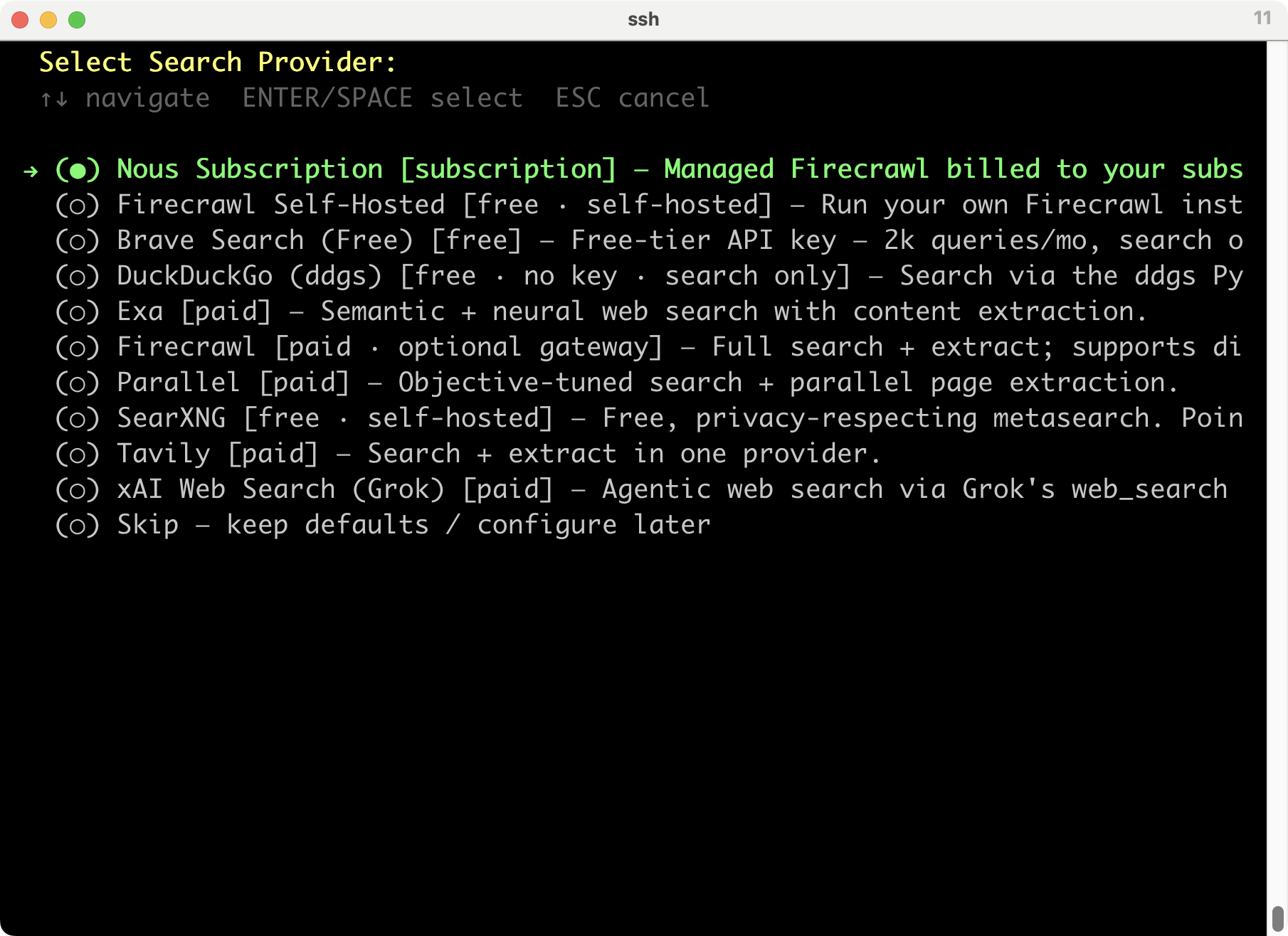
検索やらせるプロバイダを選ぶ。うーん。普段も使っているし、DuckDuckGoかな。
というわけでログ。
% curl -fsSL https://hermes-agent.nousresearch.com/install.sh | bash
┌─────────────────────────────────────────────────────────┐
│ ⚕ Hermes Agent Installer │
├─────────────────────────────────────────────────────────┤
│ An open source AI agent by Nous Research. │
└─────────────────────────────────────────────────────────┘
✓ Detected: macos (macos)
→ Checking for uv package manager...
→ Installing uv (fast Python package manager)...
✓ uv installed (uv 0.11.18 (e32666915 2026-06-01 aarch64-apple-darwin))
→ Checking Python 3.11...
→ Python 3.11 not found, installing via uv...
Installed Python 3.11.15 in 2.75s
+ cpython-3.11.15-macos-aarch64-none (python3.11)
warning: /Users/kinneko/.local/bin is not on your PATH. To use installed Python executables, run export PATH="/Users/kinneko/.local/bin:$PATH" or uv python update-shell.
✓ Python installed: Python 3.11.15
→ Checking Git...
✓ Git 2.50.1 found
→ Checking Node.js (for browser tools)...
→ Node.js not found — installing Node.js 22 LTS...
→ Downloading node-v22.22.3-darwin-arm64.tar.xz...
→ Extracting to ~/.hermes/node/...
✓ Node.js v22.22.3 installed to ~/.hermes/node/
→ Checking internet connectivity for package install and web tools...
✓ Internet connectivity looks good
→ Checking ripgrep (fast file search)...
→ Checking ffmpeg (TTS voice messages)...
✓ ffmpeg 8.1 found
→ Installing ripgrep via Homebrew...
==> Auto-updating Homebrew...
Adjust how often this is run with $HOMEBREW_AUTO_UPDATE_SECS or disable with
$HOMEBREW_NO_AUTO_UPDATE=1. Hide these hints with $HOMEBREW_NO_ENV_HINTS=1 (see man brew).
==> Downloading https://ghcr.io/v2/homebrew/core/portable-ruby/blobs/sha256:4ba8d535df01e4bf97e6661c3815796fd77364ea2552606e891659133a76f0e1
######################################################################## 100.0%
==> Pouring portable-ruby-4.0.5_1.arm64_big_sur.bottle.tar.gz
==> Auto-updated Homebrew!
Updated 2 taps (homebrew/core and homebrew/cask).
==> New Formulae
alevin-fry: Efficient and flexible tool for processing single-cell sequencing data
arf: Modern R console with syntax highlighting and fuzzy search
aube: Fast Node.js package manager
backplane-cli: CLI for interacting with the OpenShift Backplane API
barman: Backup and Recovery Manager for PostgreSQL
btdu: Sampling disk usage profiler for btrfs
bumblebee: Read-only developer endpoint scanner for supply-chain exposure
cargo-insta: Snapshot testing CLI for Rust
cc-switch-cli: All-in-one assistant tool for Claude Code, Codex, Gemini, OpenCode and OpenClaw
chunkah: OCI building tool for content-based layers
cloudmonkey: Apache CloudStack CloudMonkey CLI
codeburn: See where your AI coding tokens go - by task, tool, model, and project
committed: Nitpicking commit history since beabf39
cozypkg: CLI for managing Cozystack packages
crit: Your feedback loop with the agent: review plans and code locally
cutadapt: Removes adapter sequences from sequencing reads
defuddle: Extract article content and metadata from web pages
dexter-lsp: Elixir LSP optimized for large codebases
dz6: Fast Vim-inspired TUI hex editor
echtvar: Rapid variant annotation and filtering
erlang@28: Programming language for highly scalable real-time systems
fallow: Codebase intelligence for TypeScript and JavaScript
far2l-tty: Unix TTY port of FAR Manager v2 (with NetRocks support)
freesasa: Solvent Accessible Surface Area calculations
gascity: Orchestration-builder SDK for multi-agent coding workflows
gemmi: Macromolecular crystallography library and utilities
ghcitty: Fast, friendly GHCi
ginkgo: High-performance numerical linear algebra software package
gmp-ecm: Elliptic Curve Method for integer factorization
go-hass-agent: Native Home Assistant agent for desktop/laptop devices
goenv@2: Go version management
herdr: Agent multiplexer that lives in your terminal
hermes-agent: Self-improving AI agent that creates skills from experience
hexapoda: Colorful modal hex editor
hyphy: Hypothesis testing using Phylogenies
iqtree3: Phylogenetics by maximum likelihood
kubernetes-cli@1.35: Kubernetes command-line interface
ladder: Selfhosted alternative to 12ft.io and 1ft.io HTTP web proxies
lavinmq: Message broker implementing the AMQP 0-9-1 and MQTT protocols
leaf-md: Terminal Markdown previewer with a GUI-like experience
libchardet: Mozilla's Universal Charset Detector C/C++ API
libredwg: DWG utilities
lisette: Language inspired by Rust that compiles to Go
m4ri: Library for fast arithmetic with dense matrices over GF(2)
mado: Fast Markdown linter written in Rust
marmot: Open-source data catalog exposing metadata to AI agents
mercury-cli: CLI interface for Mercury banking
miasma: Trap AI web scrapers in an endless poison pit
mips-linux-gnu-binutils: GNU Binutils for mips-linux-gnu cross development
nettle@3: Low-level cryptographic library
oarfish: Long read RNA-seq quantification
opendoor: CLI for web reconnaissance, directory discovery, and exposure assessment
openjdk@25: Development kit for the Java programming language
osdctl: CLI tool for managed OpenShift clusters
paml: Phylogenetic analyses of DNA or protein sequences using maximum likelihood
panache: Language server, formatter, and linter for Markdown, Quarto, and R Markdown
phpantom-lsp: Fast PHP language server written in Rust
plutosvg: Tiny SVG rendering library in C
pnpm@10: Fast, disk space efficient package manager
pomerium: Identity and context-aware access proxy
quickjs-ng: QuickJS, the Next Generation: a mighty JavaScript engine
quien: Better WHOIS and domain intelligence toolkit
ratty: GPU-rendered terminal emulator with inline 3D graphics
rustnet: Cross-platform network monitoring terminal UI with deep packet inspection
sanity: Command-line interface for Sanity
satellite-tracker: Terminal-based real-time satellite tracking and orbit prediction application
sdl2-compat: SDL2 compatibility layer that uses SDL3 behind the scenes
sdl3_net: Simple cross-platform wrapper over TCP/IP sockets
skm: Simple and powerful SSH keys manager
smlnj: Compiler and programming system for Standard ML
sol2: C++ <-> Lua API wrapper with advanced features and top notch performance
spoa: SIMD partial order alignment tool/library
stellar-xdr: Stellar command-line tool for encoding/decoding XDR for the Stellar network
tdf: TUI-based PDF viewer
telegram-send: Command-line tool to send Telegram messages
tinyice: Modern, all-in-one Icecast-compatible audio/video streaming server
unordered_dense: Hashmap and hashset based on robin-hood backward shift deletion
vcfanno: Annotate a VCF with other VCFs/BEDs/tabixed files
vcflib: C++ library and cmdline tools for parsing and manipulating VCF files
vs-preview: Previewer for VapourSynth scripts
vtzero: Minimalist vector tile decoder and encoder in C++
wl-clipboard: Command-line copy/paste utilities for Wayland
zapp: Flash ZSA keyboards from your terminal
zerolang: Programming language for agents with explicit effects and predictable memory
zfp: Compressed numerical arrays that support high-speed random access
You have 4 outdated formulae installed.
Inspect the formula dependency plan before installing with brew install --ask.
Enable ask mode by setting HOMEBREW_ASK=1.
Hide these hints with HOMEBREW_NO_ENV_HINTS=1 (see man brew).
==> Fetching downloads for: ripgrep
✔︎ Bottle Manifest ripgrep (15.1.0) Downloaded 8.8KB/ 8.8KB
✔︎ Bottle Manifest pcre2 (10.47_1) Downloaded 11.7KB/ 11.7KB
✔︎ Bottle pcre2 (10.47_1) Downloaded 2.4MB/ 2.4MB
✔︎ Bottle ripgrep (15.1.0) Downloaded 2.2MB/ 2.2MB
==> Installing ripgrep dependency: pcre2
==> Pouring pcre2--10.47_1.arm64_tahoe.bottle.tar.gz
🍺 /opt/homebrew/Cellar/pcre2/10.47_1: 244 files, 7.3MB
==> Pouring ripgrep--15.1.0.arm64_tahoe.bottle.tar.gz
🍺 /opt/homebrew/Cellar/ripgrep/15.1.0: 14 files, 6.4MB
==> Running brew cleanup ripgrep...
Disable this behaviour by setting HOMEBREW_NO_INSTALL_CLEANUP=1.
Hide these hints with HOMEBREW_NO_ENV_HINTS=1 (see man brew).
==> brew cleanup has not been run in the last 30 days, running now...
Disable this behaviour by setting HOMEBREW_NO_INSTALL_CLEANUP=1.
Hide these hints with HOMEBREW_NO_ENV_HINTS=1 (see man brew).
Removing: /Users/kinneko/Library/Caches/Homebrew/portable-ruby-4.0.2_1.arm64_big_sur.bottle.tar.gz... (12.7MB)
Removing: /Users/kinneko/Library/Caches/Homebrew/portable-ruby-4.0.3.arm64_big_sur.bottle.tar.gz... (12.7MB)
Removing: /Users/kinneko/Library/Caches/Homebrew/bootsnap/486642c4537c43cd53394cb601f180d78bab6134addf25b56521e9246c561720... (647 files, 6MB)
Removing: /Users/kinneko/Library/Caches/Homebrew/bootsnap/c959635266c15e924e6f542626c8b334e6a9984c211d0562bd76d5a2e6246158... (585 files, 5.3MB)
Removing: /Users/kinneko/Library/Logs/Homebrew/lame... (64B)
Removing: /Users/kinneko/Library/Logs/Homebrew/ffmpeg... (64B)
Removing: /Users/kinneko/Library/Logs/Homebrew/mpdecimal... (64B)
Removing: /Users/kinneko/Library/Logs/Homebrew/opus... (64B)
Removing: /Users/kinneko/Library/Logs/Homebrew/espeak-ng... (64B)
Removing: /Users/kinneko/Library/Logs/Homebrew/python@3.12... (64B)
Removing: /Users/kinneko/Library/Logs/Homebrew/readline... (64B)
Removing: /Users/kinneko/Library/Logs/Homebrew/sqlite... (64B)
Removing: /Users/kinneko/Library/Logs/Homebrew/svt-av1... (64B)
Removing: /Users/kinneko/Library/Logs/Homebrew/xz... (64B)
Removing: /Users/kinneko/Library/Logs/Homebrew/libvpx... (64B)
Removing: /Users/kinneko/Library/Logs/Homebrew/libvmaf... (64B)
Removing: /Users/kinneko/Library/Logs/Homebrew/openssl@3... (64B)
Removing: /Users/kinneko/Library/Logs/Homebrew/ca-certificates... (64B)
Removing: /Users/kinneko/Library/Logs/Homebrew/dav1d... (64B)
Removing: /Users/kinneko/Library/Logs/Homebrew/x264... (64B)
Removing: /Users/kinneko/Library/Logs/Homebrew/x265... (64B)
Removing: /Users/kinneko/Library/Logs/Homebrew/sdl2... (64B)
Removing: /Users/kinneko/Library/Logs/Homebrew/pcaudiolib... (64B)
==> Caveats
zsh completions have been installed to:
/opt/homebrew/share/zsh/site-functions
✓ ripgrep installed
→ Installing to /Users/kinneko/.hermes/hermes-agent...
→ Trying SSH clone...
→ SSH failed, trying HTTPS...
Cloning into '/Users/kinneko/.hermes/hermes-agent'...
remote: Enumerating objects: 104178, done.
remote: Counting objects: 100% (113/113), done.
remote: Compressing objects: 100% (75/75), done.
remote: Total 104178 (delta 57), reused 49 (delta 38), pack-reused 104065 (from 2)
Receiving objects: 100% (104178/104178), 279.34 MiB | 8.56 MiB/s, done.
Resolving deltas: 100% (71356/71356), done.
✓ Cloned via HTTPS
✓ Repository ready
→ Creating virtual environment with Python 3.11...
Using CPython 3.11.15
Creating virtual environment at: venv
Activate with: source venv/bin/activate
✓ Virtual environment ready (Python 3.11)
→ Installing dependencies...
→ Trying tier: hash-verified (uv.lock) ...
→ (this resolves + downloads the curated [all] set — first run on a
→ fresh venv can take 1-5 minutes; uv prints progress below)
Resolved 216 packages in 2.44s
The lockfile at uv.lock needs to be updated, but --locked was provided. To update the lockfile, run uv lock.
⚠ uv.lock sync failed (see uv output above), falling back to PyPI resolve...
→ Trying tier: all ...
✓ Main package installed (all)
⚠ Note: installed via fallback tier (all).
→ Some optional features may be missing. After resolving any
→ PyPI/network issue, re-run: /Users/kinneko/.local/bin/uv pip install -e '.[all]'
✓ Main package installed
✓ All dependencies installed
→ Installing Node.js dependencies (browser tools)...
⠏⠉ ⠉⢹
██╗ ██╗███╗ ██╗██╗ ██████╗ ██████╗ ██████╗ ███████╗
██║ ██║████╗ ██║██║██╔════╝██╔═══██╗██╔══██╗██╔════╝
██║ ██║██╔██╗ ██║██║██║ ██║ ██║██║ ██║█████╗
██║ ██║██║╚██╗██║██║██║ ██║ ██║██║ ██║██╔══╝
╚██████╔╝██║ ╚████║██║╚██████╗╚██████╔╝██████╔╝███████╗
╚═════╝ ╚═╝ ╚═══╝╚═╝ ╚═════╝ ╚═════╝ ╚═════╝ ╚══════╝
BRAILLE ANIMATIONS
⠦⠀ braille ⠀⠀⣿⠀ scan ⢁⠂⠔⠈ rain
⢠⠀ orbit ⠰⣿⠆⠀ pulse ⡡⠊⢔⠡ sparkle
⠌⠀ breathe ⠀⣠⠞⠁ cascade ⠢⣄⣠⡠ waverows
⠈⠙ snake ⣿⡆⠀⠀ columns ⢎⣉⢎⣉ helix
⣿⣿ fillsweep ⠉⠉⠉⠀ scanline ⢀⠠⠐⠈ braillewave
⣿⠟ diagswipe ⢕⢕⢕⠀ checkerboard ⠋⠉⠙⠚ dna
npx unicode-animations demo all spinners
npx unicode-animations --list list all spinners
npx unicode-animations --web open in browser
⣇⣀ ⣀⣸
✅ Browser tools ready. Run: python run_agent.py --help
✓ Node.js dependencies installed
→ Installing browser engine (Playwright Chromium)...
⚠ Playwright does not support automatic dependency installation on macos.
→ Install Chromium/browser system dependencies for your distribution, then run:
→ cd /Users/kinneko/.hermes/hermes-agent && npx playwright install chromium
→ Browser tools will not work until dependencies are installed.
Downloading Chrome for Testing 148.0.7778.96 (playwright chromium v1223) from https://cdn.playwright.dev/builds/cft/148.0.7778.96/mac-arm64/chrome-mac-arm64.zip
Chrome for Testing 148.0.7778.96 (playwright chromium v1223) downloaded to /Users/kinneko/Library/Caches/ms-playwright/chromium-1223
Downloading FFmpeg (playwright ffmpeg v1011) from https://cdn.playwright.dev/dbazure/download/playwright/builds/ffmpeg/1011/ffmpeg-mac-arm64.zip
FFmpeg (playwright ffmpeg v1011) downloaded to /Users/kinneko/Library/Caches/ms-playwright/ffmpeg-1011
Downloading Chrome Headless Shell 148.0.7778.96 (playwright chromium-headless-shell v1223) from https://cdn.playwright.dev/builds/cft/148.0.7778.96/mac-arm64/chrome-headless-shell-mac-arm64.zip
Chrome Headless Shell 148.0.7778.96 (playwright chromium-headless-shell v1223) downloaded to /Users/kinneko/Library/Caches/ms-playwright/chromium_headless_shell-1223
✓ Browser engine setup complete
→ Installing TUI dependencies...
⠏⠉ ⠉⢹
██╗ ██╗███╗ ██╗██╗ ██████╗ ██████╗ ██████╗ ███████╗
██║ ██║████╗ ██║██║██╔════╝██╔═══██╗██╔══██╗██╔════╝
██║ ██║██╔██╗ ██║██║██║ ██║ ██║██║ ██║█████╗
██║ ██║██║╚██╗██║██║██║ ██║ ██║██║ ██║██╔══╝
╚██████╔╝██║ ╚████║██║╚██████╗╚██████╔╝██████╔╝███████╗
╚═════╝ ╚═╝ ╚═══╝╚═╝ ╚═════╝ ╚═════╝ ╚═════╝ ╚══════╝
BRAILLE ANIMATIONS
⠦⠀ braille ⠀⠀⣿⠀ scan ⢁⠂⠔⠈ rain
⢠⠀ orbit ⠰⣿⠆⠀ pulse ⡡⠊⢔⠡ sparkle
⠌⠀ breathe ⠀⣠⠞⠁ cascade ⠢⣄⣠⡠ waverows
⠈⠙ snake ⣿⡆⠀⠀ columns ⢎⣉⢎⣉ helix
⣿⣿ fillsweep ⠉⠉⠉⠀ scanline ⢀⠠⠐⠈ braillewave
⣿⠟ diagswipe ⢕⢕⢕⠀ checkerboard ⠋⠉⠙⠚ dna
npx unicode-animations demo all spinners
npx unicode-animations --list list all spinners
npx unicode-animations --web open in browser
⣇⣀ ⣀⣸
✓ TUI dependencies installed
→ Setting up hermes command...
✓ Installed hermes launcher → ~/.local/bin/hermes
✓ Added ~/.local/bin to PATH in /Users/kinneko/.zshrc
✓ Added ~/.local/bin to PATH in /Users/kinneko/.zprofile
✓ Added ~/.local/bin to PATH in /Users/kinneko/.profile
✓ hermes command ready
→ Setting up configuration files...
✓ Created ~/.hermes/.env from template
✓ Created ~/.hermes/config.yaml from template
✓ Created ~/.hermes/SOUL.md (edit to customize personality)
✓ Configuration directory ready: ~/.hermes/
→ Syncing bundled skills to ~/.hermes/skills/ ...
Syncing bundled skills into ~/.hermes/skills/ ...
+ apple-reminders
+ macos-computer-use
+ imessage
+ findmy
+ apple-notes
+ blogwatcher
+ polymarket
+ llm-wiki
+ arxiv
+ research-paper-writing
+ minecraft-modpack-server
+ pokemon-player
+ xurl
+ kanban-worker
+ webhook-subscriptions
+ kanban-orchestrator
+ yuanbao
+ jupyter-live-kernel
+ hermes-s6-container-supervision
+ test-driven-development
+ systematic-debugging
+ plan
+ hermes-agent-skill-authoring
+ python-debugpy
+ writing-plans
+ spike
+ requesting-code-review
+ node-inspect-debugger
+ debugging-hermes-tui-commands
+ subagent-driven-development
+ dspy
+ huggingface-hub
+ audiocraft-audio-generation
+ segment-anything-model
+ serving-llms-vllm
+ obliteratus
+ llama-cpp
+ evaluating-llms-harness
+ weights-and-biases
+ native-mcp
+ github-auth
+ github-repo-management
+ github-pr-workflow
+ github-code-review
+ github-issues
+ codebase-inspection
+ obsidian
+ godmode
+ ideation
+ comfyui
+ baoyu-infographic
+ songwriting-and-ai-music
+ ascii-video
+ touchdesigner-mcp
+ excalidraw
+ claude-design
+ ascii-art
+ design-md
+ baoyu-comic
+ popular-web-designs
+ manim-video
+ pixel-art
+ pretext
+ baoyu-article-illustrator
+ humanizer
+ p5js
+ architecture-diagram
+ sketch
+ himalaya
+ openhue
+ claude-code
+ kanban-codex-lane
+ codex
+ hermes-agent
+ opencode
+ dogfood
+ nano-pdf
+ maps
+ teams-meeting-pipeline
+ linear
How would you like to set up Hermes?
↑↓ navigate ENTER/SPACE select ESC cancel
→ (●) Quick Setup (Nous Portal) — free OAuth login, no API keys, model + tools
(○) Full setup — configure every provider, tool & option yourself (bring you
How would you like to set up Hermes?
↑↓ navigate ENTER/SPACE select ESC cancel
(●) Quick Setup (Nous Portal) — free OAuth login, no API keys, model + tools
→ (○) Full setup — configure every provider, tool & option yourself (bring you
How would you like to set up Hermes?
↑↓ navigate ENTER/SPACE select ESC cancel
→ (●) Quick Setup (Nous Portal) — free OAuth login, no API keys, model + tools
(○) Full setup — configure every provider, tool & option yourself (bring you
How would you like to set up Hermes?
↑↓ navigate ENTER/SPACE select ESC cancel
(●) Quick Setup (Nous Portal) — free OAuth login, no API keys, model + tools
→ (○) Full setup — configure every provider, tool & option yourself (bring you
How would you like to set up Hermes?
↑↓ navigate ENTER/SPACE select ESC cancel
(●) Quick Setup (Nous Portal) — free OAuth login, no API keys, model + tools
→ (○) Full setup — configure every provider, tool & option yourself (bring you
How would you like to set up Hermes?
↑↓ navigate ENTER/SPACE select ESC cancel
(●) Quick Setup (Nous Portal) — free OAuth login, no API keys, model + tools
→ (○) Full setup — configure every provider, tool & option yourself (bring you
+ notion
+ airtable
+ powerpoint
+ google-workspace
+ ocr-and-documents
+ youtube-content
+ heartmula
+ spotify
+ songsee
+ gif-search
Done: 90 new, 0 updated, 0 unchanged. 90 total bundled.
✓ Skills synced to ~/.hermes/skills/
→ Starting setup wizard...
┌─────────────────────────────────────────────────────────┐
│ ⚕ Hermes Agent Setup Wizard │
├─────────────────────────────────────────────────────────┤
│ Let's configure your Hermes Agent installation. │
How would you like to set up Hermes?
↑↓ navigate ENTER/SPACE select ESC cancel
(●) Quick Setup (Nous Portal) — free OAuth login, no API keys, model + tools
→ (○) Full setup — configure every provider, tool & option yourself (bring you
Select provider:
↑↓ navigate ENTER/SPACE select ESC cancel
→ (●) Nous Portal (Everything your agent needs, 300+ models with bundled tool
(○) OpenRouter (Pay-per-use API aggregator)
(○) NovitaAI (Cloud: Model API, Agent Sandbox, GPU Cloud)
(○) LM Studio (Local desktop app with built-in model server)
(○) Anthropic (Claude models via API key or Claude Code)
(○) OpenAI ▸ (Codex CLI or direct OpenAI API)
(○) Qwen Cloud / DashScope (Qwen + multi-provider)
(○) xAI Grok ▸ (Direct API or SuperGrok / Premium+ OAuth)
(○) Xiaomi MiMo (MiMo-V2.5 and V2 models: pro, omni, flash)
(○) Tencent TokenHub (Hy3 Preview via tokenhub.tencentmaas.com)
(○) NVIDIA NIM (Nemotron models via build.nvidia.com or local NIM)
(○) GitHub Copilot ▸ (GitHub token API or copilot --acp process)
(○) Hugging Face Inference Providers
(○) Google Gemini ▸ (AI Studio API or OAuth + Code Assist)
(○) DeepSeek (V3, R1, coder, direct API)
(○) Z.AI / GLM (Zhipu direct API)
(○) Kimi / Moonshot ▸ (Coding Plan, Moonshot global & China endpoints)
(○) StepFun Step Plan (Agent / coding models via Step Plan API)
(○) MiniMax ▸ (Global, OAuth Coding Plan & China endpoints)
(○) Ollama Cloud (Cloud-hosted open models, ollama.com)
(○) Arcee AI (Trinity models, direct API)
│ Press Ctrl+C at any time to exit. │
└─────────────────────────────────────────────────────────┘
◆ Configuration Location
Config file: /Users/kinneko/.hermes/config.yaml
Secrets file: /Users/kinneko/.hermes/.env
Data folder: /Users/kinneko/.hermes
Install dir: /Users/kinneko/.hermes/hermes-agent
You can edit these files directly or use 'hermes config edit'
◆ Inference Provider
Choose how to connect to your main chat model.
Guide: https://hermes-agent.nousresearch.com/docs/integrations/providers
Warning: No inference provider configured. Run 'hermes model' to choose a provider and model, or set an API key (OPENROUTER_API_KEY, OPENAI_API_KEY, etc.) in ~/.hermes/.env. Falling back to auto provider detection.
Current model: anthropic/claude-opus-4.6
Active provider: none
Choose authentication method:
1. Claude Pro/Max subscription (OAuth login)
2. Anthropic API key (pay-per-token)
3. Cancel
Choice [1/2/3]: 1
Running 'claude setup-token' — follow the prompts below.
Select provider:
↑↓ navigate ENTER/SPACE select ESC cancel
(●) Nous Portal (Everything your agent needs, 300+ models with bundled tool
(○) OpenRouter (Pay-per-use API aggregator)
(○) NovitaAI (Cloud: Model API, Agent Sandbox, GPU Cloud)
(○) LM Studio (Local desktop app with built-in model server)
→ (○) Anthropic (Claude models via API key or Claude Code)
(○) OpenAI ▸ (Codex CLI or direct OpenAI API)
(○) Qwen Cloud / DashScope (Qwen + multi-provider)
(○) xAI Grok ▸ (Direct API or SuperGrok / Premium+ OAuth)
(○) Xiaomi MiMo (MiMo-V2.5 and V2 models: pro, omni, flash)
(○) Tencent TokenHub (Hy3 Preview via tokenhub.tencentmaas.com)
(○) NVIDIA NIM (Nemotron models via build.nvidia.com or local NIM)
(○) GitHub Copilot ▸ (GitHub token API or copilot --acp process)
(○) Hugging Face Inference Providers
(○) Google Gemini ▸ (AI Studio API or OAuth + Code Assist)
(○) DeepSeek (V3, R1, coder, direct API)
(○) Z.AI / GLM (Zhipu direct API)
(○) Kimi / Moonshot ▸ (Coding Plan, Moonshot global & China endpoints)
(○) StepFun Step Plan (Agent / coding models via Step Plan API)
(○) MiniMax ▸ (Global, OAuth Coding Plan & China endpoints)
(○) Ollama Cloud (Cloud-hosted open models, ollama.com)
(○) Arcee AI (Trinity models, direct API)
A browser window will open for you to authorize access.
The 'claude' CLI is required for OAuth login.
To install and authenticate:
1. Install Claude Code: npm install -g @anthropic-ai/claude-code
2. Run: claude setup-token
3. Follow the browser prompts to authorize
4. Re-run: hermes model
Or paste an existing setup-token now (sk-ant-oat-...):
Select terminal backend:
↑↓ navigate ENTER/SPACE select ESC cancel
(○) Local - run directly on this machine (default)
(○) Docker - isolated container with configurable resources
(○) Modal - serverless cloud sandbox
(○) SSH - run on a remote machine
(○) Daytona - persistent cloud development environment
→ (●) Keep current (local)
Select platforms to configure:
↑↓ navigate SPACE toggle ENTER confirm ESC cancel
→ [ ] 📱 Telegram (not configured)
[ ] 💼 Slack (not configured)
[ ] 🔐 Matrix (not configured)
[ ] 💬 Mattermost (not configured)
[ ] 📲 WhatsApp (not configured)
[ ] 📡 Signal (not configured)
[ ] 📧 Email (not configured)
[ ] 📱 SMS (Twilio) (not configured)
[ ] 💬 DingTalk (not configured)
[ ] 🪽 Feishu / Lark (not configured)
[ ] 💬 WeCom (Enterprise WeChat) (not configured)
[ ] 💬 WeCom Callback (Self-Built App) (not configured)
[ ] 💬 Weixin / WeChat (not configured)
[ ] 💬 BlueBubbles (iMessage) (not configured)
[ ] 🐧 QQ Bot (not configured)
[ ] 💎 Yuanbao (not configured)
[ ] 🎮 Discord (not configured)
[ ] 💬 Google Chat (not configured)
[ ] 💬 IRC (not configured)
[ ] 💚 LINE (not configured)
[ ] 🔔 ntfy (not configured)
Select platforms to configure:
↑↓ navigate SPACE toggle ENTER confirm ESC cancel
[ ] 🔐 Matrix (not configured)
[ ] 💬 Mattermost (not configured)
[ ] 📲 WhatsApp (not configured)
[ ] 📡 Signal (not configured)
[ ] 📧 Email (not configured)
[ ] 📱 SMS (Twilio) (not configured)
[ ] 💬 DingTalk (not configured)
[ ] 🪽 Feishu / Lark (not configured)
[ ] 💬 WeCom (Enterprise WeChat) (not configured)
[ ] 💬 WeCom Callback (Self-Built App) (not configured)
[ ] 💬 Weixin / WeChat (not configured)
[ ] 💬 BlueBubbles (iMessage) (not configured)
[ ] 🐧 QQ Bot (not configured)
[ ] 💎 Yuanbao (not configured)
[ ] 🎮 Discord (not configured)
[ ] 💬 Google Chat (not configured)
[ ] 💬 IRC (not configured)
[ ] 💚 LINE (not configured)
[ ] 🔔 ntfy (not configured)
[ ] 🔒 SimpleX Chat (not configured)
→ [ ] 💼 Microsoft Teams (not configured)
Setup-token (or Enter to cancel):
Cancelled — install Claude Code and try again.
◆ Terminal Backend
Choose where Hermes runs shell commands and code.
This affects tool execution, file access, and isolation.
Select platforms to configure:
↑↓ navigate SPACE toggle ENTER confirm ESC cancel
→ [ ] 📱 Telegram (not configured)
[ ] 💼 Slack (not configured)
[ ] 🔐 Matrix (not configured)
[ ] 💬 Mattermost (not configured)
[ ] 📲 WhatsApp (not configured)
[ ] 📡 Signal (not configured)
[ ] 📧 Email (not configured)
[ ] 📱 SMS (Twilio) (not configured)
[ ] 💬 DingTalk (not configured)
[ ] 🪽 Feishu / Lark (not configured)
[ ] 💬 WeCom (Enterprise WeChat) (not configured)
[ ] 💬 WeCom Callback (Self-Built App) (not configured)
[ ] 💬 Weixin / WeChat (not configured)
[ ] 💬 BlueBubbles (iMessage) (not configured)
[ ] 🐧 QQ Bot (not configured)
[ ] 💎 Yuanbao (not configured)
[ ] 🎮 Discord (not configured)
[ ] 💬 Google Chat (not configured)
[ ] 💬 IRC (not configured)
[ ] 💚 LINE (not configured)
[ ] 🔔 ntfy (not configured)
Tools for 🖥️ CLI
↑↓ navigate SPACE toggle ENTER confirm ESC cancel
→ [✓] 🔍 Web Search & Scraping (web_search, web_extract)
[✓] 🌐 Browser Automation (navigate, click, type, scroll)
[✓] 💻 Terminal & Processes (terminal, process)
[✓] 📁 File Operations (read, write, patch, search)
[✓] ⚡ Code Execution (execute_code)
[✓] 👁️ Vision / Image Analysis (vision_analyze) [no API key]
[ ] 🎬 Video Analysis (video_analyze (requires video-capable model))
[✓] 🎨 Image Generation (image_generate)
[ ] 🎬 Video Generation (video_generate (text-to-video + image-to-video))
[ ] 🐦 X (Twitter) Search (x_search (requires xAI OAuth or XAI_API_KEY))
[ ] 🧠 Mixture of Agents (mixture_of_agents) [no API key]
[✓] 🔊 Text-to-Speech (text_to_speech)
[✓] 📚 Skills (list, view, manage)
[✓] 📋 Task Planning (todo)
[✓] 💾 Memory (persistent memory across sessions)
[ ] 🧩 Context Engine (runtime tools from the active context engine)
[✓] 🔎 Session Search (search past conversations)
[✓] ❓ Clarifying Questions (clarify)
[✓] 👥 Task Delegation (delegate_task)
[✓] ⏰ Cron Jobs (create/list/update/pause/resume/run, with optional attache
[✓] 📨 Cross-Platform Messaging (send_message)
Guide: https://hermes-agent.nousresearch.com/docs/developer-guide/environments
Skipped (keeping current)
Keeping current backend: local
✓ Applied recommended defaults:
Max iterations: 150
Tool progress: all
Compression threshold: 0.50
Session reset: never (use /reset or compression)
Run hermes setup agent later to customize.
◆ Messaging Platforms
Tools for 🖥️ CLI
↑↓ navigate SPACE toggle ENTER confirm ESC cancel
[✓] ⚡ Code Execution (execute_code)
[✓] 👁️ Vision / Image Analysis (vision_analyze) [no API key]
[ ] 🎬 Video Analysis (video_analyze (requires video-capable model))
[✓] 🎨 Image Generation (image_generate)
[ ] 🎬 Video Generation (video_generate (text-to-video + image-to-video))
[ ] 🐦 X (Twitter) Search (x_search (requires xAI OAuth or XAI_API_KEY))
[ ] 🧠 Mixture of Agents (mixture_of_agents) [no API key]
[✓] 🔊 Text-to-Speech (text_to_speech)
[✓] 📚 Skills (list, view, manage)
[✓] 📋 Task Planning (todo)
[✓] 💾 Memory (persistent memory across sessions)
[ ] 🧩 Context Engine (runtime tools from the active context engine)
[✓] 🔎 Session Search (search past conversations)
[✓] ❓ Clarifying Questions (clarify)
[✓] 👥 Task Delegation (delegate_task)
[✓] ⏰ Cron Jobs (create/list/update/pause/resume/run, with optional attache
[✓] 📨 Cross-Platform Messaging (send_message)
[ ] 🏠 Home Assistant (smart home device control) [no API key]
[ ] 🎵 Spotify (playback, search, playlists, library)
[ ] 🤖 Yuanbao (group info, member queries, DM)
→ [✓] 🖱️ Computer Use (macOS) (background desktop control via cua-driver)
Choose a provider:
↑↓ navigate ENTER/SPACE select ESC cancel
→ (●) Nous Subscription (Browser Use cloud) [subscription] — Managed Browser U
(○) Local Browser [★ recommended · free] — Headless Chromium, no API key nee
(○) Camofox [free · local] — Anti-detection browser (Firefox/Camoufox)
(○) Browser Use [paid] — Cloud browser with remote execution
(○) Browserbase [paid] — Cloud browser with stealth and proxies
(○) Firecrawl [paid] — Cloud browser with remote execution
(○) Skip — keep defaults / configure later
Connect to messaging platforms to chat with Hermes from anywhere.
Toggle with Space, confirm with Enter.
No platforms selected. Run 'hermes setup gateway' later to configure.
⚕ Hermes Tool Configuration
Enable or disable tools per platform.
Tools that need API keys will be configured when enabled.
Guide: https://hermes-agent.nousresearch.com/docs/user-guide/features/tools
- kanban Configuring 6 tool(s):
• 🌐 Browser Automation
• 🖱️ Computer Use (macOS)
• 🎨 Image Generation
• 🔊 Text-to-Speech
• 👁️ Vision / Image Analysis
• 🔍 Web Search & Scraping
You can skip any tool you don't need right now.
--- 🌐 Browser Automation - Choose a provider ---
✓ Browser set to local mode
✓ Chromium browser already installed
✓ Local Browser - no configuration needed!
--- 🖱️ Computer Use (macOS) (cua-driver (background)) ---
macOS background computer-use via SkyLight SPIs — does NOT steal your cursor or focus. Works with any model.
Installing cua-driver (macOS background computer-use)...
note: installing cua-driver via the Rust implementation.
==> using baked release: cua-driver-rs-v0.5.1
==> downloading https://github.com/trycua/cua/releases/download/cua-driver-rs-v0.5.1/cua-driver-rs-0.5.1-darwin-universal.tar.gz
==> extracting
==> installing /Applications/CuaDriver.app
==> symlinked /Users/kinneko/.local/bin/cua-driver -> /Applications/CuaDriver.app/Contents/MacOS/cua-driver
==> stopping any running cua-driver daemons before swap
cua-driver-rs 0.5.1 installed.
Next steps:
1. Try it:
/Users/kinneko/.local/bin/cua-driver --version
/Users/kinneko/.local/bin/cua-driver list-tools
2. Grant permissions (macOS — Accessibility + Screen Recording):
/Users/kinneko/.local/bin/cua-driver permissions status # report status (read-only; tells you which
# identity the grants belong to)
/Users/kinneko/.local/bin/cua-driver permissions grant # the correct way to grant — launches CuaDriver
# so the dialog says "Cua Driver" and the grant
# sticks to the driver, not your terminal.
# Tip: --autostart (above) keeps a launchd daemon
# running so you grant once and it persists.
3. Agent skill pack (optional):
/Users/kinneko/.local/bin/cua-driver skills install # fetch + link the cua-driver skill pack
# into Claude Code / Codex / OpenClaw / OpenCode.
# The install never touches your agent dirs.
4. As an MCP server — run the one matching your client. Each is also
available via '/Users/kinneko/.local/bin/cua-driver mcp-config --client • Claude Code (computer-use compatibility mode): /Users/kinneko/.local/bin/cua-driver mcp-config --client claude Copy-paste the printed command into your shell — it uses through PowerShell's arg parser intact. This mode grounds Claude Code's vision/computer-use-style flow on CuaDriver window screenshots — it keeps the normal CuaDriver tools and changes only the screenshot tool. • Codex (OpenAI): codex mcp add cua-driver -- /Users/kinneko/.local/bin/cua-driver mcp • OpenClaw: /Users/kinneko/.local/bin/cua-driver mcp-config --client openclaw • GitHub Copilot CLI (paste into ~/.copilot/mcp-config.json): { "mcpServers": { "cua-driver": { "type": "local", "command": "/Users/kinneko/.local/bin/cua-driver", "args": ["mcp"], "tools": ["*"] } } } • Cursor / OpenCode / Hermes (no add CLI — paste config): Choose a provider: ↑↓ navigate ENTER/SPACE select ESC cancel (●) Nous Subscription (Browser Use cloud) [subscription] — Managed Browser U → (○) Local Browser [★ recommended · free] — Headless Chromium, no API key nee (○) Camofox [free · local] — Anti-detection browser (Firefox/Camoufox) (○) Browser Use [paid] — Cloud browser with remote execution (○) Browserbase [paid] — Cloud browser with stealth and proxies (○) Firecrawl [paid] — Cloud browser with remote execution (○) Skip — keep defaults / configure later Choose a provider: ↑↓ navigate ENTER/SPACE select ESC cancel → (●) Nous Subscription [subscription] — Managed FAL image generation billed t (○) FAL.ai [paid] — Pick from flux-2-klein, flux-2-pro, gpt-image, nano-bana (○) Krea [paid] — Krea 2 foundation model — Medium ($0.03) + Large ($0.06). (○) OpenAI [paid] — gpt-image-2 at low/medium/high quality tiers (○) OpenAI (Codex auth) [free] — gpt-image-2 via ChatGPT/Codex OAuth — no AP (○) xAI Grok Imagine (image) [paid] — grok-imagine-image — text-to-image; us (○) Skip — keep defaults / configure later Choose a provider: ↑↓ navigate ENTER/SPACE select ESC cancel (●) Nous Subscription [subscription] — Managed FAL image generation billed t → (○) FAL.ai [paid] — Pick from flux-2-klein, flux-2-pro, gpt-image, nano-bana (○) Krea [paid] — Krea 2 foundation model — Medium ($0.03) + Large ($0.06). (○) OpenAI [paid] — gpt-image-2 at low/medium/high quality tiers (○) OpenAI (Codex auth) [free] — gpt-image-2 via ChatGPT/Codex OAuth — no AP (○) xAI Grok Imagine (image) [paid] — grok-imagine-image — text-to-image; us (○) Skip — keep defaults / configure later Choose a provider: ↑↓ navigate ENTER/SPACE select ESC cancel (●) Nous Subscription [subscription] — Managed FAL image generation billed t (○) FAL.ai [paid] — Pick from flux-2-klein, flux-2-pro, gpt-image, nano-bana → (○) Krea [paid] — Krea 2 foundation model — Medium ($0.03) + Large ($0.06). (○) OpenAI [paid] — gpt-image-2 at low/medium/high quality tiers (○) OpenAI (Codex auth) [free] — gpt-image-2 via ChatGPT/Codex OAuth — no AP (○) xAI Grok Imagine (image) [paid] — grok-imagine-image — text-to-image; us (○) Skip — keep defaults / configure later Choose a provider: ↑↓ navigate ENTER/SPACE select ESC cancel (●) Nous Subscription [subscription] — Managed FAL image generation billed t (○) FAL.ai [paid] — Pick from flux-2-klein, flux-2-pro, gpt-image, nano-bana (○) Krea [paid] — Krea 2 foundation model — Medium ($0.03) + Large ($0.06). → (○) OpenAI [paid] — gpt-image-2 at low/medium/high quality tiers (○) OpenAI (Codex auth) [free] — gpt-image-2 via ChatGPT/Codex OAuth — no AP (○) xAI Grok Imagine (image) [paid] — grok-imagine-image — text-to-image; us (○) Skip — keep defaults / configure later Choose a provider: ↑↓ navigate ENTER/SPACE select ESC cancel (●) Nous Subscription [subscription] — Managed FAL image generation billed t (○) FAL.ai [paid] — Pick from flux-2-klein, flux-2-pro, gpt-image, nano-bana (○) Krea [paid] — Krea 2 foundation model — Medium ($0.03) + Large ($0.06). (○) OpenAI [paid] — gpt-image-2 at low/medium/high quality tiers → (○) OpenAI (Codex auth) [free] — gpt-image-2 via ChatGPT/Codex OAuth — no AP (○) xAI Grok Imagine (image) [paid] — grok-imagine-image — text-to-image; us (○) Skip — keep defaults / configure later Choose a provider: ↑↓ navigate ENTER/SPACE select ESC cancel (●) Nous Subscription [subscription] — Managed FAL image generation billed t (○) FAL.ai [paid] — Pick from flux-2-klein, flux-2-pro, gpt-image, nano-bana (○) Krea [paid] — Krea 2 foundation model — Medium ($0.03) + Large ($0.06). (○) OpenAI [paid] — gpt-image-2 at low/medium/high quality tiers (○) OpenAI (Codex auth) [free] — gpt-image-2 via ChatGPT/Codex OAuth — no AP → (○) xAI Grok Imagine (image) [paid] — grok-imagine-image — text-to-image; us (○) Skip — keep defaults / configure later /Users/kinneko/.local/bin/cua-driver mcp-config --client cursor # JSON for ~/.cursor/mcp.json /Users/kinneko/.local/bin/cua-driver mcp-config --client opencode # JSON for opencode.json Choose a provider: ↑↓ navigate ENTER/SPACE select ESC cancel (●) Nous Subscription [subscription] — Managed FAL image generation billed t (○) FAL.ai [paid] — Pick from flux-2-klein, flux-2-pro, gpt-image, nano-bana (○) Krea [paid] — Krea 2 foundation model — Medium ($0.03) + Large ($0.06). (○) OpenAI [paid] — gpt-image-2 at low/medium/high quality tiers (○) OpenAI (Codex auth) [free] — gpt-image-2 via ChatGPT/Codex OAuth — no AP (○) xAI Grok Imagine (image) [paid] — grok-imagine-image — text-to-image; us → (○) Skip — keep defaults / configure later Choose a provider: ↑↓ navigate ENTER/SPACE select ESC cancel (○) Nous Subscription [subscription] — Managed OpenAI TTS billed to your sub → (●) Microsoft Edge TTS [★ recommended · free] — Good quality, no API key nee (○) OpenAI TTS [paid] — High quality voices (○) xAI TTS — Grok voices — uses xAI Grok OAuth or XAI_API_KEY (○) ElevenLabs [paid] — Most natural voices (○) Mistral (Voxtral TTS) [paid] — Multilingual, native Opus (○) Google Gemini TTS [preview] — 30 prebuilt voices, controllable via promp (○) KittenTTS [local · free] — Lightweight local ONNX TTS (~25MB), no API ke (○) Piper [local · free] — Local neural TTS, 44 languages (voices ~20-90MB) (○) Skip — keep defaults / configure later Choose a provider: ↑↓ navigate ENTER/SPACE select ESC cancel → (○) Nous Subscription [subscription] — Managed OpenAI TTS billed to your sub (●) Microsoft Edge TTS [★ recommended · free] — Good quality, no API key nee (○) OpenAI TTS [paid] — High quality voices (○) xAI TTS — Grok voices — uses xAI Grok OAuth or XAI_API_KEY (○) ElevenLabs [paid] — Most natural voices (○) Mistral (Voxtral TTS) [paid] — Multilingual, native Opus (○) Google Gemini TTS [preview] — 30 prebuilt voices, controllable via promp (○) KittenTTS [local · free] — Lightweight local ONNX TTS (~25MB), no API ke (○) Piper [local · free] — Local neural TTS, 44 languages (voices ~20-90MB) (○) Skip — keep defaults / configure later /Users/kinneko/.local/bin/cua-driver mcp-config --client hermes # YAML for ~/.hermes/config.yaml Choose a provider: ↑↓ navigate ENTER/SPACE select ESC cancel (○) Nous Subscription [subscription] — Managed OpenAI TTS billed to your sub → (●) Microsoft Edge TTS [★ recommended · free] — Good quality, no API key nee (○) OpenAI TTS [paid] — High quality voices (○) xAI TTS — Grok voices — uses xAI Grok OAuth or XAI_API_KEY (○) ElevenLabs [paid] — Most natural voices (○) Mistral (Voxtral TTS) [paid] — Multilingual, native Opus (○) Google Gemini TTS [preview] — 30 prebuilt voices, controllable via promp (○) KittenTTS [local · free] — Lightweight local ONNX TTS (~25MB), no API ke (○) Piper [local · free] — Local neural TTS, 44 languages (voices ~20-90MB) (○) Skip — keep defaults / configure later For other clients accepting the generic mcpServers shape: /Users/kinneko/.local/bin/cua-driver mcp-config Docs: https://github.com/trycua/cua/tree/main/libs/cua-driver/rust Configure vision backend ↑↓ navigate ENTER/SPACE select ESC cancel (○) OpenRouter — uses Gemini (○) OpenAI-compatible endpoint — base URL, API key, and vision model → (●) Skip Select Search Provider: ↑↓ navigate ENTER/SPACE select ESC cancel → (●) Nous Subscription [subscription] — Managed Firecrawl billed to your subs (○) Firecrawl Self-Hosted [free · self-hosted] — Run your own Firecrawl inst (○) Brave Search (Free) [free] — Free-tier API key — 2k queries/mo, search o (○) DuckDuckGo (ddgs) [free · no key · search only] — Search via the ddgs Py (○) Exa [paid] — Semantic + neural web search with content extraction. (○) Firecrawl [paid · optional gateway] — Full search + extract; supports di (○) Parallel [paid] — Objective-tuned search + parallel page extraction. (○) SearXNG [free · self-hosted] — Free, privacy-respecting metasearch. Poin (○) Tavily [paid] — Search + extract in one provider. (○) xAI Web Search (Grok) [paid] — Agentic web search via Grok's web_search (○) Skip — keep defaults / configure later Select Search Provider: ↑↓ navigate ENTER/SPACE select ESC cancel (●) Nous Subscription [subscription] — Managed Firecrawl billed to your subs → (○) Firecrawl Self-Hosted [free · self-hosted] — Run your own Firecrawl inst (○) Brave Search (Free) [free] — Free-tier API key — 2k queries/mo, search o (○) DuckDuckGo (ddgs) [free · no key · search only] — Search via the ddgs Py (○) Exa [paid] — Semantic + neural web search with content extraction. (○) Firecrawl [paid · optional gateway] — Full search + extract; supports di (○) Parallel [paid] — Objective-tuned search + parallel page extraction. (○) SearXNG [free · self-hosted] — Free, privacy-respecting metasearch. Poin (○) Tavily [paid] — Search + extract in one provider. (○) xAI Web Search (Grok) [paid] — Agentic web search via Grok's web_search (○) Skip — keep defaults / configure later Select Search Provider: ↑↓ navigate ENTER/SPACE select ESC cancel (●) Nous Subscription [subscription] — Managed Firecrawl billed to your subs (○) Firecrawl Self-Hosted [free · self-hosted] — Run your own Firecrawl inst → (○) Brave Search (Free) [free] — Free-tier API key — 2k queries/mo, search o (○) DuckDuckGo (ddgs) [free · no key · search only] — Search via the ddgs Py (○) Exa [paid] — Semantic + neural web search with content extraction. (○) Firecrawl [paid · optional gateway] — Full search + extract; supports di (○) Parallel [paid] — Objective-tuned search + parallel page extraction. (○) SearXNG [free · self-hosted] — Free, privacy-respecting metasearch. Poin (○) Tavily [paid] — Search + extract in one provider. (○) xAI Web Search (Grok) [paid] — Agentic web search via Grok's web_search (○) Skip — keep defaults / configure later macOS TCC: grant Accessibility + Screen Recording on first run: open -n -g -a CuaDriver --args serve /Users/kinneko/.local/bin/cua-driver check_permissions ✓ cua-driver installed. IMPORTANT — grant macOS permissions now: System Settings > Privacy & Security > Accessibility System Settings > Privacy & Security > Screen Recording Both must allow the terminal / Hermes process. ✓ cua-driver (background) - no configuration needed! --- 🎨 Image Generation - Choose a provider --- Skipped Image Generation --- 🔊 Text-to-Speech - Choose a provider --- ✓ Microsoft Edge TTS - no configuration needed! Vision / Image Analysis requires a multimodal backend: --- 🔍 Web Search & Extract - Select Search Provider --- A free DuckDuckGo search skill is also included — skip this if you don't need a premium provider. ✓ Web backend set to: ddgs Installing ddgs (DuckDuckGo search package)... ✓ ddgs installed No API key required. DuckDuckGo enforces server-side rate limits. Pair with an extract provider if you also need web_extract. ✓ DuckDuckGo (ddgs) - no configuration needed! ✓ Saved 🖥️ CLI tool configuration Previous config backed up to: /Users/kinneko/.hermes/config.yaml.bak.20260602_115717 If setup changed a value you customized, restore it with: cp /Users/kinneko/.hermes/config.yaml.bak.20260602_115717 /Users/kinneko/.hermes/config.yaml ◆ Tool Availability Summary 5/10 tool categories available: ✗ Vision (image analysis) (missing run 'hermes setup' to configure) ✗ Mixture of Agents (missing OPENROUTER_API_KEY) ✗ Web Search & Extract (missing EXA_API_KEY, PARALLEL_API_KEY, FIRECRAWL_API_KEY/FIRECRAWL_API_URL, TAVILY_API_KEY, or SEARXNG_URL) ✓ Browser Automation (Local browser) ✗ Image Generation (missing FAL_KEY or OPENAI_API_KEY) ✓ Text-to-Speech (Edge TTS) ✗ Skills Hub (GitHub) (missing GITHUB_TOKEN) ✓ Terminal/Commands ✓ Task Planning (todo) ✓ Skills (view, create, edit) ⚠ Some tools are disabled. Run 'hermes setup tools' to configure them, ⚠ or edit ~/.hermes/.env directly to add the missing API keys. ┌─────────────────────────────────────────────────────────┐ │ ✓ Setup Complete! │ └─────────────────────────────────────────────────────────┘ 📁 All your files are in ~/.hermes/: Settings: /Users/kinneko/.hermes/config.yaml API Keys: /Users/kinneko/.hermes/.env Data: /Users/kinneko/.hermes/cron/, sessions/, logs/ ──────────────────────────────────────────────────────────── 📝 To edit your configuration: hermes setup Re-run the full wizard hermes setup model Change model/provider hermes setup terminal Change terminal backend hermes setup gateway Configure messaging hermes setup tools Configure tool providers hermes config View current settings hermes config edit Open config in your editor hermes config set Set a specific value Or edit the files directly: nano /Users/kinneko/.hermes/config.yaml nano /Users/kinneko/.hermes/.env ──────────────────────────────────────────────────────────── 🚀 Ready to go! hermes Start chatting hermes gateway Start messaging gateway hermes doctor Check for issues ┌─────────────────────────────────────────────────────────┐ │ ✓ Installation Complete! │ └─────────────────────────────────────────────────────────┘ 📁 Your files: Config: /Users/kinneko/.hermes/config.yaml API Keys: /Users/kinneko/.hermes/.env Data: /Users/kinneko/.hermes/cron/, sessions/, logs/ Code: /Users/kinneko/.hermes/hermes-agent ───────────────────────────────────────────────────────── 🚀 Commands: hermes Start chatting hermes setup Configure API keys & settings hermes config View/edit configuration hermes config edit Open config in editor hermes gateway install Install gateway service (messaging + cron) hermes update Update to latest version ───────────────────────────────────────────────────────── ⚡ Reload your shell to use 'hermes' command: source ~/.zshrc 初見でこれはつらいねぇ。しかも、まだインストールだけでセットアップはしていないという... みなさん、Nous Portalを使うを選んでいるのだろうか??? オリジナル投稿:claude mcp add-json (not bare --) so the long flag travels
hermes-agent試す? -2-|kinneko|pixivFANBOX
https://kinneko.fanbox.cc/posts/12008997