

続き。

リセット時の動作が、リセットが有効化されるまでの間がカウントアップでわかりにくかったので、カウントダウンするようにした。
また、コロンのフラッシュが全体に1分を上回る時間になっていたので、それを調整してできるだけ1秒に一回フラッシュするようにした。 これによって、リフレッシュが1秒以上になることがなくなって、毎秒2回はリフレッシュされるようになったので、時刻の更新のタイムラグが減っていると思う。電気の消費は増えたか。
あとは基本同じかな。
WiFi設定のシーケンスは、まず、初回起動で知っている無線接続先がない場合は、「-- --」表示になる。 リセットのカウントダウンも変更されている。背面のボタンを押すと、200からカウントダウンするので押し続けると、「PUSH」と表示したあと、「-- --」表示になる。 APが動いているので、ClockConfigというSSIDのAPにパスワードなしで接続する。 手持ちのAndroid端末では、キャプティブポータルの動作は問題なく、ブラウザが自動で開いて接続用のWiFiManagerの画面に移動する。
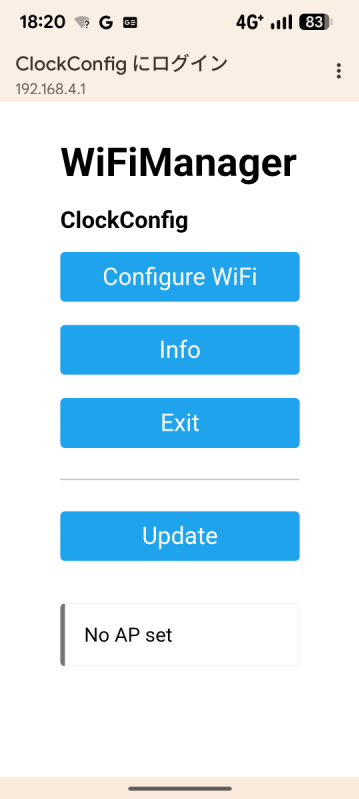
ConfigWiFiを押して、次の画面でSSIDとPASSを設定する。
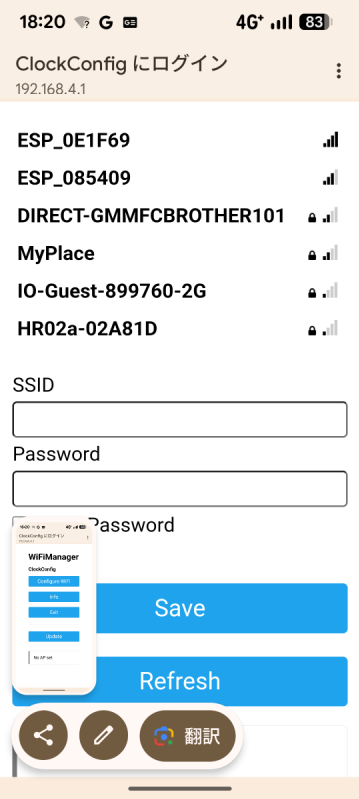
設定されると、以下のような画面になり、APモードは自動で切れて、スマホ側は以前のAPへの接続に戻る。
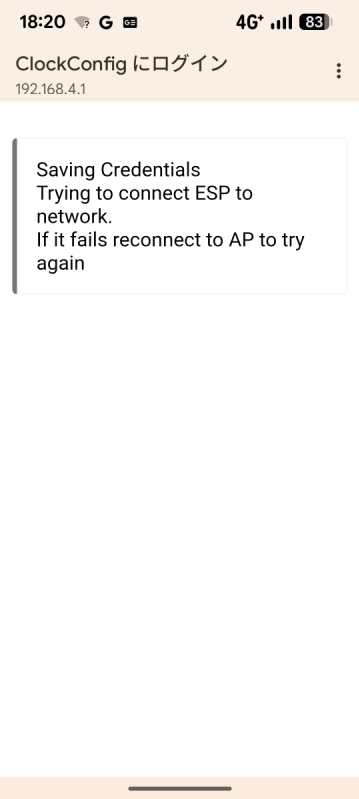
時計側は、APに接続を試みる「conn」表示になる、接続できると「Sync」と表示して時刻同期して、時刻表示のループにはいる感じ。コロンも毎秒点滅している。
最初のWiFiManagerの選択表示だけ出なくてもいいんだけど、Arduinoスケッチ側からは制御できないようだ。WiFiManagerの中を直接いじって、SSIDの設定画面に直接飛ぶようにできるかな?
macOSでは、WiFiManagerはこのへんにある。
% ls ~/Documents/Arduino/libraries/WiFiManager
CMakeLists.txt		examples		strings_en.h
LICENSE			extras			travis
README.md		keywords.txt		wm_consts_en.h
WiFiManager.cpp		library.json		wm_strings_en.h
WiFiManager.h		library.properties	wm_strings_es.h
ざっと見ると、WiFiManager.cppのhandleRoot()でブラウザで表示する画面を処理しているようだ。
void WiFiManager::handleRoot() {
  #ifdef WM_DEBUG_LEVEL
  DEBUG_WM(WM_DEBUG_VERBOSE,F("<- HTTP Root"));
  #endif
  if (captivePortal()) return; // If captive portal redirect instead of displaying the page
  handleRequest();
  String page = getHTTPHead(_title); // @token options @todo replace options with title
  String str  = FPSTR(HTTP_ROOT_MAIN); // @todo custom title
  str.replace(FPSTR(T_t),_title);
  str.replace(FPSTR(T_v),configPortalActive ? _apName : (getWiFiHostname() + " - " + WiFi.localIP().toString())); // use ip if ap is not active for heading @todo use hostname?
  page += str;
  page += FPSTR(HTTP_PORTAL_OPTIONS);
  page += getMenuOut();
  reportStatus(page);
  page += FPSTR(HTTP_END);

  HTTPSend(page);
  if(_preloadwifiscan) WiFi_scanNetworks(_scancachetime,true); // preload wifiscan throttled, async
  // @todo buggy, captive portals make a query on every page load, causing this to run every time in addition to the real page load
  // I dont understand why, when you are already in the captive portal, I guess they want to know that its still up and not done or gone
  // if we can detect these and ignore them that would be great, since they come from the captive portal redirect maybe there is a refferer
}
これを変更。
void WiFiManager::handleRoot() {
  #ifdef WM_DEBUG_LEVEL
  DEBUG_WM(WM_DEBUG_VERBOSE,F("<- HTTP Root"));
  #endif

  // キャプティブポータルのリダイレクト処理はそのまま
  if (captivePortal()) return;

  // ★ ルートに来たらメニューを出さず、そのまま WiFi 設定フォームへ
  handleWifi(false);   // false: ここで直接フォームを返す
}
ビルドして書き込むと、以下のような表示になった。アクセスポイントのリストは表示されなくなったけど、こちらのほうが簡素でいいわ。
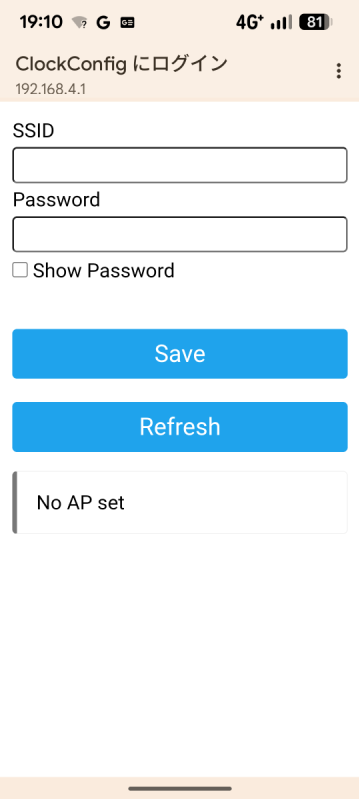
この画面を日本語にするにはどうしたらいいかな? ファイルを見るとwm_consts_ja.hを作ればいいような感じだ。
 % ls ~/Documents/Arduino/libraries/WiFiManager/
CMakeLists.txt		examples		strings_en.h
LICENSE			extras			travis
README.md		keywords.txt		wm_consts_en.h
WiFiManager.cpp		library.json		wm_strings_en.h
WiFiManager.h		library.properties	wm_strings_es.h
本家のソースはここか。ローカルが最新版になっているので、変わりはない感じ。日本語対応はされていない。
GitHub - tzapu/WiFiManager: ESP8266 WiFi Connection manager with web captive portal
https://github.com/tzapu/WiFiManager
% cp ~/Documents/Arduino/libraries/WiFiManager/wm_strings_en.h ~/Documents/Arduino/libraries/WiFiManager/wm_strings_ja.h
文字列だけでなく、WM_LANGUAGEとか、HTTP_HEAD_STARTとかもjaにしないといけないのね。こういうのはAIさんにやってもらうのがいいね。
あと、日本語を強制するには、どこかで指定しないといけない感じだな。WiFiManager.hの中かな。
#define WM_STRINGS_FILE "wm_strings_ja.h"
スケッチ側でも指定できるみたいだけど、あんまり確実ではないようだ。
#define WM_STRINGS_FILE "wm_strings_ja.h"
#include <WiFiManager.h>
fanboxにコード貼るとエラーになるので、しょうがなくforkした。
kinneko/WiFiManager_ja: ESP8266 WiFi Connection manager with web captive portal 日本語対応
https://github.com/kinneko/WiFiManager_ja
ビルドして書き込んでも、日本語に変わってないな...
スケッチのほうも変えてみる。
#include <WiFi.h>
#define WM_STRINGS_FILE "wm_strings_ja.h"
#include <WiFiManager.h>     // tzapu WiFiManager
#include <TM1637Display.h>
#include "time.h"
シリアル出力に追記して、読んでいる言語ファイルを特定する。
  Serial.print("WM_LANGUAGE = ");
  Serial.println(FPSTR(WM_LANGUAGE));
ログを見る。英語だ...
==== ESP32 Clock with WiFiManager / TM1637 ====
WM_LANGUAGE = en-US
*wm:v2.0.17  D:2
[setup] WiFiManager autoConnect("ClockConfig")
*wm:AutoConnect
*wm:No wifi saved, skipping
*wm:AutoConnect: FAILED for  1 ms
*wm:StartAP with SSID:  ClockConfig
*wm:AP IP address: 192.168.4.1
*wm:Starting Web Portal
あ、ビルド用のファイルを英語からコピっただけで、差し替えしてなかった...
というわけで、無事日本語化された。
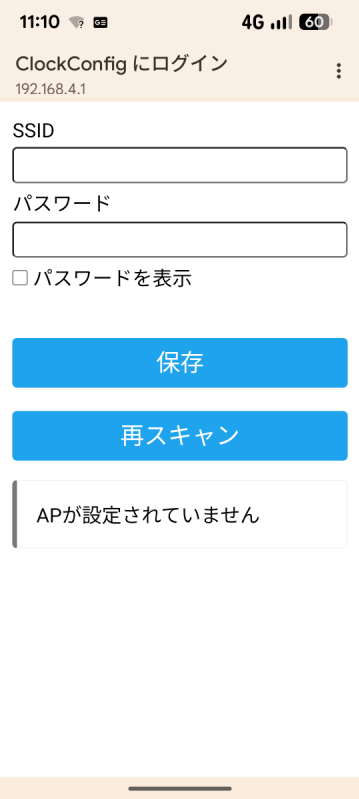
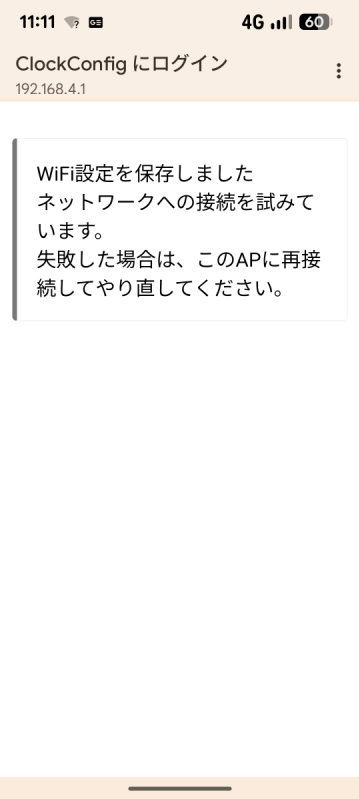
とりあえず、こんなもんかな。
オリジナル投稿: NTP時刻同期時計再び -2-|kinneko|pixivFANBOX
https://www.fanbox.cc/@kinneko/posts/10921889