
Wayland上で動かしているPygameのスクリプトが、Pi3ではメモリ不足でOOM Killerにやられてしまうので、WaylandのないLite版でフレームバッファ描画でメモリを節約して動作できないかということで試す。
現在のPygame2では、バックエンドがSDL2になっていて、fbconを使うことはなくなって、KMSDRMを使うのだそうな。pygameからfb描画ができるってのは、相当アップデートしてない知識だわw
Can SDL2 still use the Linux Framebuffer? - SDL Development - Simple Directmedia Layer
https://discourse.libsdl.org/t/can-sdl2-still-use-the-linux-framebuffer/20083
KMSDRM は、Kernel Mode Setting + Direct Rendering Managerを使う、SDL2向けの ディスプレイドライバ・バックエンド。
KMS (Kernel Mode Setting)は、Linuxカーネルが直接ディスプレイの解像度や表示モードを管理する仕組み。
DRM (Direct Rendering Manager)は、GPUやフレームバッファへのアクセスをカーネル経由で安全に行う仕組み。/dev/dri/card0 のようなデバイスファイルを介して描画する。
KMSDRMドライバ (SDL2のvideo driver)は、SDL2 が KMS/DRM API を直接使ってフレームを描画するモード。fbcon のように /dev/fb0 へ書き込む旧式の方法より高速で、ハードウェアアクセラレーションも利用できる。
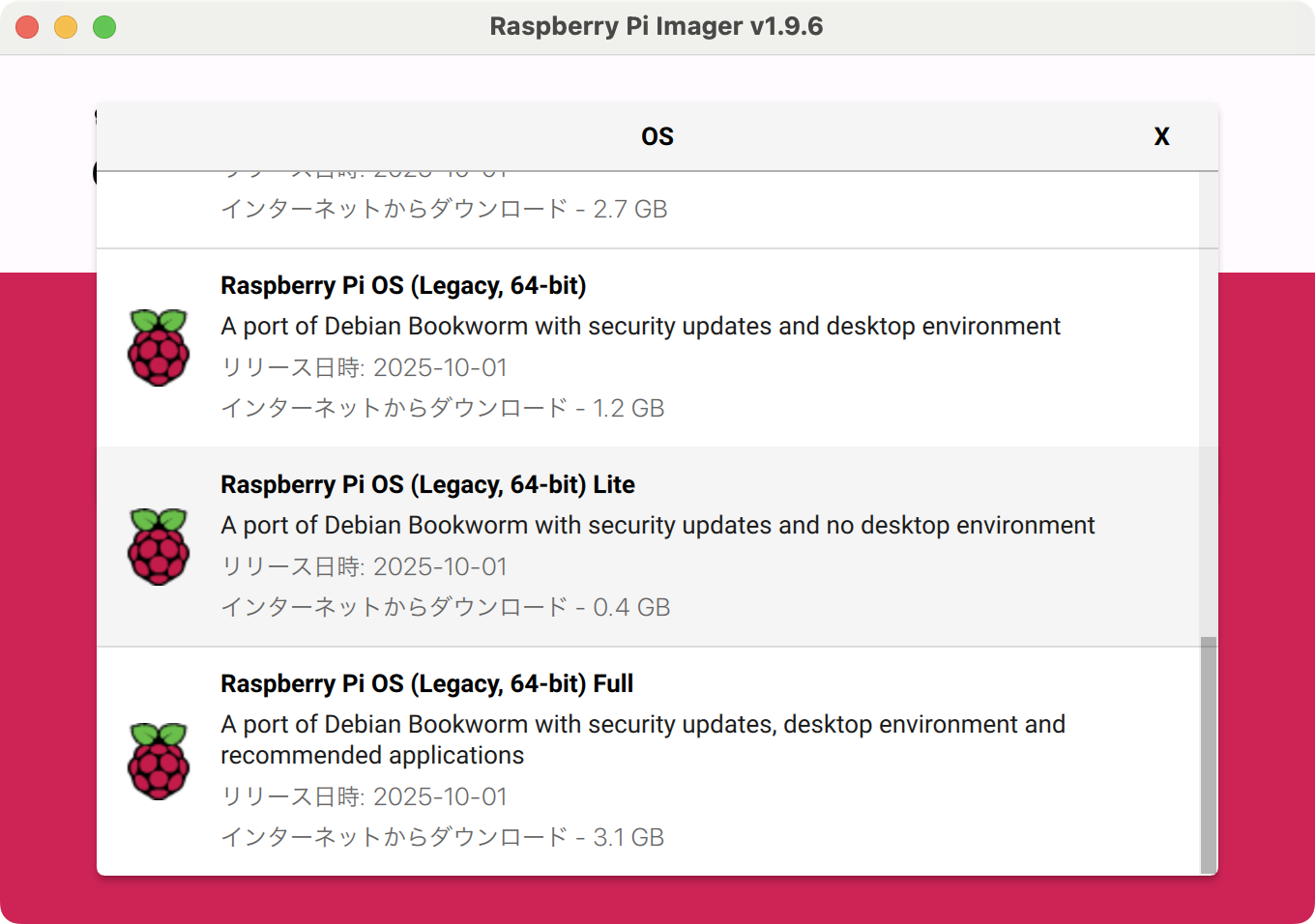
では、試す。ベースは、bookwormで。ターゲットはPi3A。
SDのオーバークロックはやっておく。
Pi3aのSDをオーバークロック|kinneko|pixivFANBOX
https://www.fanbox.cc/@kinneko/posts/8947033
fd@pi3b:~ $ sudo vi /boot/firmware/config.txt
dtoverlay=sdtweak,overclock_50=100
fd@pi3b:~ $ sudo reboot
vc4-kms-v3dで動作しているので、GPUはKMS対応で動作している状態。
fd@pi3b:~ $ grep dtoverlay /boot/firmware/config.txt
dtoverlay=sdtweak,overclock_50=100
dtoverlay=vc4-kms-v3d
dtoverlay=dwc2,dr_mode=host
pythonのバージョン。
fd@pi3b:~ $ python3 --version
Python 3.11.2
pygameはパッケージで入れる。
fd@pi3b:~ $ sudo apt install python3-pygame
Reading package lists... Done
Building dependency tree... Done
Reading state information... Done
The following additional packages will be installed:
fontconfig fonts-freefont-ttf libasyncns0 libblas3 libcairo2 libdatrie1
libdecor-0-0 libdecor-0-plugin-1-cairo libdrm-amdgpu1 libdrm-radeon1
libfluidsynth3 libfribidi0 libgbm1 libgfortran5 libglapi-mesa libgraphite2-3
libharfbuzz0b libinstpatch-1.0-2 libjack-jackd2-0 liblapack3 libllvm15
libmodplug1 libmp3lame0 libmpg123-0 libopus0 libopusfile0 libpango-1.0-0
libpangocairo-1.0-0 libpangoft2-1.0-0 libpixman-1-0 libportmidi0 libpulse0
libsdl2-2.0-0 libsdl2-image-2.0-0 libsdl2-mixer-2.0-0 libsdl2-ttf-2.0-0
libsensors-config libsensors5 libsndfile1 libthai-data libthai0
libvorbisenc2 libvorbisfile3 libwayland-client0 libwayland-cursor0
libwayland-egl1 libwayland-server0 libx11-xcb1 libxcb-dri2-0 libxcb-dri3-0
libxcb-present0 libxcb-randr0 libxcb-render0 libxcb-shm0 libxcb-sync1
libxcb-xfixes0 libxcursor1 libxfixes3 libxi6 libxkbcommon0 libxrandr2
libxrender1 libxshmfence1 libxss1 libz3-4 mesa-libgallium python3-numpy
timgm6mb-soundfont x11-common
Suggested packages:
jackd2 opus-tools pulseaudio xdg-utils lm-sensors gfortran python3-dev
python3-pytest python-pygame-doc timidity fluid-soundfont-gm
The following NEW packages will be installed:
fontconfig fonts-freefont-ttf libasyncns0 libblas3 libcairo2 libdatrie1
libdecor-0-0 libdecor-0-plugin-1-cairo libdrm-amdgpu1 libdrm-radeon1
libfluidsynth3 libfribidi0 libgbm1 libgfortran5 libglapi-mesa libgraphite2-3
libharfbuzz0b libinstpatch-1.0-2 libjack-jackd2-0 liblapack3 libllvm15
libmodplug1 libmp3lame0 libmpg123-0 libopus0 libopusfile0 libpango-1.0-0
libpangocairo-1.0-0 libpangoft2-1.0-0 libpixman-1-0 libportmidi0 libpulse0
libsdl2-2.0-0 libsdl2-image-2.0-0 libsdl2-mixer-2.0-0 libsdl2-ttf-2.0-0
libsensors-config libsensors5 libsndfile1 libthai-data libthai0
libvorbisenc2 libvorbisfile3 libwayland-client0 libwayland-cursor0
libwayland-egl1 libwayland-server0 libx11-xcb1 libxcb-dri2-0 libxcb-dri3-0
libxcb-present0 libxcb-randr0 libxcb-render0 libxcb-shm0 libxcb-sync1
libxcb-xfixes0 libxcursor1 libxfixes3 libxi6 libxkbcommon0 libxrandr2
libxrender1 libxshmfence1 libxss1 libz3-4 mesa-libgallium python3-numpy
python3-pygame timgm6mb-soundfont x11-common
0 upgraded, 70 newly installed, 0 to remove and 0 not upgraded.
Need to get 62.6 MB of archives.
After this operation, 241 MB of additional disk space will be used.
Do you want to continue? [Y/n] y
(snip)
driデバイスが動作しているか確認。card0とrenderD128があるので問題なさそう。
fd@pi3b:~ $ ls -l /dev/dri
total 0
drwxr-xr-x 2 root root 80 Oct 28 16:01 by-path
crw-rw---- 1 root video 226, 0 Oct 28 16:01 card0
crw-rw---- 1 root render 226, 128 Oct 28 16:01 renderD128
動作確認。
fd@pi3b:~ $ SDL_VIDEODRIVER=kmsdrm python3
Python 3.11.2 (main, Apr 28 2025, 14:11:48) [GCC 12.2.0] on linux
Type "help", "copyright", "credits" or "license" for more information.
>>> import pygame
pygame 2.1.2 (SDL 2.26.5, Python 3.11.2)
Hello from the pygame community. https://www.pygame.org/contribute.html
>>> pygame.display.get_driver()
Traceback (most recent call last):
File "<stdin>", line 1, in <module>
pygame.error: video system not initialized
>>>
あ、ディスプレイの初期化必要だったね。KMSDRMと確認できた。
>>> pygame.display.init()
>>> pygame.display.get_driver()
'KMSDRM'
簡単なテストコード。
fd@pi3b:~ $ vi test.py
#!/usr/bin/env python3
# -*- coding: utf-8 -*-
import os, sys, pygame
KMSDRM を指定(TTY上で実行)
os.environ["SDL_VIDEODRIVER"] = "kmsdrm"
pygame.init()
pygame.font.init()
screen = pygame.display.set_mode((0, 0), pygame.FULLSCREEN)
pygame.display.set_caption("KMSDRM Test")
描画
screen.fill((0, 0, 0))
font = pygame.font.Font(None, 100)
text = font.render("test", True, (255, 255, 255))
screen.blit(text, text.get_rect(center=screen.get_rect().center))
pygame.display.flip()
何かキー/クリック/タッチがあるまで待つ
pygame.event.set_blocked(None) # いったん全ブロック
pygame.event.set_allowed([
pygame.KEYDOWN, pygame.QUIT,
pygame.MOUSEBUTTONDOWN, pygame.FINGERDOWN
])
running = True
while running:
for e in pygame.event.get():
if e.type in (pygame.KEYDOWN, pygame.MOUSEBUTTONDOWN, pygame.FINGERDOWN, pygame.QUIT):
running = False
break
pygame.time.wait(10)
pygame.quit()
sys.exit(0)
実行してみる。
fd@pi3b:~ $ python3 test.py
pygame 2.1.2 (SDL 2.26.5, Python 3.11.2)
Hello from the pygame community. https://www.pygame.org/contribute.html
Traceback (most recent call last):
File "/home/fd/test.py", line 11, in <module>
screen = pygame.display.set_mode((0, 0), pygame.FULLSCREEN)
^^^^^^^^^^^^^^^^^^^^^^^^^^^^^^^^^^^^^^^^^^^^^^^^^^
pygame.error: EGL not initialized
EGL関係を入れてなかったか... 入れる。ついでに権限も与えておく。
fd@pi3b:~ $ sudo usermod -aG video,render $USER
fd@pi3b:~ $ newgrp video
fd@pi3b:~ $ newgrp video
fd@pi3b:~ $ sudo apt install libegl1-mesa libgles2-mesa libgbm1 mesa-utils kmscube
Reading package lists... Done
Building dependency tree... Done
Reading state information... Done
libgbm1 is already the newest version (24.2.8-1~bpo12+rpt4).
libgbm1 set to manually installed.
The following additional packages will be installed:
gstreamer1.0-plugins-base libcdparanoia0 libegl-mesa0 libegl1 libgl1
libgl1-mesa-dri libgles2 libglvnd0 libglx-mesa0 libglx0
libgstreamer-plugins-base1.0-0 libgstreamer1.0-0 liborc-0.4-0 libtheora0
libunwind8 libvisual-0.4-0 libvulkan1 libxcb-glx0 libxxf86vm1 mesa-utils-bin
mesa-vulkan-drivers
Suggested packages:
gvfs libvisual-0.4-plugins gstreamer1.0-tools
The following NEW packages will be installed:
gstreamer1.0-plugins-base kmscube libcdparanoia0 libegl-mesa0 libegl1
libegl1-mesa libgl1 libgl1-mesa-dri libgles2 libgles2-mesa libglvnd0
libglx-mesa0 libglx0 libgstreamer-plugins-base1.0-0 libgstreamer1.0-0
liborc-0.4-0 libtheora0 libunwind8 libvisual-0.4-0 libvulkan1 libxcb-glx0
libxxf86vm1 mesa-utils mesa-utils-bin mesa-vulkan-drivers
0 upgraded, 25 newly installed, 0 to remove and 0 not upgraded.
Need to get 15.0 MB of archives.
After this operation, 63.1 MB of additional disk space will be used.
Do you want to continue? [Y/n] y
(snip)
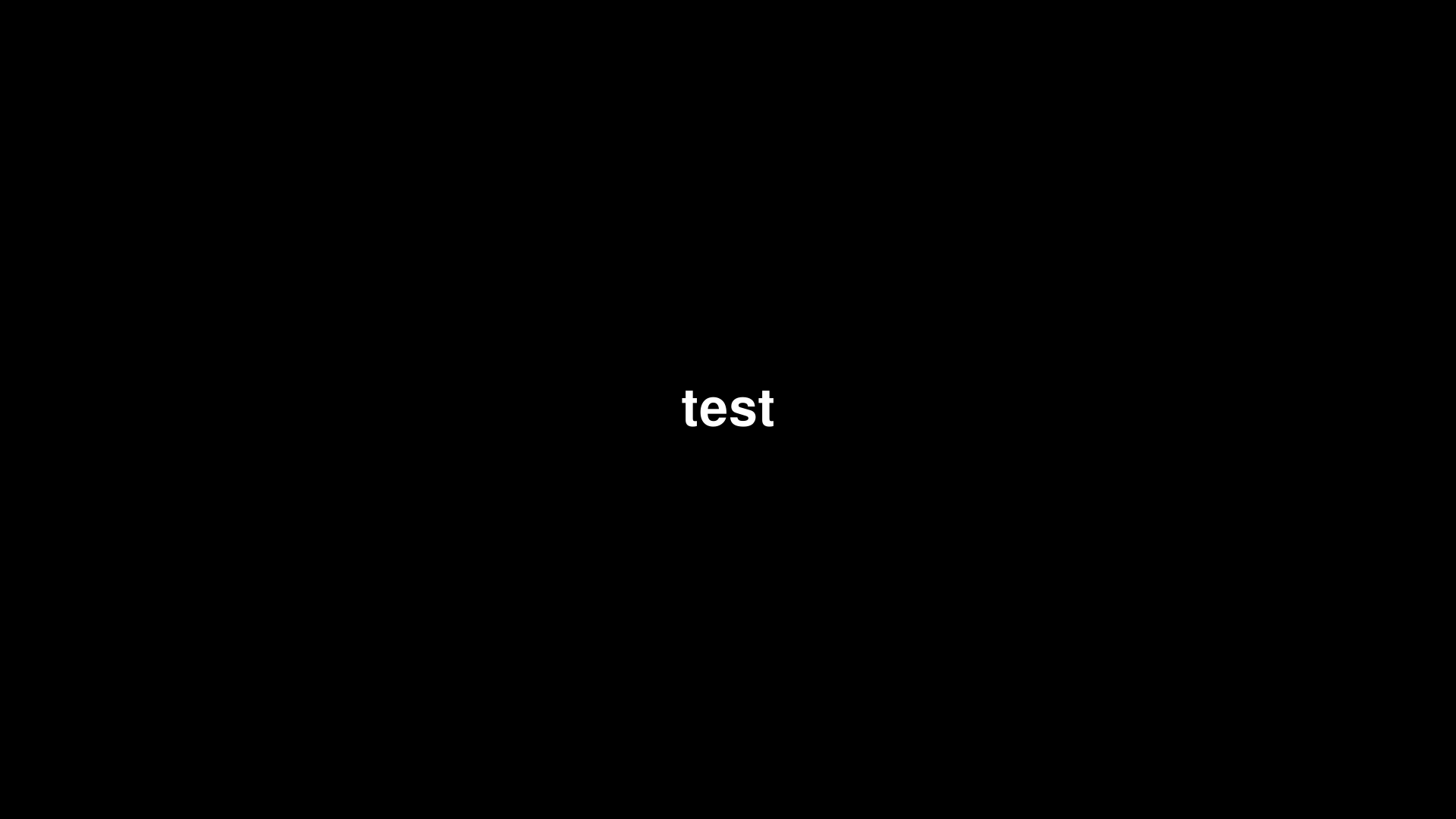
再実行する。画面中央にtestと白文字で出た。
fd@pi3b:~ $ python3 test.py
pygame 2.1.2 (SDL 2.26.5, Python 3.11.2)
Hello from the pygame community. https://www.pygame.org/contribute.html
ここに貼るのに、画面をキャプチャして変換しようと思ったら、ツールがなかった。
ffmpegを入れる。
fd@pi3b:~ $ sudo cat /dev/fb0 > screen.raw
fd@pi3b:~ $ ffmpeg -vcodec rawvideo -f rawvideo -pix_fmt rgb32 -s 1280x720 -i screen.raw screen.png
bash: ffmpeg: command not found
fd@pi3b:~ $ sudo apt install ffmpeg
Reading package lists... Done
Building dependency tree... Done
Reading state information... Done
The following additional packages will be installed:
libaacs0 libass9 libavc1394-0 libavcodec59 libavdevice59 libavfilter8
libavformat59 libavutil57 libbdplus0 libbluray2 libbs2b0 libcaca0
libcairo-gobject2 libcdio-cdda2 libcdio-paranoia2 libcdio19 libchromaprint1
libcjson1 libcodec2-1.0 libdc1394-25 libepoxy0 libflite1 libgdk-pixbuf-2.0-0
libgdk-pixbuf2.0-bin libgdk-pixbuf2.0-common libgme0 libgsm1 libhwy1
libiec61883-0 libjxl0.7 liblcms2-2 liblilv-0-0 libmbedcrypto7 libmysofa1
libnorm1 libopenal-data libopenal1 libopenjp2-7 libopenmpt0 libpgm-5.3-0
libplacebo208 libpocketsphinx3 libpostproc56 librabbitmq4 libraw1394-11
librist4 librsvg2-2 librsvg2-common librubberband2 libserd-0-0 libshine3
libsnappy1v5 libsndio7.0 libsodium23 libsord-0-0 libsoxr0 libspeex1
libsphinxbase3 libsratom-0-0 libsrt1.5-gnutls libssh-gcrypt-4 libswresample4
libswscale6 libtwolame0 libudfread0 libva-drm2 libva-x11-2 libva2
libvdpau-va-gl1 libvdpau1 libvidstab1.1 libvpx7 libwebpmux3 libx264-164
libxcb-shape0 libxv1 libxvidcore4 libzimg2 libzmq5 libzvbi-common libzvbi0
mesa-va-drivers mesa-vdpau-drivers ocl-icd-libopencl1 pocketsphinx-en-us
va-driver-all vdpau-driver-all
Suggested packages:
ffmpeg-doc libcuda1 libnvcuvid1 libnvidia-encode1 libbluray-bdj
liblcms2-utils libportaudio2 libraw1394-doc librsvg2-bin serdi sndiod sordi
speex opencl-icd nvidia-vdpau-driver
The following NEW packages will be installed:
ffmpeg libaacs0 libass9 libavc1394-0 libavcodec59 libavdevice59 libavfilter8
libavformat59 libavutil57 libbdplus0 libbluray2 libbs2b0 libcaca0
libcairo-gobject2 libcdio-cdda2 libcdio-paranoia2 libcdio19 libchromaprint1
libcjson1 libcodec2-1.0 libdc1394-25 libepoxy0 libflite1 libgdk-pixbuf-2.0-0
libgdk-pixbuf2.0-bin libgdk-pixbuf2.0-common libgme0 libgsm1 libhwy1
libiec61883-0 libjxl0.7 liblcms2-2 liblilv-0-0 libmbedcrypto7 libmysofa1
libnorm1 libopenal-data libopenal1 libopenjp2-7 libopenmpt0 libpgm-5.3-0
libplacebo208 libpocketsphinx3 libpostproc56 librabbitmq4 libraw1394-11
librist4 librsvg2-2 librsvg2-common librubberband2 libserd-0-0 libshine3
libsnappy1v5 libsndio7.0 libsodium23 libsord-0-0 libsoxr0 libspeex1
libsphinxbase3 libsratom-0-0 libsrt1.5-gnutls libssh-gcrypt-4 libswresample4
libswscale6 libtwolame0 libudfread0 libva-drm2 libva-x11-2 libva2
libvdpau-va-gl1 libvdpau1 libvidstab1.1 libvpx7 libwebpmux3 libx264-164
libxcb-shape0 libxv1 libxvidcore4 libzimg2 libzmq5 libzvbi-common libzvbi0
mesa-va-drivers mesa-vdpau-drivers ocl-icd-libopencl1 pocketsphinx-en-us
va-driver-all vdpau-driver-all
0 upgraded, 88 newly installed, 0 to remove and 0 not upgraded.
Need to get 75.6 MB of archives.
After this operation, 165 MB of additional disk space will be used.
Do you want to continue? [Y/n] y
(snip)
変換する。
fd@pi3b:~ $ ffmpeg -vcodec rawvideo -f rawvideo -pix_fmt rgb32 -s 1280x720 -i screen.raw screen.png
ffmpeg version 5.1.7-0+deb12u1+rpt1 Copyright (c) 2000-2025 the FFmpeg developers
built with gcc 12 (Debian 12.2.0-14+deb12u1)
configuration: --prefix=/usr --extra-version=0+deb12u1+rpt1 --toolchain=hardened --incdir=/usr/include/aarch64-linux-gnu --enable-gpl --disable-stripping --disable-mmal --enable-gnutls --enable-ladspa --enable-libaom --enable-libass --enable-libbluray --enable-libbs2b --enable-libcaca --enable-libcdio --enable-libcodec2 --enable-libdav1d --enable-libflite --enable-libfontconfig --enable-libfreetype --enable-libfribidi --enable-libglslang --enable-libgme --enable-libgsm --enable-libjack --enable-libmp3lame --enable-libmysofa --enable-libopenjpeg --enable-libopenmpt --enable-libopus --enable-libpulse --enable-librabbitmq --enable-librist --enable-librubberband --enable-libshine --enable-libsnappy --enable-libsoxr --enable-libspeex --enable-libsrt --enable-libssh --enable-libsvtav1 --enable-libtheora --enable-libtwolame --enable-libvidstab --enable-libvorbis --enable-libvpx --enable-libwebp --enable-libx265 --enable-libxml2 --enable-libxvid --enable-libzimg --enable-libzmq --enable-libzvbi --enable-lv2 --enable-omx --enable-openal --enable-opencl --enable-opengl --enable-sand --enable-sdl2 --disable-sndio --enable-libjxl --enable-neon --enable-v4l2-request --enable-libudev --enable-epoxy --libdir=/usr/lib/aarch64-linux-gnu --arch=arm64 --enable-pocketsphinx --enable-librsvg --enable-libdc1394 --enable-libdrm --enable-vout-drm --enable-libiec61883 --enable-chromaprint --enable-frei0r --enable-libx264 --enable-libplacebo --enable-librav1e --enable-shared
libavutil      57. 28.100 / 57. 28.100
libavcodec     59. 37.100 / 59. 37.100
libavformat    59. 27.100 / 59. 27.100
libavdevice    59.  7.100 / 59.  7.100
libavfilter     8. 44.100 /  8. 44.100
libswscale      6.  7.100 /  6.  7.100
libswresample   4.  7.100 /  4.  7.100
libpostproc    56.  6.100 / 56.  6.100
[rawvideo @ 0x559b6d54d0] Estimating duration from bitrate, this may be inaccurate
Input #0, rawvideo, from 'screen.raw':
Duration: 00:00:00.04, start: 0.000000, bitrate: 829440 kb/s
Stream #0:0: Video: rawvideo (BGRA / 0x41524742), bgra, 1280x720, 737280 kb/s, 25 tbr, 25 tbn
Stream mapping:
Stream #0:0 -> #0:0 (rawvideo (native) -> png (native))
Press [q] to stop, [?] for help
Output #0, image2, to 'screen.png':
Metadata:
encoder : Lavf59.27.100
Stream #0:0: Video: png, rgba(pc, gbr/unknown/unknown, progressive), 1280x720, q=2-31, 200 kb/s, 25 fps, 25 tbn
Metadata:
encoder : Lavc59.37.100 png
[rawvideo @ 0x559b6d54d0] Packet corrupt (stream = 0, dts = 1). speed= 0x
screen.raw: corrupt input packet in stream 0
[rawvideo @ 0x559b6deab0] Invalid buffer size, packet size 460800 < expected frame_size 3686400
Error while decoding stream #0:0: Invalid argument
[image2 @ 0x559b6df230] The specified filename 'screen.png' does not contain an image sequence pattern or a pattern is invalid.
[image2 @ 0x559b6df230] Use a pattern such as %03d for an image sequence or use the -update option (with -frames:v 1 if needed) to write a single image.
frame=    1 fps=0.0 q=-0.0 Lsize=N/A time=00:00:00.04 bitrate=N/A speed=0.227x
video:16kB audio:0kB subtitle:0kB other streams:0kB global headers:0kB muxing overhead: unknown
fd@pi3b:~ $ file screen.png
screen.png: PNG image data, 1280 x 720, 8-bit/color RGBA, non-interlaced
fd@pi3b:~ $ ls -al screen.png
-rw-r--r-- 1 fd video 16459 Oct 28 16:25 screen.png
うーん、fb0からは取れないみたい。
ffmpegで直接キャプチャーデバイスを指定して取得してみようとしたのだけど、ことごとく失敗。
しょうがないので、pygameの中で画像を保存することにした。
#!/usr/bin/env python3
# -*- coding: utf-8 -*-
"""
KMSDRM用 最小テスト + 画面キャプチャ
物理TTYで実行
"test" を表示
何か押されたら "shot.png" を保存して自動終了
"""
import os
import sys
import pygame
KMSDRM を指定(必要なら外部で SDL_VIDEODRIVER=kmsdrm でも可)
os.environ.setdefault("SDL_VIDEODRIVER", "kmsdrm")
os.environ.setdefault("SDL_RENDER_DRIVER", "opengles2") # 失敗時は下でsoftwareに切替
pygame.init()
pygame.font.init()
set_mode 試行(EGL未初期化などの環境で software にフォールバック)
try:
screen = pygame.display.set_mode((0, 0), pygame.FULLSCREEN) # ネイティブ解像度
except pygame.error:
os.environ["SDL_RENDER_DRIVER"] = "software"
screen = pygame.display.set_mode((0, 0), pygame.FULLSCREEN)
pygame.display.set_caption("KMSDRM Test & Capture")
描画
screen.fill((0, 0, 0))
font = pygame.font.Font(None, 100) # デフォルトフォント
text = font.render("test", True, (255, 255, 255))
screen.blit(text, text.get_rect(center=screen.get_rect().center))
pygame.display.flip()
入力待ち(キー/マウス/タッチ)。入力が来たらキャプチャして終了
pygame.event.set_blocked(None)
pygame.event.set_allowed([pygame.KEYDOWN, pygame.MOUSEBUTTONDOWN, pygame.FINGERDOWN, pygame.QUIT])
running = True
while running:
e = pygame.event.wait()
if e.type in (pygame.KEYDOWN, pygame.MOUSEBUTTONDOWN, pygame.FINGERDOWN):
try:
pygame.image.save(screen, "shot.png")
finally:
running = False
elif e.type == pygame.QUIT:
running = False
pygame.quit()
sys.exit(0)
画面では、左上にカーソルが出ているのだけど、キャプチャには映っていないのな。
とりあえず、動くことは確認できた。
100円投げ銭 https://kinneko.booth.pm/items/1963720
オリジナル投稿:
pygame: fbじゃなくてKMSDRM|kinneko|pixivFANBOX
https://kinneko.fanbox.cc/posts/10806321