

放置されてた、Pi5に火を入れるときがきた。trixieが10/1にリリースされたので入れてみる。なんか保守していると、OSのアップデートはあんまりいい感じはしないのよね。
Raspiのメンテには、前にも書いたdisplaylinkのディスプレイを使っている。USBにいっぱいぶら下げると電気が足りなくなることはるけど、とりあえず動いているので便利。なにより電源とHDMIとをつなげなくていいのがいい。これでタッチできるとなおいいのに、残念ながらタッチはついていない。
あと不便なところは、USBを一回抜いてしまうと、もうデスクトップ画面は出てこない。kernelではfb0としては認識して初期化してくれるのだけど、Waylandがうまくリセットできないようだ。これは結構辛い。X11ではリセットできるらしいけど、いまさら戻るのもね...
trixie入れると、displaylink用のudlが悪化したのか、それともLabwcのアップデートのせいか、リフレッシュが詰まってマウスとか残像出まくり。これはダメですね...
あと、Labwcがアップデートしたので、期待してた再hotplug時の画面再構築は相変わらずダメ。暗いまま。Waylandでは相変わらずダメ。
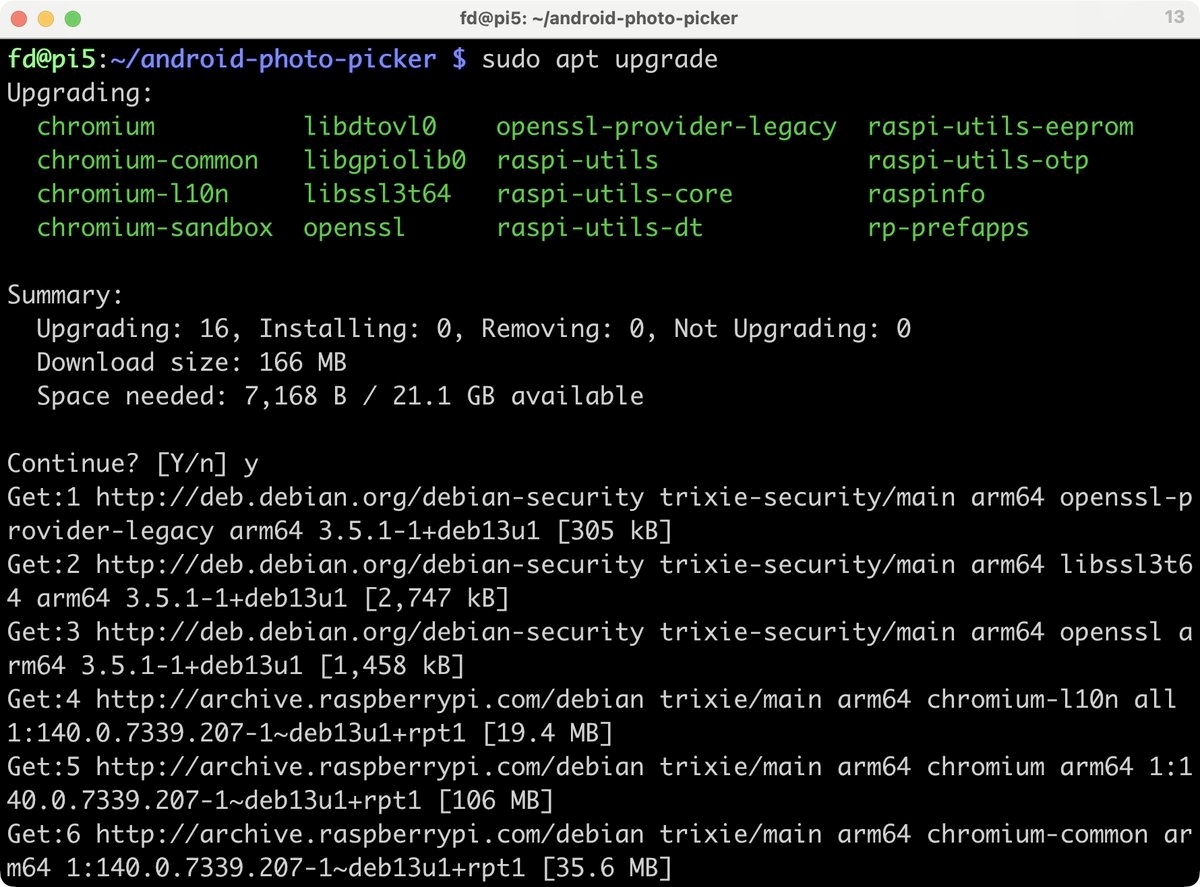
おや、apt upgradeの表示が変わったな。
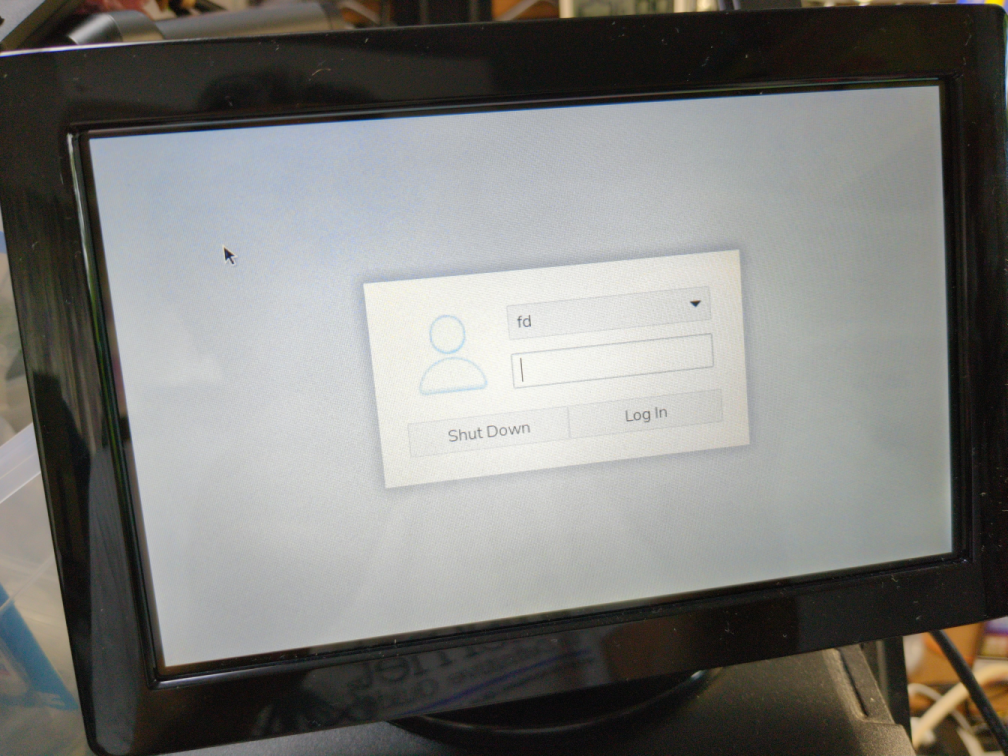
あれ? rebootしたら、ログイン画面が出てきたよ。前はユーザー1人ならいきなりデスクトップで、こんなん出ることなかったのにな。あ、初回起動時はデスクトップになっていたから、アップデートでなんか変更されたかな?
ログインマネージャは、lightdmのようだ。
fd@pi5:~ $ systemctl status display-manager | more
● lightdm.service - Light Display Manager
Loaded: loaded (/usr/lib/systemd/system/lightdm.service; enabled; preset: e
nabled)
Active: active (running) since Sat 2025-10-04 10:44:58 JST; 22min ago
Invocation: 622f712bdffc4ac4b941065feffaed7a
Docs: man:lightdm(1)
Main PID: 1004 (lightdm)
Tasks: 5 (limit: 9571)
CPU: 62ms
CGroup: /system.slice/lightdm.service
├─1004 /usr/sbin/lightdm
└─1191 lightdm --session-child 10 18
Oct 04 10:44:58 pi5 systemd[1]: Starting lightdm.service - Light Display Manager
...
Oct 04 10:44:58 pi5 systemd[1]: Started lightdm.service - Light Display Manager.
Oct 04 10:44:58 pi5 lightdm[1022]: pam_unix(lightdm-greeter:session): session op
ened for user lightdm(uid=105) by (uid=0)
Oct 04 10:44:58 pi5 lightdm[1022]: pam_unix(lightdm-greeter:session): session op
ened for user lightdm(uid=105) by (uid=0)
lightdmの設定を調べてみたけど、autologinは有効になっている。なんかアップデートで問題出ている感じ。こういう基本的なところではよろしくない。
fd@pi5:~ $ grep autologin-user /etc/lightdm/lightdm.conf
# autologin-user = User to log in with by default (overrides autologin-guest)
# autologin-user-timeout = Number of seconds to wait before loading default user
autologin-user=fd
#autologin-user-timeout=0
raspi-configの設定も確認してみる。たぶん、lightdmの設定を見ているだけだろうけど。
fd@pi5:~ $ sudo raspi-config
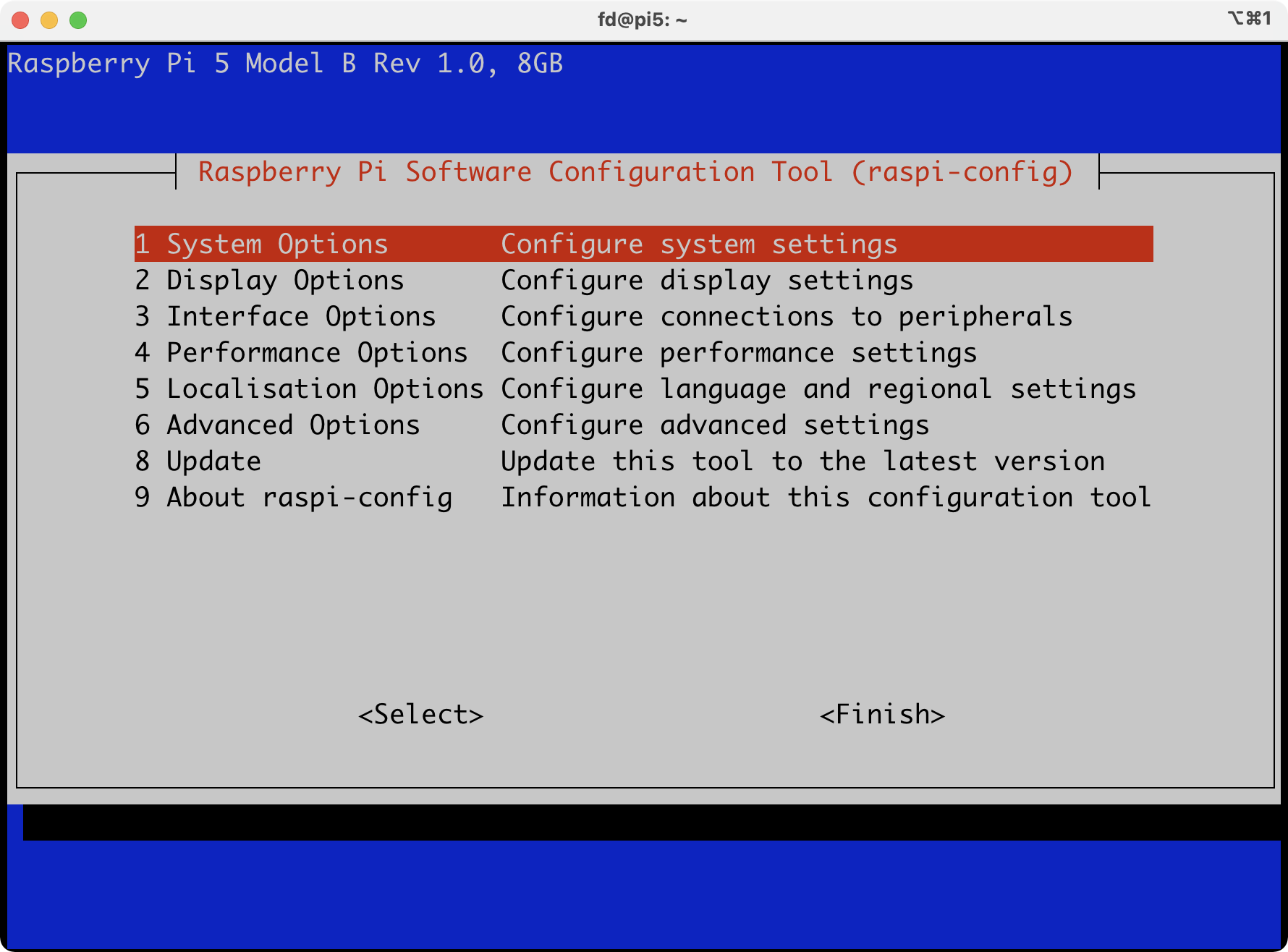
「System Options」 -> 「Auto Login」
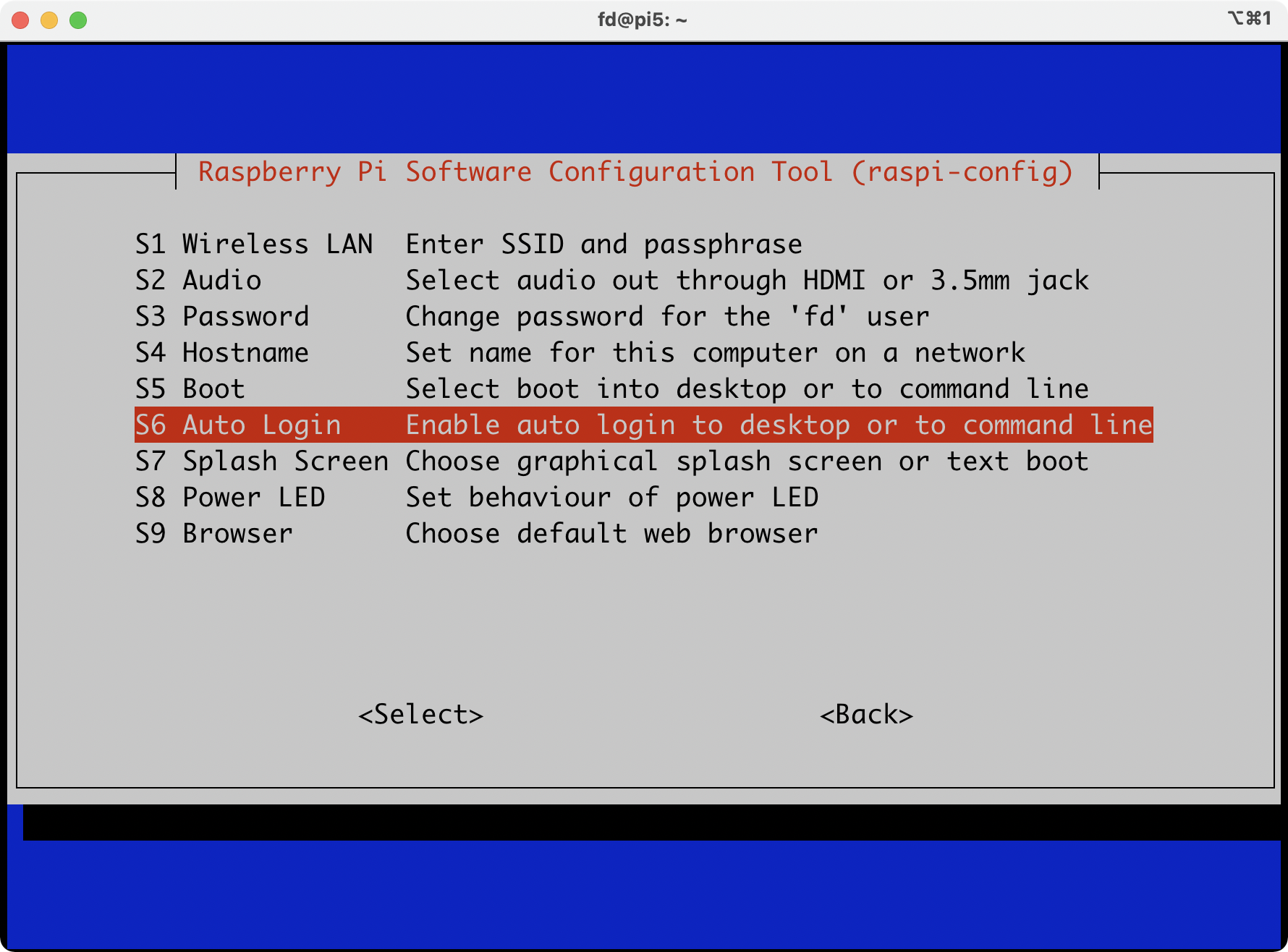
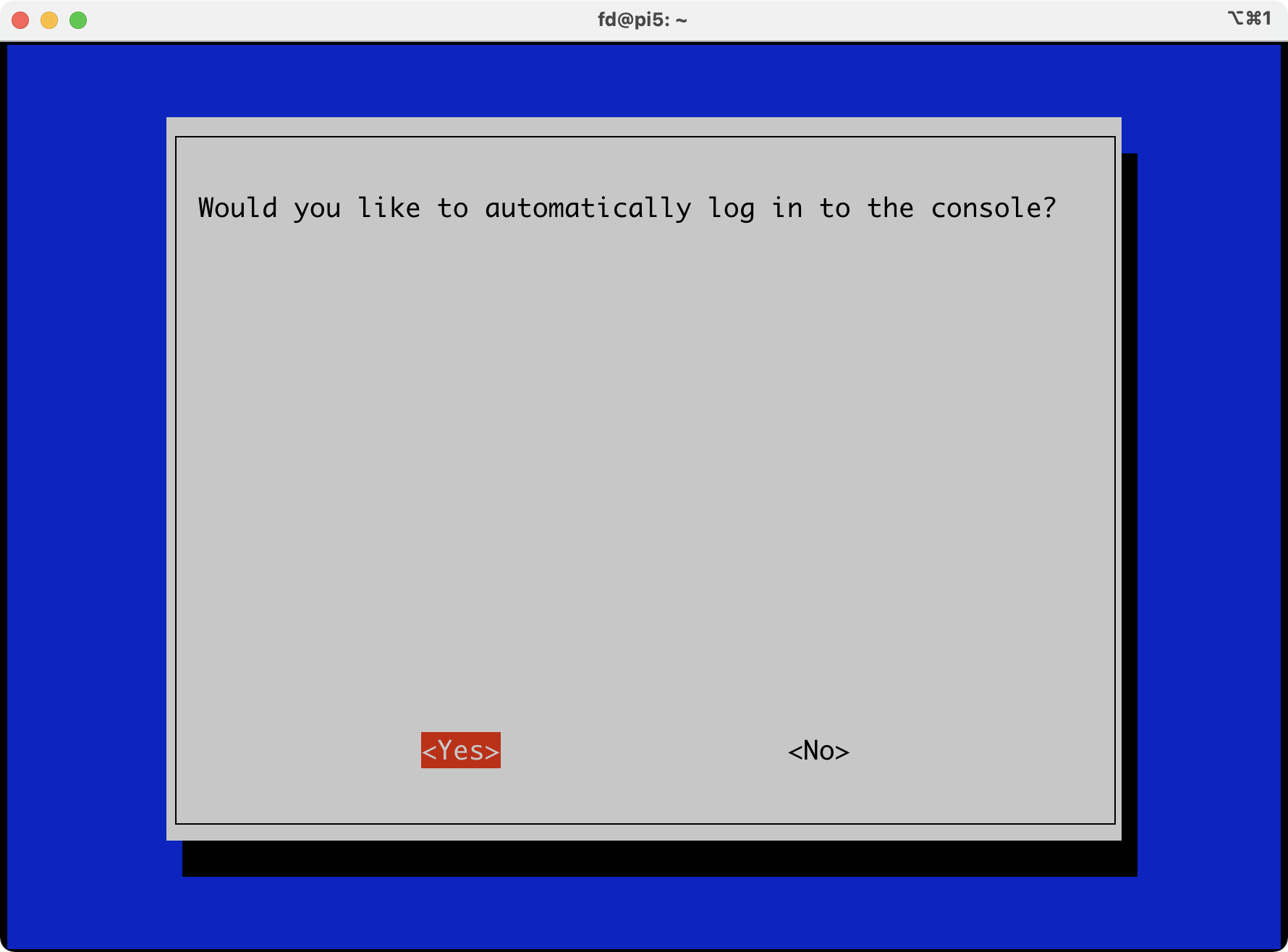
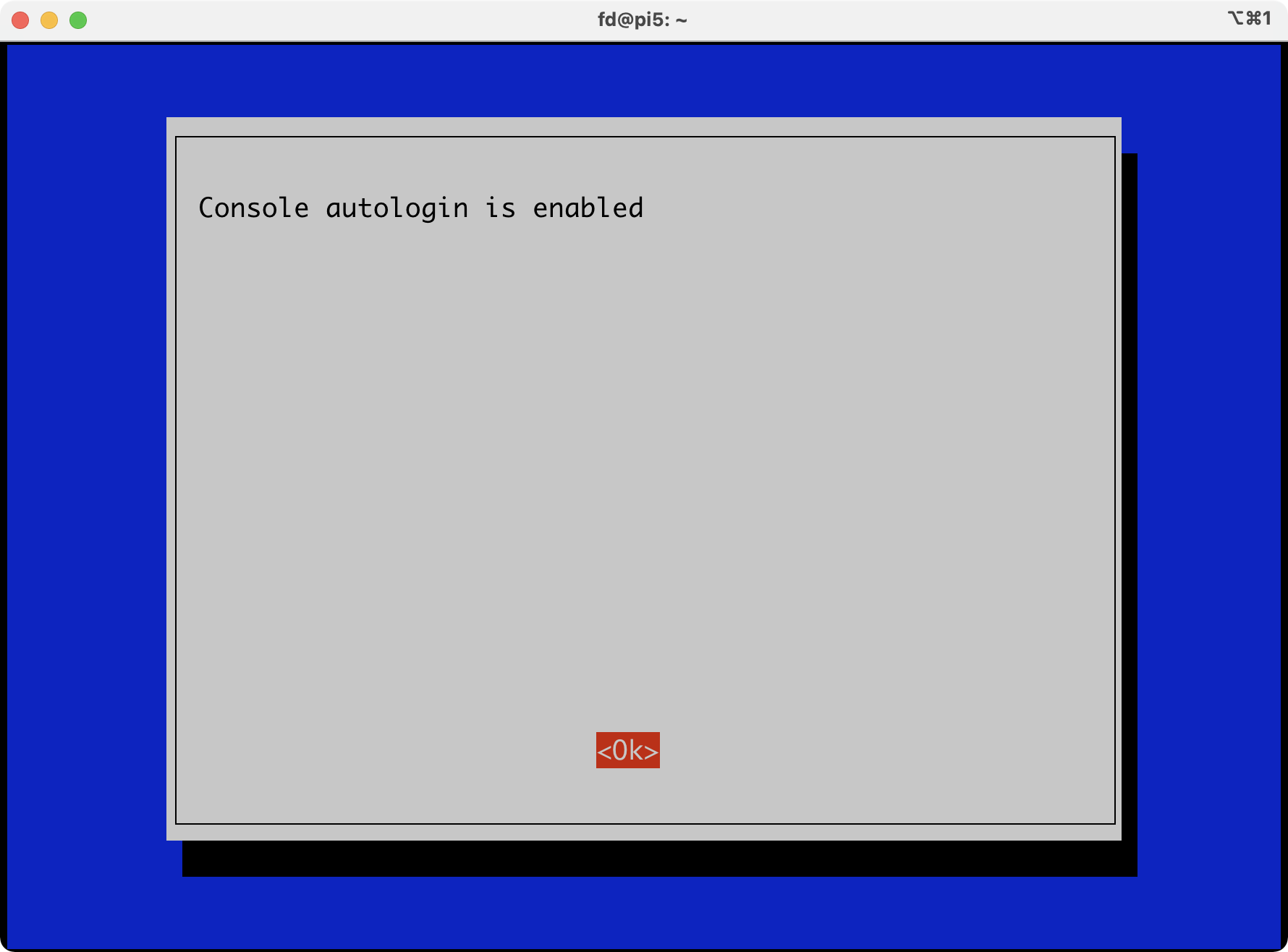
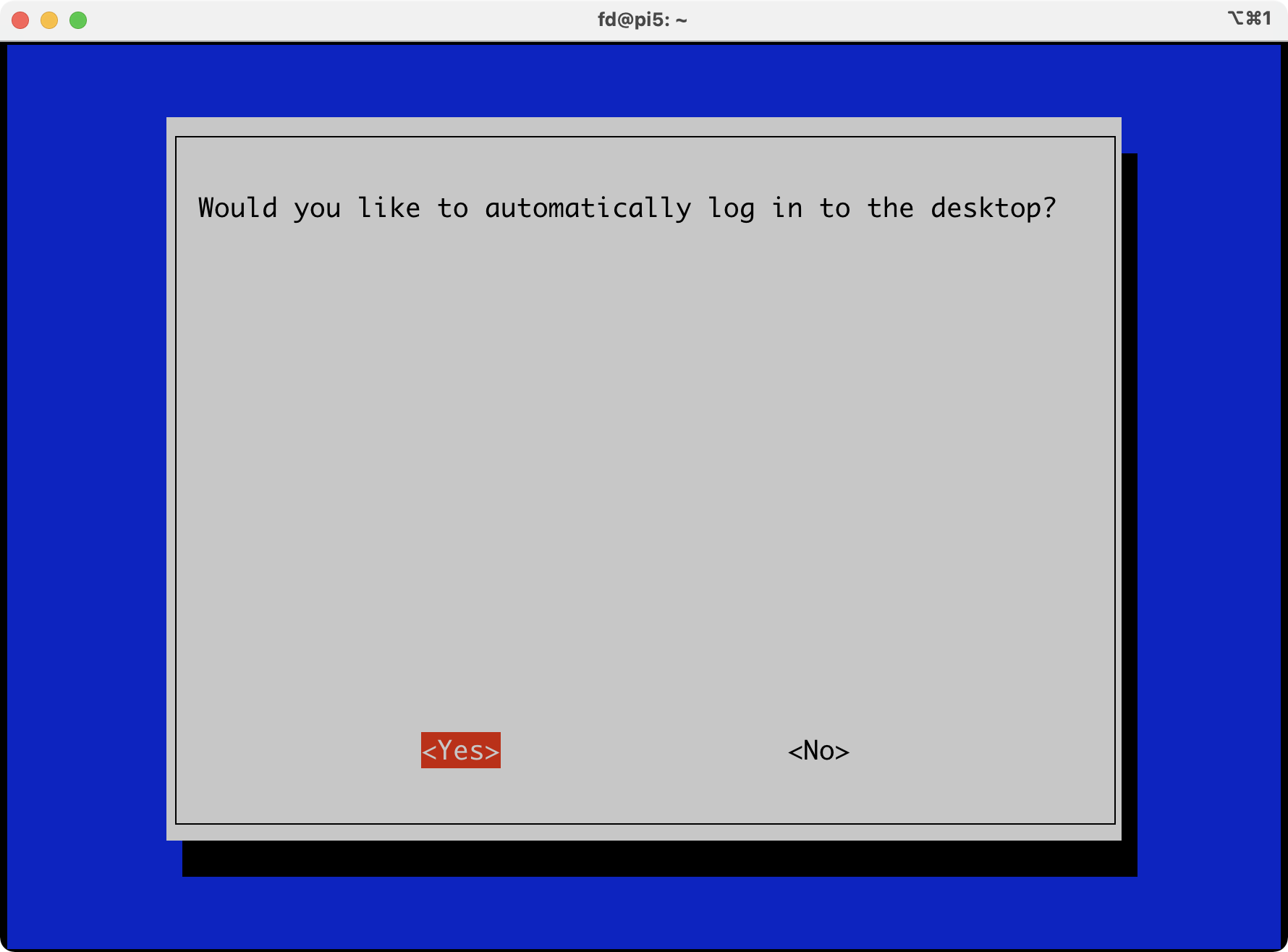
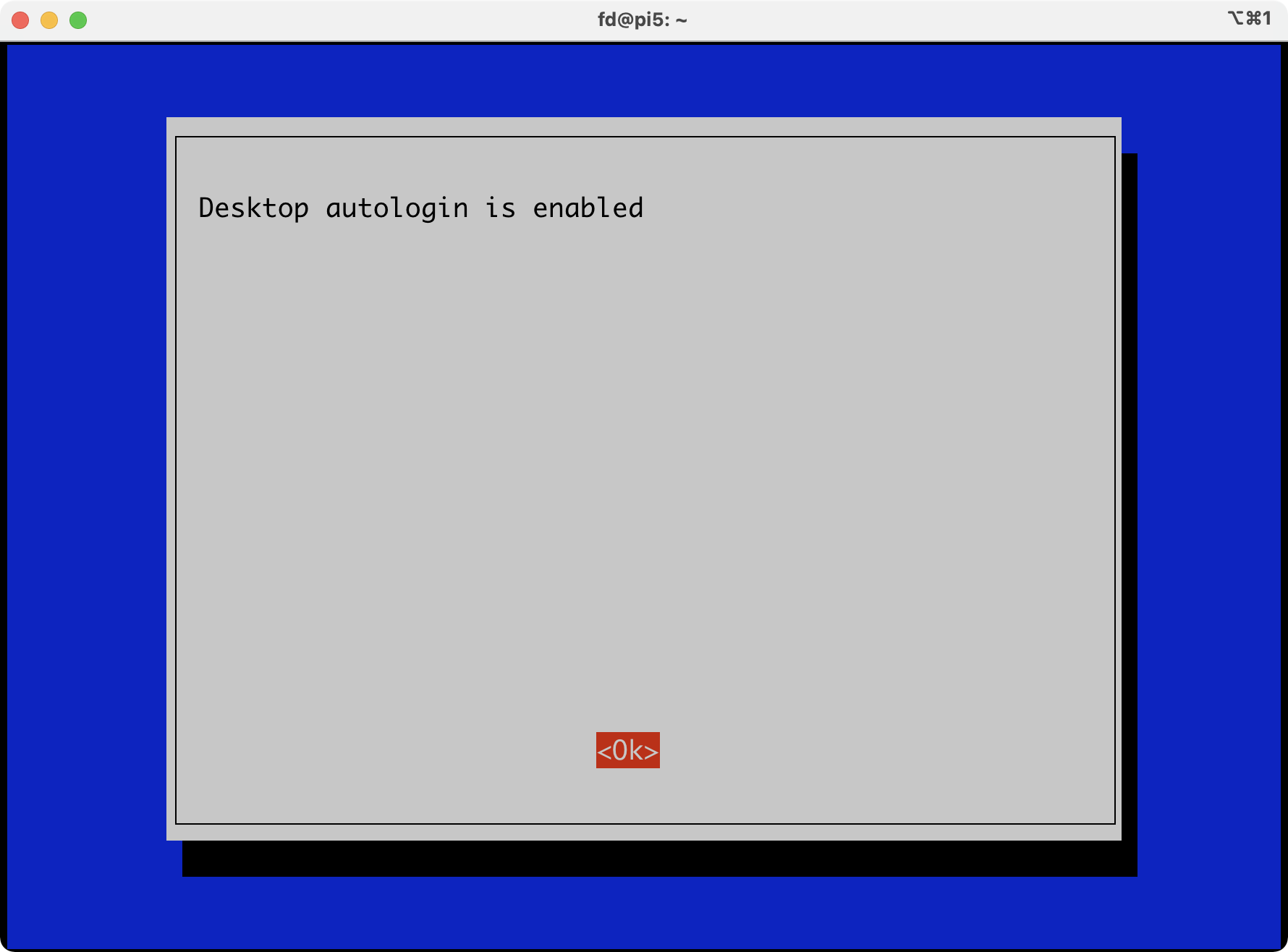
終了時に再起動になるな...
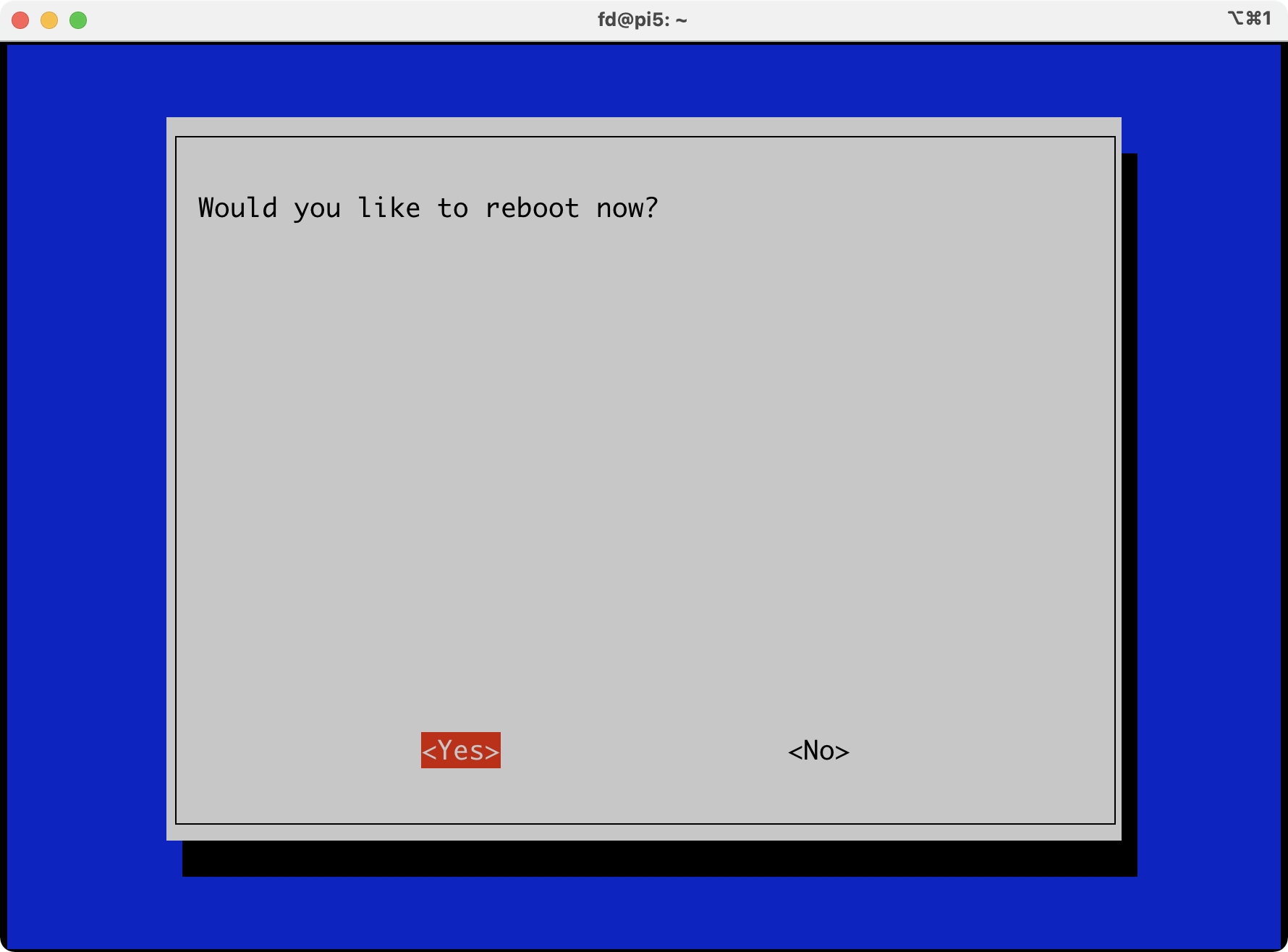
設定しても同じだ。
/etc/pam.d/lightdm-autologinは問題なさそう。
fd@pi5:~ $ cat /etc/pam.d/lightdm-autologin
#%PAM-1.0
# Block login if shell in nologin or false
auth required pam_succeed_if.so shell notin /sbin/nologin:/usr/sbin/nologin:/bin/false:/usr/bin/false
# Block login if they are globally disabled
auth requisite pam_nologin.so
# Load environment from /etc/environment and ~/.pam_environment
session required pam_env.so readenv=1
session required pam_env.so readenv=1 envfile=/etc/default/locale
# Allow access without authentication
auth required pam_succeed_if.so user != root quiet_success
auth required pam_permit.so
@include common-account
# SELinux needs to be the first session rule. This ensures that any
# lingering context has been cleared. Without out this it is possible
# that a module could execute code in the wrong domain.
# When the module is present, "required" would be sufficient (When SELinux
# is disabled, this returns success.)
session  [success=ok ignore=ignore module_unknown=ignore default=bad] pam_selinux.so close
session required pam_limits.so
session required pam_loginuid.so
@include common-session
# SELinux needs to intervene at login time to ensure that the process
# starts in the proper default security context. Only sessions which are
# intended to run in the user's context should be run after this.
session [success=ok ignore=ignore module_unknown=ignore default=bad] pam_selinux.so open
# When the module is present, "required" would be sufficient (When SELinux
# is disabled, this returns success.)
# Can't change password
password required pam_deny.so
@include common-password
ログインマネージャ画面では、grimでキャプチャができない。しょうがないので、fbgrabを入れる。
fd@pi5:~ $ grim login2.png
failed to create display
fd@pi5:~ $ fbgrab
-bash: fbgrab: command not found
fd@pi5:~ $ sudo apt install fbgrab
(snip)
fd@pi5:~ $ sudo fbgrab ./login.png
あれ? キャプチャできてない。DRM/Waylandだからかな...

kmsgrabを使ってみるか。ffmpegはデフォルトで入っているみたい。
fd@pi5:~ $ ffmpeg -f kmsgrab -i - -vf "hwmap=derive_device=drm,scale=w=800:h=480" -frames:v 1 login3.png
ffmpeg version 7.1.1-1~+rpt1 Copyright (c) 2000-2025 the FFmpeg developers
built with gcc 14 (Debian 14.2.0-19)
configuration: --prefix=/usr --extra-version='1~+rpt1' --toolchain=hardened --incdir=/usr/include/aarch64-linux-gnu --enable-gpl --disable-stripping --disable-libmfx --disable-mmal --disable-omx --enable-gnutls --enable-libaom --enable-libass --enable-libbs2b --enable-libcdio --enable-libcodec2 --enable-libdav1d --enable-libflite --enable-libfontconfig --enable-libfreetype --enable-libfribidi --enable-libglslang --enable-libgme --enable-libgsm --enable-libharfbuzz --enable-libmp3lame --enable-libmysofa --enable-libopenjpeg --enable-libopenmpt --enable-libopus --enable-librubberband --enable-libshine --enable-libsnappy --enable-libsoxr --enable-libspeex --enable-libtheora --enable-libtwolame --enable-libvidstab --enable-libvorbis --enable-libvpx --enable-libwebp --enable-libx265 --enable-libxml2 --enable-libxvid --enable-libzimg --enable-openal --enable-opencl --enable-opengl --disable-sndio --disable-libvpl --libdir=/usr/lib/aarch64-linux-gnu --arch=arm64 --enable-neon --enable-v4l2-request --enable-libudev --enable-epoxy --enable-libdc1394 --enable-libdrm --enable-libiec61883 --enable-vout-drm --enable-chromaprint --enable-frei0r --enable-ladspa --enable-libbluray --enable-libcaca --enable-libdvdnav --enable-libdvdread --enable-libjack --enable-libpulse --enable-librabbitmq --enable-librist --enable-libsrt --enable-libssh --enable-libsvtav1 --enable-libx264 --enable-libzmq --enable-libzvbi --enable-lv2 --enable-sand --enable-sdl2 --enable-libplacebo --enable-librav1e --enable-pocketsphinx --enable-librsvg --enable-libjxl --enable-shared
libavutil 59. 39.100 / 59. 39.100
libavcodec 61. 19.101 / 61. 19.101
libavformat 61. 7.100 / 61. 7.100
libavdevice 61. 3.100 / 61. 3.100
libavfilter 10. 4.100 / 10. 4.100
libswscale 8. 3.100 / 8. 3.100
libswresample 5. 3.100 / 5. 3.100
libpostproc 58. 3.100 / 58. 3.100
[kmsgrab @ 0x5555891e6cd0] Failed to set universal planes capability: primary planes will not be usable.
[kmsgrab @ 0x5555891e6cd0] Failed to get plane resources: Operation not supported.
[in#0 @ 0x555589191510] Error opening input: Operation not supported
Error opening input file -.
Error opening input files: Operation not supported
エラーは「DRM の plane 資源が取れない」と言っている。kmsgrabはPi5のDRM(vc4)には未対応か...
キャプチャはギブアップ。
ログインマネージャを抑制して自動ログインするのを追う。
lightdmの設定を出力してみる。
fd@pi5:~ $ sudo lightdm --show-config
[Seat:*]
B greeter-session=pi-greeter-labwc
B greeter-hide-users=false
A session-wrapper=/etc/X11/Xsession
B user-session=rpd-labwc
B display-setup-script=/usr/share/dispsetup.sh
B autologin-user=fd
B autologin-session=rpd-labwc
Sources:
A /usr/share/lightdm/lightdm.conf.d/01_debian.conf
B /etc/lightdm/lightdm.conf
rpd-labwcってなんだろ? 設定はlightdm.confでされている。
fd@pi5:~ $ grep autologin-session /etc/lightdm/lightdm.conf
# autologin-session = Session to load for automatic login (overrides user-session)
autologin-session=rpd-labwc
fd@pi5:~ $ grep AutomaticLoginEnable /etc/lightdm/lightdm.conf
rpd-labwcのセッション名は正しいのだろうか? labwcが正しいのじゃ? 命名的にはRaspberry Pi Desktop(RPD)環境でlabwcセッションを明示的に使うために作られたカスタムセッション名っぽいけど。
現在のwaylandの設定をみると、そんなカスタムセッション名は使っていない感じ。
fd@pi5:~ $ ls /usr/share/wayland-sessions/
labwc.desktop
fd@pi5:~ $ ls /usr/share/xsessions/
lightdm-xsession.desktop openbox.desktop
設定の優先度は後出しジャンケンなので、設定内容を調べる。だいじょうぶそう。
fd@pi5:~ $ grep -nH 'autologin|user-session|[Seat' /etc/lightdm/lightdm.conf /etc/lightdm/lightdm.conf.d/* 2>/dev/null
/etc/lightdm/lightdm.conf:43:# [Seat:*] matches all seats and is applied first.
/etc/lightdm/lightdm.conf:44:# [Seat:seat0] matches the seat named "seat0".
/etc/lightdm/lightdm.conf:45:# [Seat:seat-thin-client*] matches all seats that have names that start with "seat-thin-client".
/etc/lightdm/lightdm.conf:49:# pam-autologin-service = PAM service to use for autologin
/etc/lightdm/lightdm.conf:67:# user-session = Session to load for users
/etc/lightdm/lightdm.conf:70:# guest-session = Session to load for guests (overrides user-session)
/etc/lightdm/lightdm.conf:79:# autologin-guest = True to log in as guest by default
/etc/lightdm/lightdm.conf:80:# autologin-user = User to log in with by default (overrides autologin-guest)
/etc/lightdm/lightdm.conf:81:# autologin-user-timeout = Number of seconds to wait before loading default user
/etc/lightdm/lightdm.conf:82:# autologin-session = Session to load for automatic login (overrides user-session)
/etc/lightdm/lightdm.conf:83:# autologin-in-background = True if autologin session should not be immediately activated
/etc/lightdm/lightdm.conf:86:[Seat:*]
/etc/lightdm/lightdm.conf:89:#pam-autologin-service=lightdm-autologin
/etc/lightdm/lightdm.conf:107:user-session=rpd-labwc
/etc/lightdm/lightdm.conf:119:#autologin-guest=false
/etc/lightdm/lightdm.conf:120:autologin-user=fd
/etc/lightdm/lightdm.conf:121:#autologin-user-timeout=0
/etc/lightdm/lightdm.conf:122:#autologin-in-background=false
/etc/lightdm/lightdm.conf:123:autologin-session=rpd-labwc
fd@pi5:~ $ sudo vi /etc/lightdm/lightdm.conf
#autologin-session=rpd-labwc
autologin-session=labwc
fd@pi5:~ $ sudo reboot
あらら、真っ黒な画面が起動したよ。マウスカーソルはある。マウスクリックのメニューはReconfigureとExitだけがでる。Labwcまでは正常起動したが、パネルや背景設定が読み込まれていない感じ。なんで?
labwc.desktopにはなんにもないLabwc環境が起動するだけなので、それはそれで間違いではない。
fd@pi5:~ $ cat /usr/share/wayland-sessions/labwc.desktop
[Desktop Entry]
Name=labwc
Comment=A wayland stacking compositor
Exec=labwc
Icon=labwc
Type=Application
DesktopNames=labwc;wlroots
どうも、rpd-labwc.desktopというセッションファイルがないのが原因っぽいな。
fd@pi5:~ $ ls /usr/share/wayland-sessions/
labwc.desktop
autologin-sessionの設定を外して、ユーザーのデフォルト既定セッションに任せてみる。
fd@pi5:~ $ sudo vi /etc/lightdm/lightdm.conf
#autologin-session=rpd-labwc
#autologin-session=labwc
結果変わらず。
それは当たり前で、ユーザーのデフォルト設定的なものもなくなっている... 最初からないのかね?
fd@pi5:~ $ cat ~/.config/labwc/rc.xml
cat: /home/fd/.config/labwc/rc.xml: No such file or directory
fd@pi5:~ $ cat ~/.config/labwc/autostart
cat: /home/fd/.config/labwc/autostart: No such file or directory
自力でautostatを書いてしまう? なんかキモいけど。
fd@pi5:~ $ sudo vi /etc/lightdm/lightdm.conf
autologin-session=labwc
fd@pi5:~ $ vi ~/.config/labwc/autostart
pcmanfm --desktop &
lxpanel &
一応出るようになったね。いろいろ足りないけど。

しょうがないので、リリースバージョンも見てみるかな。
オリジナル投稿:
RaspiOS trixie入れてみる -1-|kinneko|pixivFANBOX
https://kinneko.fanbox.cc/posts/10682153