
さて、OTGないのに、どうやってadbしよう。
Pi Zero系にはOTGあるけど、Emteria.OSは動作しない。
設定->Raspiメニューの中に、adbとsshを有効にする項目がある。これを使えばsshはできそう。
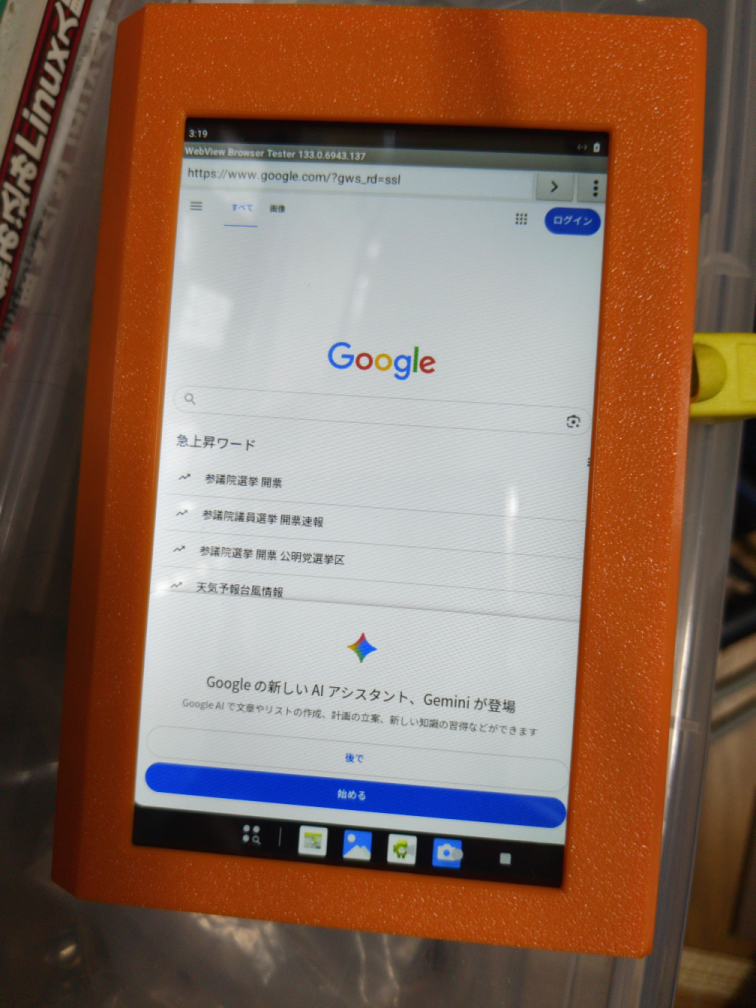
設定からADBとSSHを有効にして、有線NICを接続する。IPは取れた。Google検索もできる模様。
なんか、Viewerの箱だと、LCDのエッジ部分の操作がしにくい。専用のケースをデザインしないとダメかな。
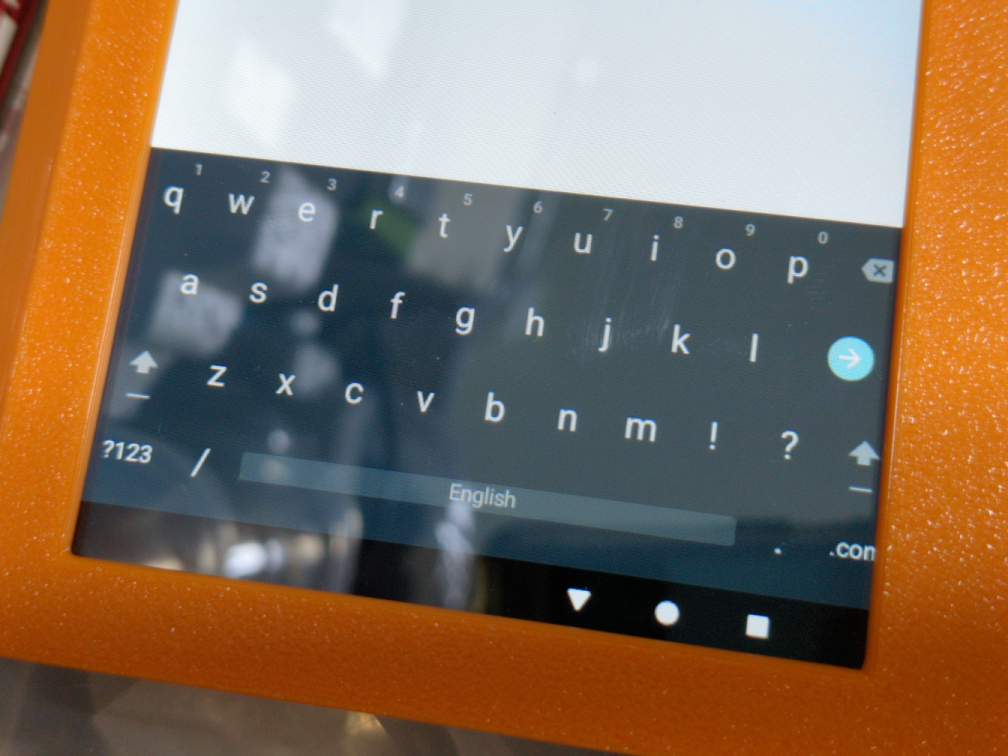
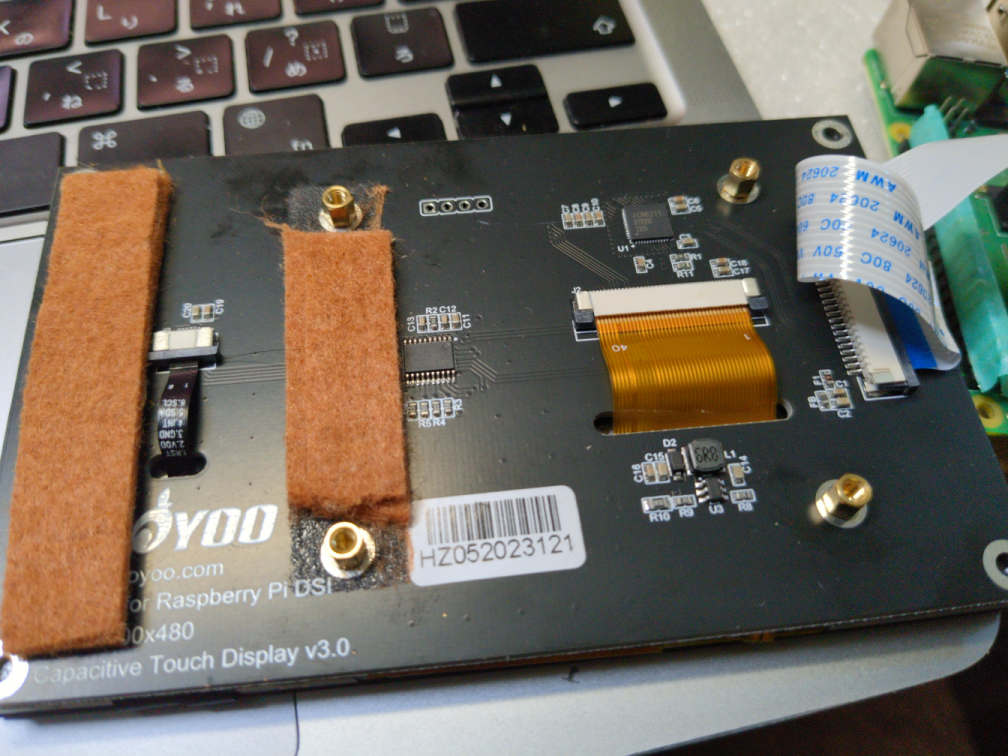
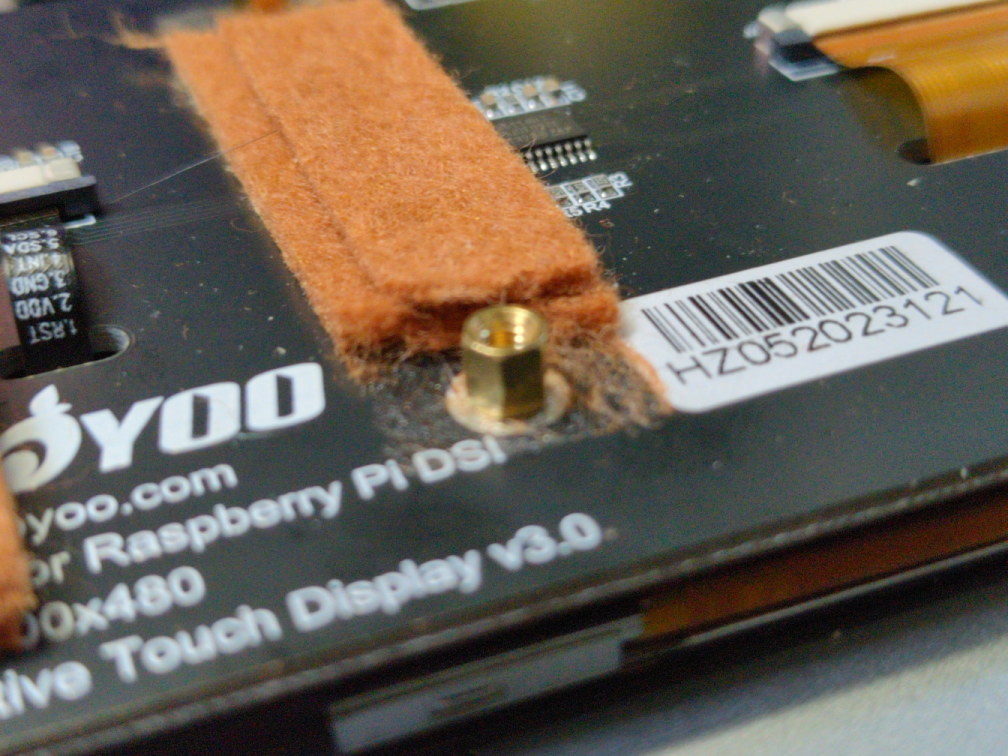
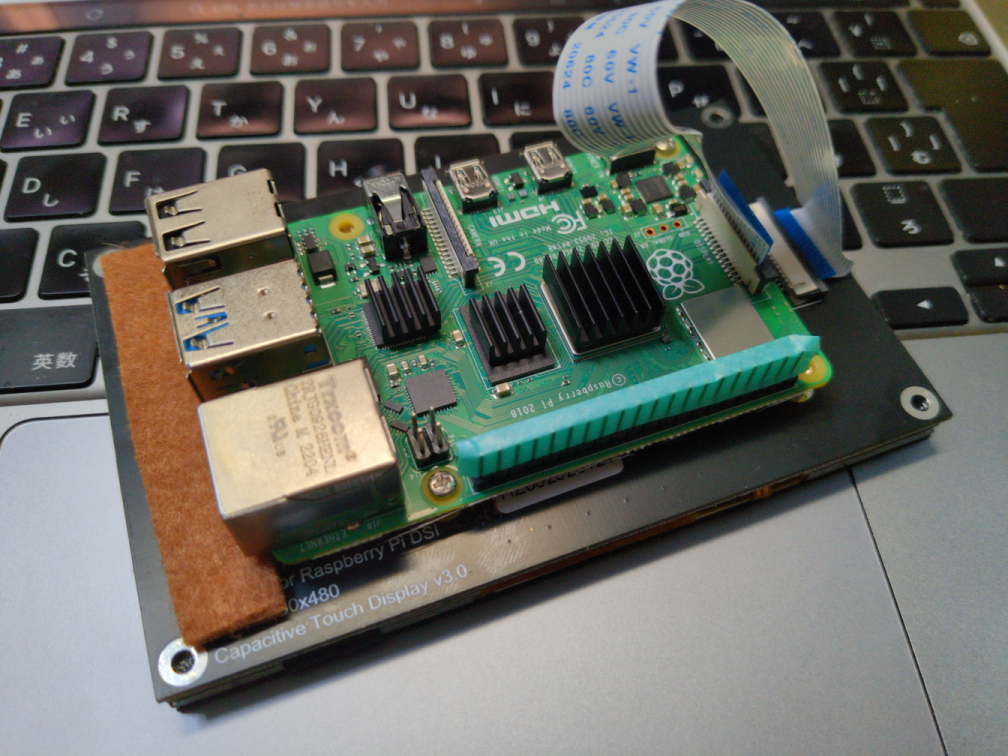
分解してLCDとPi4Aを取り出して、LCDの背面に低いスタッドを立ててPi4Aをネジ止めする。
とりあえずsshしてみるよね。パスワードでのログインは許可されていなくて、公開鍵認証に失敗しているようだ。鍵の登録が必要?
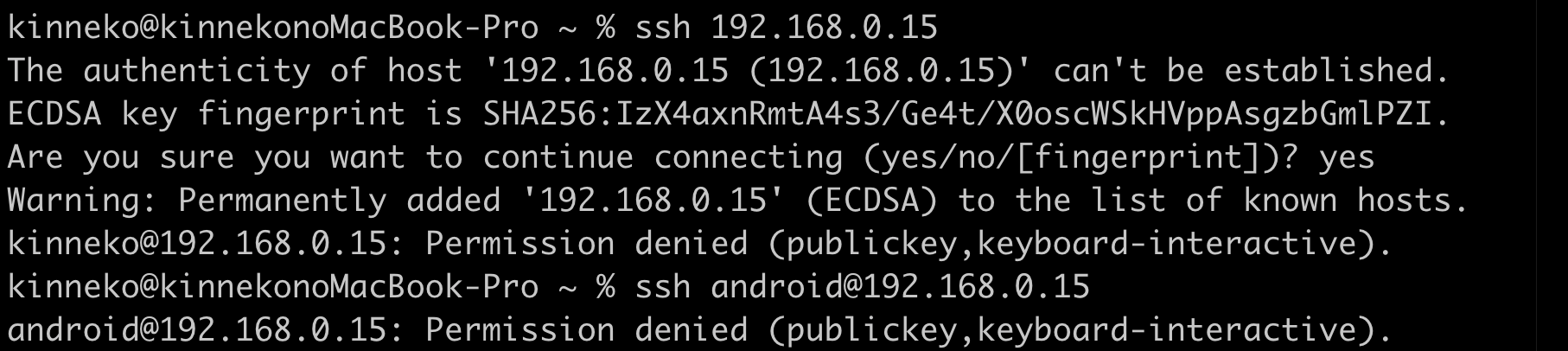
デフォルトアカウントはrootでいいらしい。
どうやら公開鍵をあらかじめコピーしておかないといけないらしい。
それって、マジか... 鶏と卵じゃん。
公開鍵の置き場所は/data/ssh/authorized_keysのようだ。
開発者メニューを有効にして、システム->開発者設定から「ワイヤレスデバッグ」を有効にしてみる。いや、ワイヤードなんだけどw
というわけで、「WiFiネットワークに接続してください」と出てくる... めんどくさいな。
無線接続してみる。なんか極端に調子悪い。RaspiOSのときには、ここまではヒドくないんだけど。とりあえず、connectしてshellはできた。
% adb connect 192.168.0.16
* daemon not running; starting now at tcp:5037
* daemon started successfully
connected to 192.168.0.16:5555
% adb devices
List of devices attached
192.168.0.16:5555 device
% adb shell
rpi4:/ $
GUIで操作するのに、scrcpyを起動してみる。
% scrcpy
scrcpy 2.1 https://github.com/Genymobile/scrcpy
/opt/homebrew/Cellar/scrcpy/2.1/share/scrcpy/scrcpy-server: 1 file pushed, 0 skipped. 26.8 MB/s (56955 bytes in 0.002s)
[server] INFO: Device: [Raspberry] Raspberry Pi 4 (Android 16)
[server] ERROR: Exception on thread Thread[video,5,main]
java.lang.AssertionError: java.lang.NoSuchMethodException: android.view.SurfaceControl.createDisplay [class java.lang.String, boolean]
at com.genymobile.scrcpy.wrappers.SurfaceControl.createDisplay(SurfaceControl.java:85)
at com.genymobile.scrcpy.ScreenEncoder.createDisplay(ScreenEncoder.java:272)
at com.genymobile.scrcpy.ScreenEncoder.streamScreen(ScreenEncoder.java:74)
at com.genymobile.scrcpy.ScreenEncoder.lambda$start$0$com-genymobile-scrcpy-ScreenEncoder(ScreenEncoder.java:290)
at com.genymobile.scrcpy.ScreenEncoder$$ExternalSyntheticLambda0.run(Unknown Source:4)
at java.lang.Thread.run(Thread.java:1119)
Caused by: java.lang.NoSuchMethodException: android.view.SurfaceControl.createDisplay [class java.lang.String, boolean]
at java.lang.Class.getMethod(Class.java:2940)
at java.lang.Class.getMethod(Class.java:2440)
at com.genymobile.scrcpy.wrappers.SurfaceControl.createDisplay(SurfaceControl.java:83)
... 5 more
INFO: Renderer: metal
画面でないんですけど... んで、すげー遅い。
あ、落ちた。
ERROR: Demuxer 'video': stream disabled due to connection error
ERROR: Demuxer error
使用帯域を絞ってみる。ダメですね...
% scrcpy --video-bit-rate 2M --max-size 800
scrcpy 2.1 https://github.com/Genymobile/scrcpy
ERROR: Device could not be connected (state=offline)
ERROR: Server connection failed
% scrcpy --video-bit-rate 1M --max-size 800
scrcpy 2.1 https://github.com/Genymobile/scrcpy
ERROR: Device could not be connected (state=offline)
ERROR: Server connection failed
無線は有効になったので、このまま有線LANに接続してみる。つながるね。
% adb kill-server
% adb connect 192.168.0.15
connected to 192.168.0.15:5555
% adb devices
List of devices attached
192.168.0.15:5555 device
しかし、scrcpyはダメ。
% scrcpy
scrcpy 2.1 https://github.com/Genymobile/scrcpy
/opt/homebrew/Cellar/scrcpy/2.1/share/scrcpy/scrcpy-server: 1 file pushed, 0 skipped. 25.0 MB/s (56955 bytes in 0.002s)
[server] INFO: Device: [Raspberry] Raspberry Pi 4 (Android 16)
INFO: Renderer: metal
[server] ERROR: Exception on thread Thread[video,5,main]
java.lang.AssertionError: java.lang.NoSuchMethodException: android.view.SurfaceControl.createDisplay [class java.lang.String, boolean]
at com.genymobile.scrcpy.wrappers.SurfaceControl.createDisplay(SurfaceControl.java:85)
at com.genymobile.scrcpy.ScreenEncoder.createDisplay(ScreenEncoder.java:272)
at com.genymobile.scrcpy.ScreenEncoder.streamScreen(ScreenEncoder.java:74)
at com.genymobile.scrcpy.ScreenEncoder.lambda$start$0$com-genymobile-scrcpy-ScreenEncoder(ScreenEncoder.java:290)
at com.genymobile.scrcpy.ScreenEncoder$$ExternalSyntheticLambda0.run(Unknown Source:4)
at java.lang.Thread.run(Thread.java:1119)
Caused by: java.lang.NoSuchMethodException: android.view.SurfaceControl.createDisplay [class java.lang.String, boolean]
at java.lang.Class.getMethod(Class.java:2940)
at java.lang.Class.getMethod(Class.java:2440)
at com.genymobile.scrcpy.wrappers.SurfaceControl.createDisplay(SurfaceControl.java:83)
... 5 more
こないわ。
% scrcpy --video-bit-rate 1M --max-size 800
ダメだね。scrcpyはダメっぽい。ビデオフレームの取得がうまくできないのだろうかな?
なんか、いろいろつらい。
adbコマンドでスクショする。
% adb shell screencap /sdcard/screenshot.png
% adb pull /sdcard/screenshot.png
/sdcard/screenshot.png: 1 file pulled,...ped. 3.2 MB/s (444794 bytes in 0.133s)
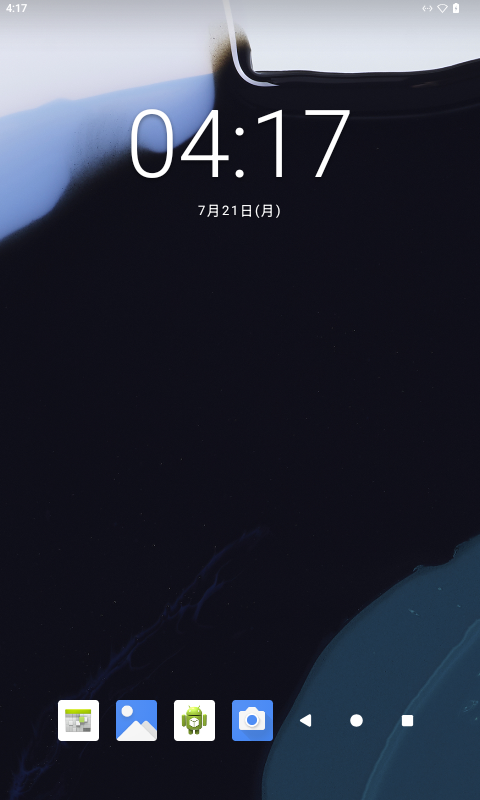
入ってるアプリはこんな感じ。
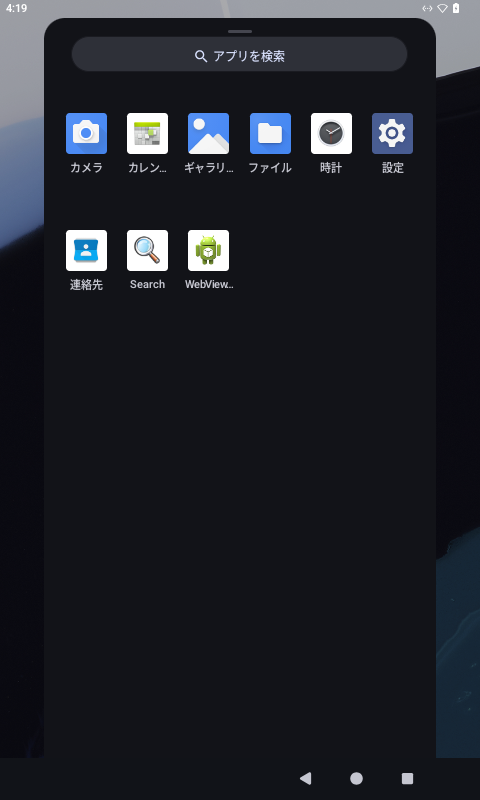
設定アプリの中身。
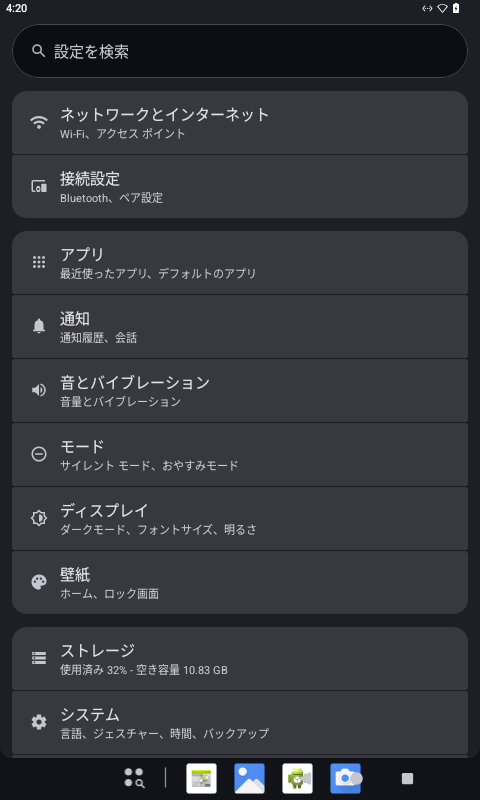
設定アプリのシステム項目にRaspiのメニューが追加されている。
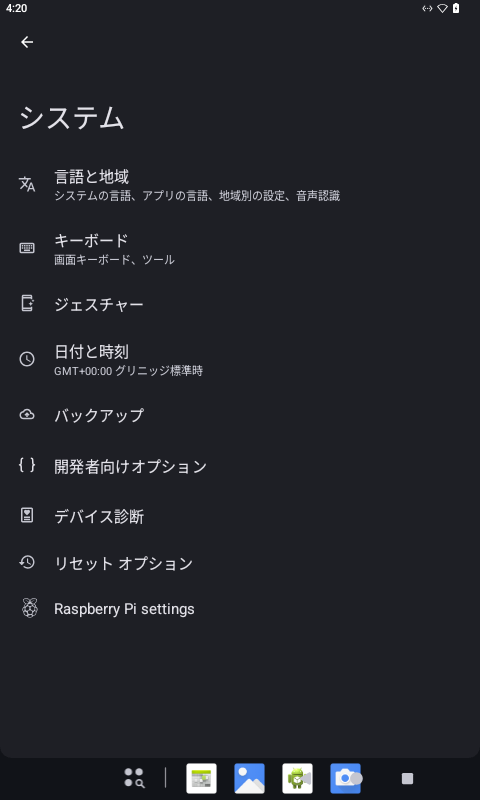
Raspiメニューの中身はこんなの。ここは日本語化されていない。まぁ、わかるよね。
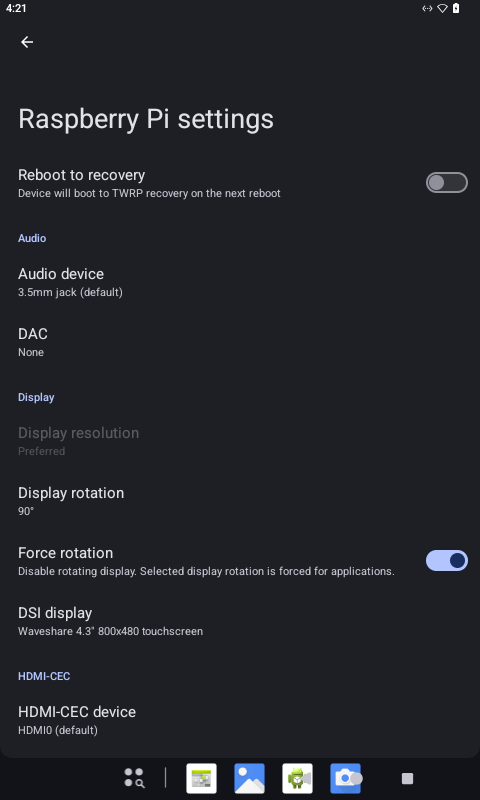
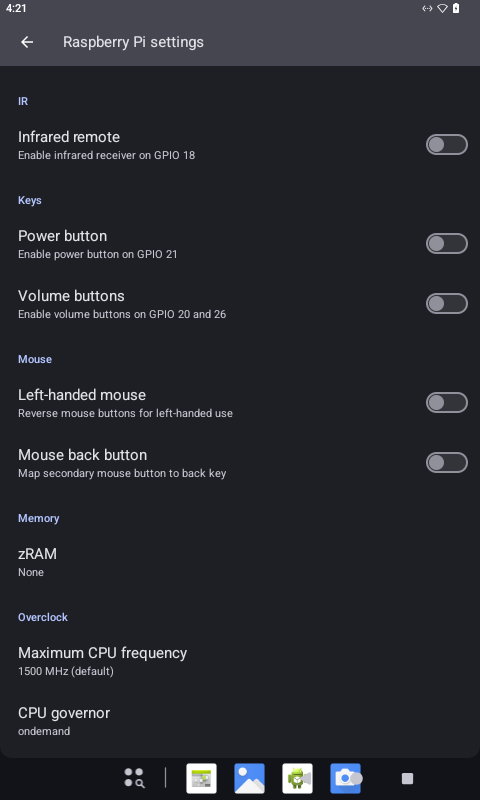
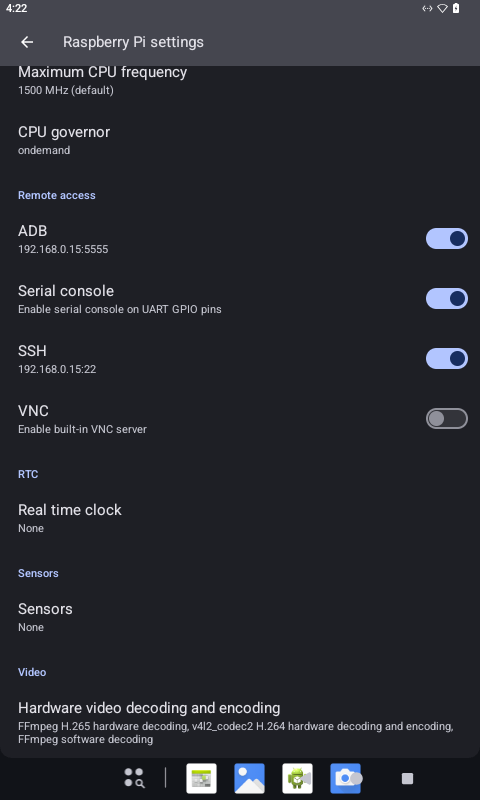
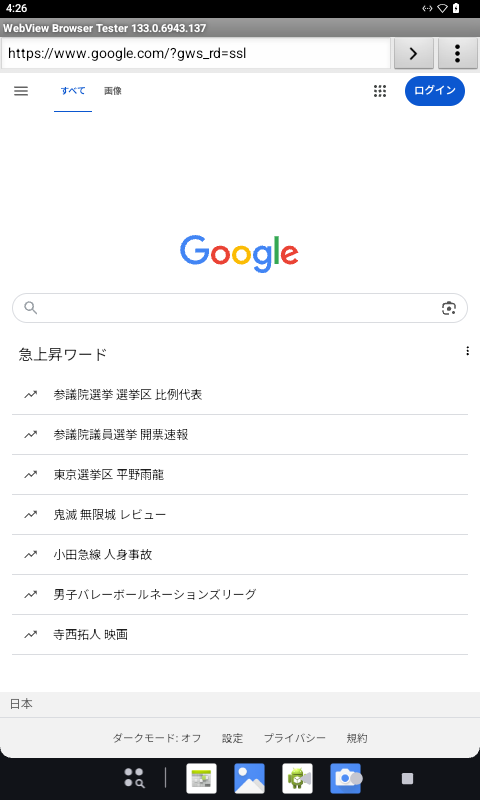
最初の方でも書いたけど、ブラウザは使えるのよね。
100円投げ銭 https://kinneko.booth.pm/items/1963720
オリジナル投稿:
Emteria.OSやってみる -3-|kinneko|pixivFANBOX
https://kinneko.fanbox.cc/posts/10231974