
Ubuntu 20.04でようやくRaspiが公式にサポートされたようなので、試してみる。
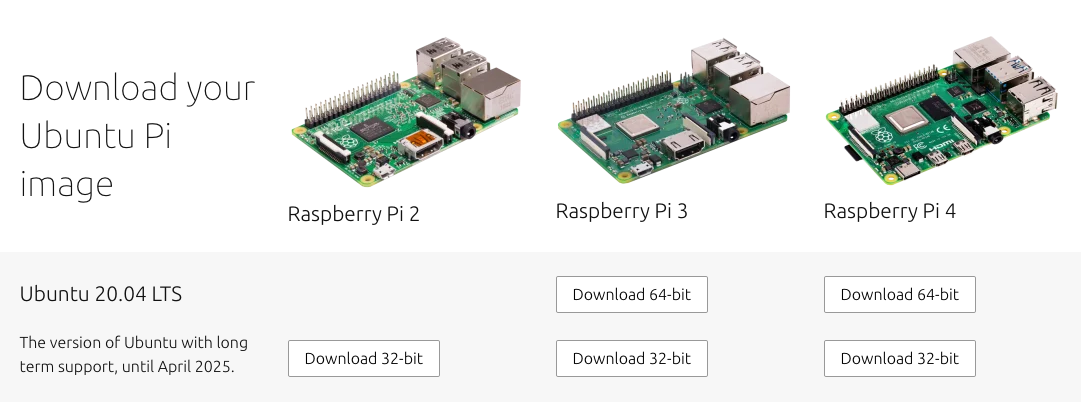
イメージの直接ダウンロードはここから。
Install Ubuntu Server on a Raspberry Pi 2, 3 or 4 | Ubuntu
https://ubuntu.com/download/raspberry-pi
ターゲットは、Raspi3なので64bitイメージを使う。ターゲット環境ではメモリが限られているので、32bitイメージでも実用性は十分ではないかと思う。
インストールの手順はこちらにまとまっている。
How to install Ubuntu on your Raspberry Pi | Ubuntu
https://ubuntu.com/tutorials/how-to-install-ubuntu-on-your-raspberry-pi#1-overview
このページからのダウンロードはしないで、前にも紹介した"Raspberry Pi Imager"を使ってダウンロードと書き込みを行う。SDはClass4の16GBを使用した。
OSでUbunutを選ぶ。
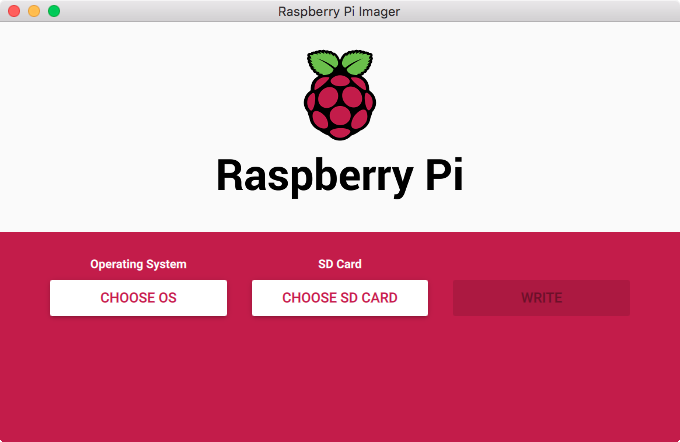
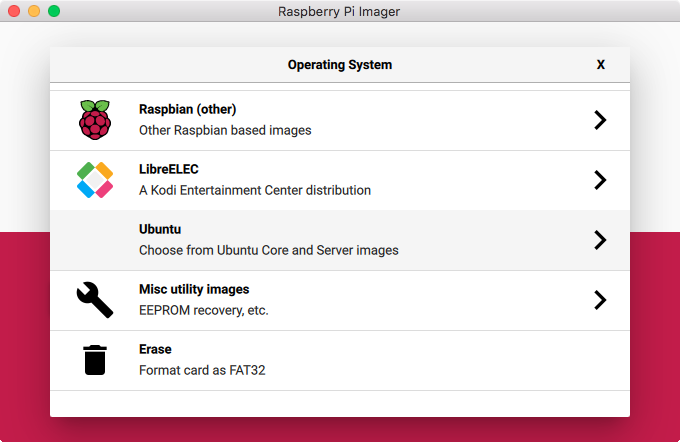
"ubuntu-18.04.4-preinstalled-server-arm64+raspi3.img.xz"は前に試したときにうまく動かなかった。4月にリリースされた20.04の64bitを指定する。
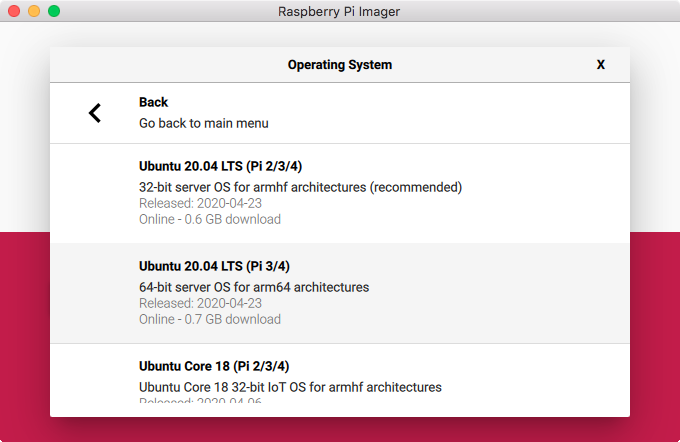
次に、挿入したSD Cardを指定する。
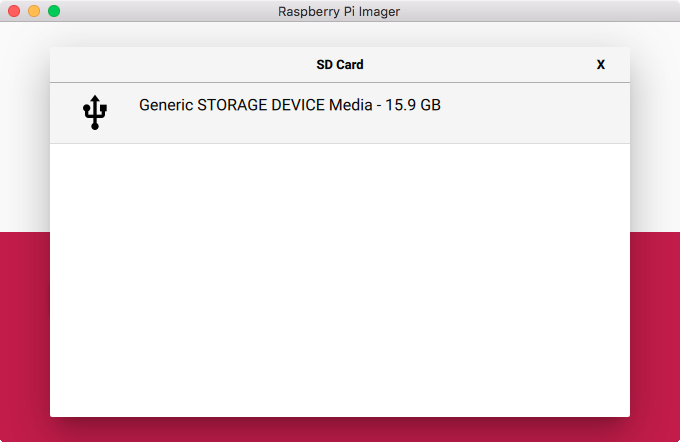
最後にWriteボタンを押す。
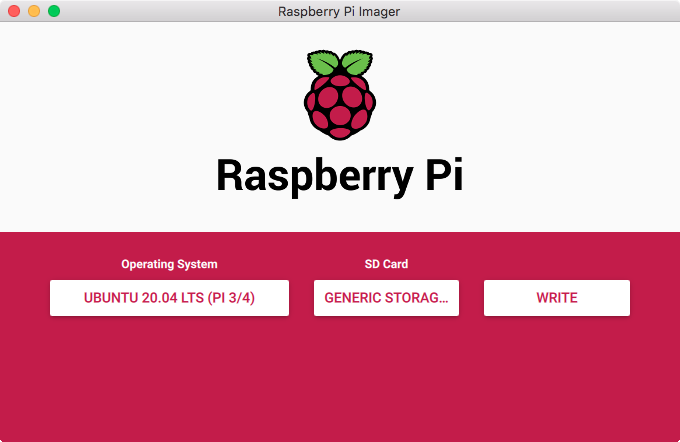
ダウンロードと書き込みが開始された。
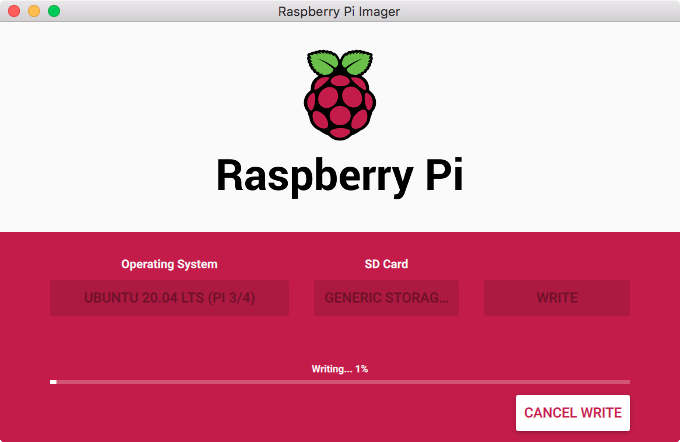
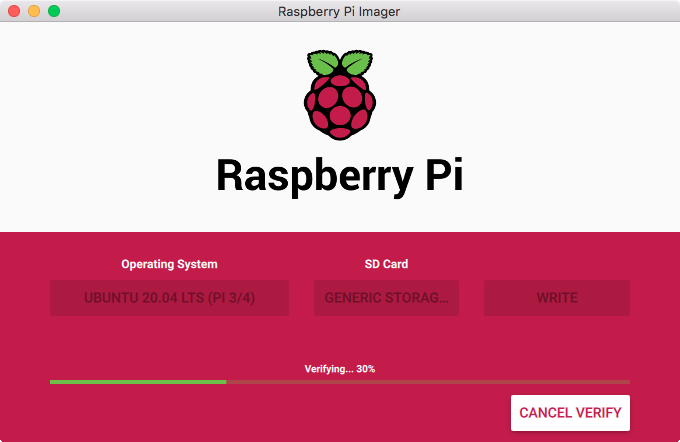
ベリファイもしてくれるのでありがたい。
書き込み終了。
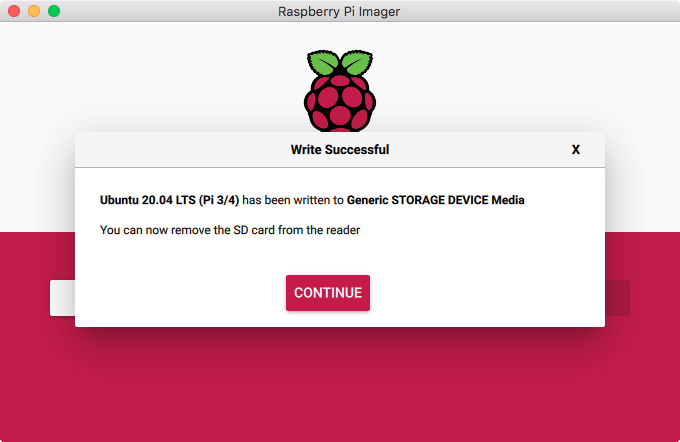
書き込まれているのは、"ubuntu-20.04-preinstalled-server-arm64+raspi.img.xz"なので、デスクトップのUbuntuとは違ってサーバー用のものになる。GUIは含まれていない。
ネットワークは有線を使うのが差し込むだけで楽なのだけど、たまたま近くにLANケーブルが来ていなかったので、無線を使うことにする。
無線LANの設定は、起動用のFATパーティションに書かれた設定ファイルに書き込むことで行う。system-bootパーティションにnetwork-configというファイルがあるので、エディタで開いて無線LANの設定を書き込む。
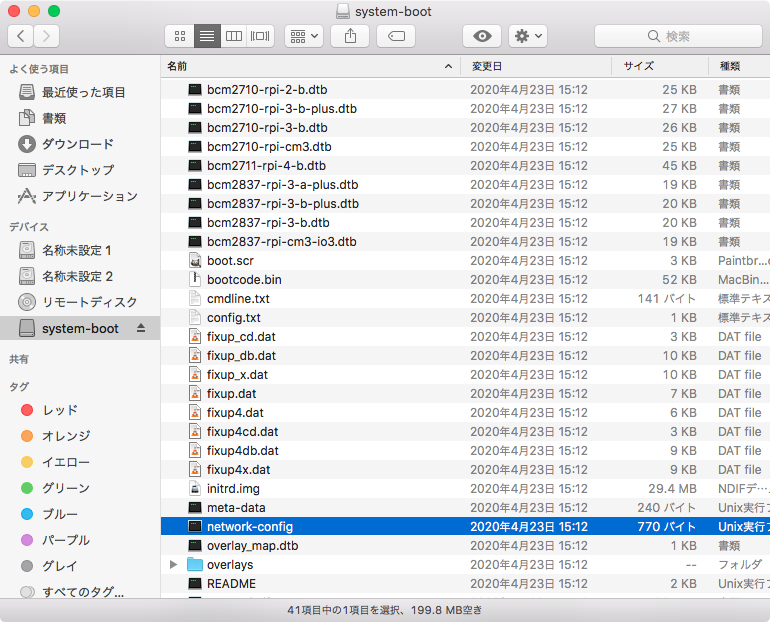
無線LANの設定はデフォルトではオフになっている。
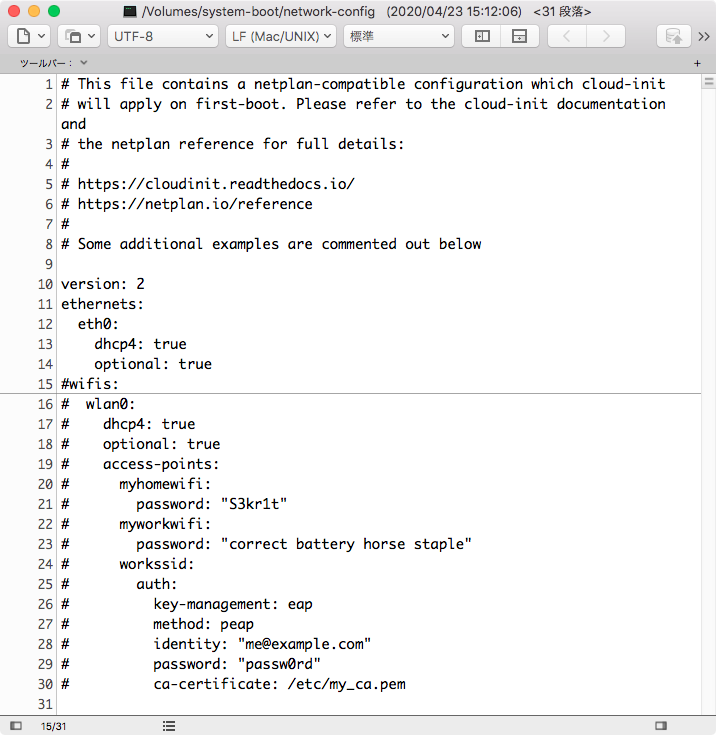
無線の設定を追記する。使ったSSIDは"MyPlace"。保存してSDカードを取り出す。
wifis:
wlan0:
dhcp4: true
optional: true
access-points:
MyPlace:
password: "XXXXXXXXXXXX"
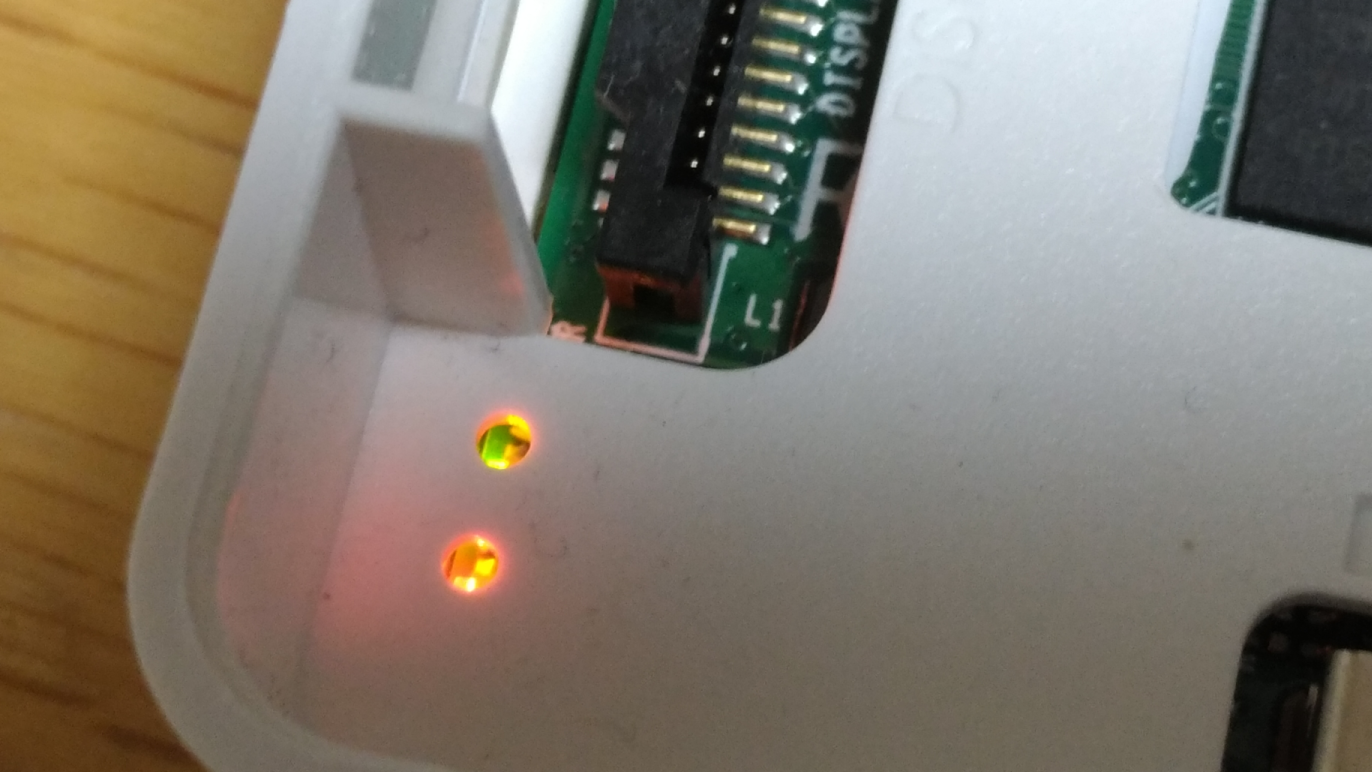
Raspi3にSDカードを挿入して起動する。起動の状態はLEDでしかわからないので、グリーンのLEDがチカチカしていれば動作していると判断していいだろう。
Raspbianでは、mDNSが動作しているので、サービス検索で割当てられたIPアドレスを検索することができたが、UbuntuではAvahiは起動していないようだ。
arpでMACアドレスを探す必要があるのだけど、基板にはMACアドレス書いてないので、どれかわからない... arpコマンドで出てきたMACアドレスの前半をMACアドレスのベンダーを検索するサイトで検索してみたが、それらしいものはなかった。
Search | MAC Address Lookup - Vendor/Manufacturer Search
https://maclookup.app/search
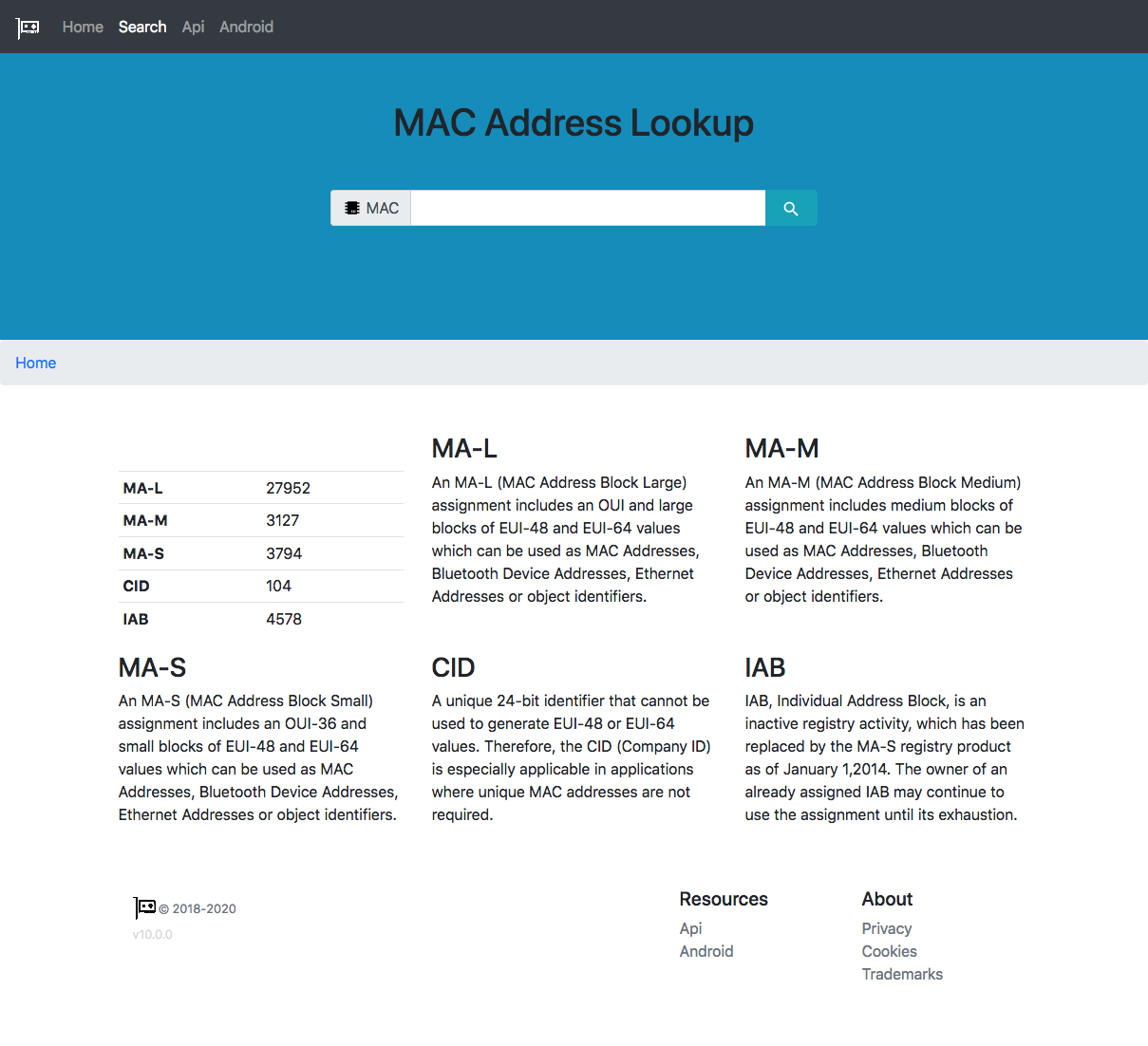
Raspberry Pi FoundationのMACアドレス割り当ては、"B8:27:EB"にあり、他のMAC空間の割り当てはないようだ。
しょうがないので、無線での接続は断念して有線のケーブルを這わしてくる。が、やっぱり見えないな...
どうしようもないので、ディスプレイを接続する。コンソールログインのIDとパスワードは、ubuntu/ubunut。ログインするとパスワードの変更を求められる。短いパスワードは設定できずリトライを要求される。
コンソールから確認すると、有線、無線ともにネットワークインターフェイスは有効になっているが、arpで表示されなかったアドレスが有効になっていた。何も通信しているものがないので、arpキャッシュに入る機会がないのだろう。
Raspbianでは、/bootにsshと書いておくとsshdが起動してくるのだけど、Ubuntuではデフォルトでsshdが起動している。ssh接続してみる。
$ ssh ubuntu@192.168.0.13
The authenticity of host '192.168.0.13 (192.168.0.13)' can't be established.
ECDSA key fingerprint is SHA256:dQoJB60GGPD6pX9XuSv5aidCv8rad/cytqQy/Uff7cU.
Are you sure you want to continue connecting (yes/no)? yes
Warning: Permanently added '192.168.0.13' (ECDSA) to the list of known hosts.
ubuntu@192.168.0.13's password:
Welcome to Ubuntu 20.04 LTS (GNU/Linux 5.4.0-1008-raspi aarch64)
Documentation: https://help.ubuntu.com
Management: https://landscape.canonical.com
Support: https://ubuntu.com/advantage
System information as of Wed May 6 05:03:19 UTC 2020
System load: 0.0
Usage of /: 13.8% of 14.29GB
Memory usage: 27%
Swap usage: 0%
Temperature: 53.7 C
Processes: 126
Users logged in: 1
IPv4 address for eth0: 192.168.0.13
IPv6 address for eth0: 240f:a3:8bb5:1:ba27:ebff:fef1:ae13
IPv4 address for wlan0: 192.168.0.11
IPv6 address for wlan0: 240f:a3:8bb5:1:ba27:ebff:fea4:fb46
- Ubuntu 20.04 LTS is out, raising the bar on performance, security,
and optimisation for Intel, AMD, Nvidia, ARM64 and Z15 as well as
AWS, Azure and Google Cloud.
https://ubuntu.com/blog/ubuntu-20-04-lts-arrives
4 updates can be installed immediately.
0 of these updates are security updates.
To see these additional updates run: apt list --upgradable
Last login: Wed May 6 04:57:11 2020
To run a command as administrator (user "root"), use "sudo See "man sudo_root" for details. ubuntu@ubuntu:~$ 無事接続できた。 デフォルトインストールで入っているパッケージ数は559だった。ちょっと多い気がする。 ubuntu@ubuntu:~$ dpkg -l | awk 'NR>5 {print $2}' | wc 559 559 8512 メモリはもともと1Gしかないがサーバーであればとりあえず問題ないだろう。デスクトップのインストールは現実的ではない感じだ。 ubuntu@ubuntu:~$ free -h total used free shared buff/cache available Mem: 908Mi 189Mi 308Mi 3.0Mi 409Mi 697Mi Swap: 0B 0B 0B 動作中のプロセスはこんな感じ。 ubuntu@ubuntu:~$ ps ax PID TTY STAT TIME COMMAND 1 ? Ss 0:05 /sbin/init fixrtc splash 2 ? S 0:00 [kthreadd] 3 ? I< 0:00 [rcu_gp] 4 ? I< 0:00 [rcu_par_gp] 7 ? I 0:00 [kworker/u8:0-events_unbound] 8 ? I< 0:00 [mm_percpu_wq] 9 ? S 0:00 [ksoftirqd/0] 10 ? I 0:00 [rcu_sched] 11 ? S 0:00 [migration/0] 12 ? S 0:00 [idle_inject/0] 13 ? I 0:00 [kworker/0:1-events] 14 ? S 0:00 [cpuhp/0] 15 ? S 0:00 [cpuhp/1] 16 ? S 0:00 [idle_inject/1] 17 ? S 0:00 [migration/1] 18 ? S 0:00 [ksoftirqd/1] 21 ? S 0:00 [cpuhp/2] 22 ? S 0:00 [idle_inject/2] 23 ? S 0:00 [migration/2] 24 ? S 0:00 [ksoftirqd/2] 27 ? S 0:00 [cpuhp/3] 28 ? S 0:00 [idle_inject/3] 29 ? S 0:00 [migration/3] 30 ? S 0:00 [ksoftirqd/3] 33 ? S 0:00 [kdevtmpfs] 34 ? I< 0:00 [netns] 35 ? S 0:00 [rcu_tasks_kthre] 39 ? S 0:00 [kauditd] 40 ? S 0:00 [khungtaskd] 41 ? S 0:00 [oom_reaper] 42 ? I< 0:00 [writeback] 43 ? S 0:00 [kcompactd0] 44 ? SN 0:00 [ksmd] 138 ? I< 0:00 [kintegrityd] 139 ? I< 0:00 [kblockd] 140 ? I< 0:00 [blkcg_punt_bio] 141 ? I< 0:00 [tpm_dev_wq] 142 ? I< 0:00 [ata_sff] 143 ? I< 0:00 [md] 144 ? I< 0:00 [edac-poller] 145 ? I< 0:00 [devfreq_wq] 146 ? S 0:00 [watchdogd] 147 ? S 0:00 [kswapd0] 148 ? S 0:00 [ecryptfs-kthrea] 151 ? I< 0:00 [kthrotld] 152 ? I< 0:00 [dwc_otg] 153 ? I< 0:00 [DWC Notificatio] 154 ? I 0:00 [kworker/2:2-events] 155 ? S< 0:00 [vchiq-slot/0] 156 ? S< 0:00 [vchiq-recy/0] 157 ? S< 0:00 [vchiq-sync/0] 158 ? I< 0:00 [ipv6_addrconf] 165 ? I 0:00 [kworker/u8:2-events_unbound] 170 ? I< 0:00 [kstrp] 174 ? I< 0:00 [kworker/u9:0] 179 ? I< 0:00 [cryptd] 180 ? I 0:00 [kworker/1:2-events] 241 ? S 0:00 [spi0] 243 ? I< 0:00 [charger_manager] 260 ? I< 0:00 [mmc_complete] 261 ? I< 0:00 [kworker/2:1H-mmc_complete] 263 ? I< 0:00 [kworker/3:1H-mmc_complete] 282 ? I< 0:00 [kworker/1:1H-kblockd] 285 ? I< 0:00 [kworker/2:2H-kblockd] 286 ? I< 0:00 [kworker/3:2H] 318 ? I< 0:00 [kworker/0:2H-mmc_complete] 568 ? I< 0:00 [raid5wq] 623 ? S 0:00 [jbd2/mmcblk0p2-] 624 ? I< 0:00 [ext4-rsv-conver] 700 ? S<s 0:01 /lib/systemd/systemd-journald 723 ? Ss 0:02 /lib/systemd/systemd-udevd 740 ? S 0:00 [vchiq-keep/0] 741 ? S< 0:00 [SMIO] 786 ? I< 0:00 [cfg80211] 824 ? I< 0:00 [brcmf_wq/mmc1:0] 825 ? S 0:00 [brcmf_wdog/mmc1] 1058 ? Ss 0:00 /sbin/wpa_supplicant -c /run/netplan/wpa-wlan0.conf 1059 ? I< 0:00 [kaluad] 1060 ? I< 0:00 [kmpath_rdacd] 1061 ? I< 0:00 [kmpathd] 1062 ? I< 0:00 [kmpath_handlerd] 1063 ? SLsl 0:00 /sbin/multipathd -d -s 1073 ? S< 0:00 [loop0] 1077 ? S< 0:00 [loop1] 1080 ? S< 0:00 [loop2] 1081 ? S< 0:00 [loop3] 1082 ? S< 0:00 [loop4] 1104 ? Ssl 0:01 /lib/systemd/systemd-timesyncd 1151 ? Ss 0:01 /lib/systemd/systemd-networkd 1153 ? Ss 0:01 /lib/systemd/systemd-resolved 1195 ? Ssl 0:00 /usr/lib/accountsservice/accounts-daemon 1196 ? Ss 0:00 /usr/bin/dbus-daemon --system --address=systemd: -- 1199 ? Ssl 0:00 /usr/sbin/irqbalance --foreground 1200 ? Ss 0:00 /usr/bin/python3 /usr/bin/networkd-dispatcher --run 1202 ? Ssl 0:00 /usr/sbin/rsyslogd -n -iNONE 1205 ? Ssl 0:04 /usr/lib/snapd/snapd 1206 ? Ss 0:00 /lib/systemd/systemd-logind 1207 ? Ss 0:00 /sbin/wpa_supplicant -u -s -O /run/wpa_supplicant 1219 ? Ss 0:00 /usr/sbin/cron -f 1243 ? Ss 0:00 /usr/sbin/atd -f 1246 ? Ssl 0:00 /usr/bin/python3 /usr/share/unattended-upgrades/una 1255 ? I 0:00 [kworker/3:3-events] 1258 ttyS0 Ss+ 0:00 /sbin/agetty -o -p -- \u --keep-baud 115200,38400,9 1273 ? Ss 0:00 sshd: /usr/sbin/sshd -D [listener] 0 of 10-100 star 1278 ? Ssl 0:00 /usr/lib/policykit-1/polkitd --no-debug 1378 tty1 Ss 0:00 /bin/login -p -- 1472 ? Ss 0:01 /lib/systemd/systemd --user 1473 ? S 0:00 (sd-pam) 1478 tty1 S+ 0:00 -bash 1503 ? Ss 0:00 sshd: ubuntu [priv] 1572 ? R 0:00 sshd: ubuntu@pts/0 1573 pts/0 Ss 0:00 -bash 1588 ? I 0:00 [kworker/2:1-events] 1590 ? I< 0:00 [kworker/1:0H] 1597 ? I 0:00 [kworker/1:0-events] 1598 ? I 0:00 [kworker/3:1-events] 1603 ? I< 0:00 [kworker/0:0H] 1604 ? I 0:00 [kworker/0:2-events] 1608 ? I 0:00 [kworker/u8:3-events_unbound] 1609 ? I 0:00 [kworker/2:3-events] 1614 ? I 0:00 [kworker/1:1-events] 1625 ? I 0:00 [kworker/3:0-events] 1631 ? I 0:00 [kworker/0:0-events] 1800 ? I< 0:00 [kworker/0:1H-kblockd] 1865 ? Ssl 0:00 /usr/lib/packagekit/packagekitd 1869 ? I< 0:00 [kworker/1:2H] 1897 ? I< 0:00 [kworker/3:0H-kblockd] 1904 ? I< 0:00 [kworker/2:0H-kblockd] 1916 ? I 0:00 [kworker/2:0-events] 2155 pts/0 R+ 0:00 ps ax というわけで、普通に動作するのが確認できた。 オリジナル投稿:
Raspi3にUbunut 20.04を入れてみる|kinneko|pixivFANBOX
https://kinneko.fanbox.cc/posts/1025019