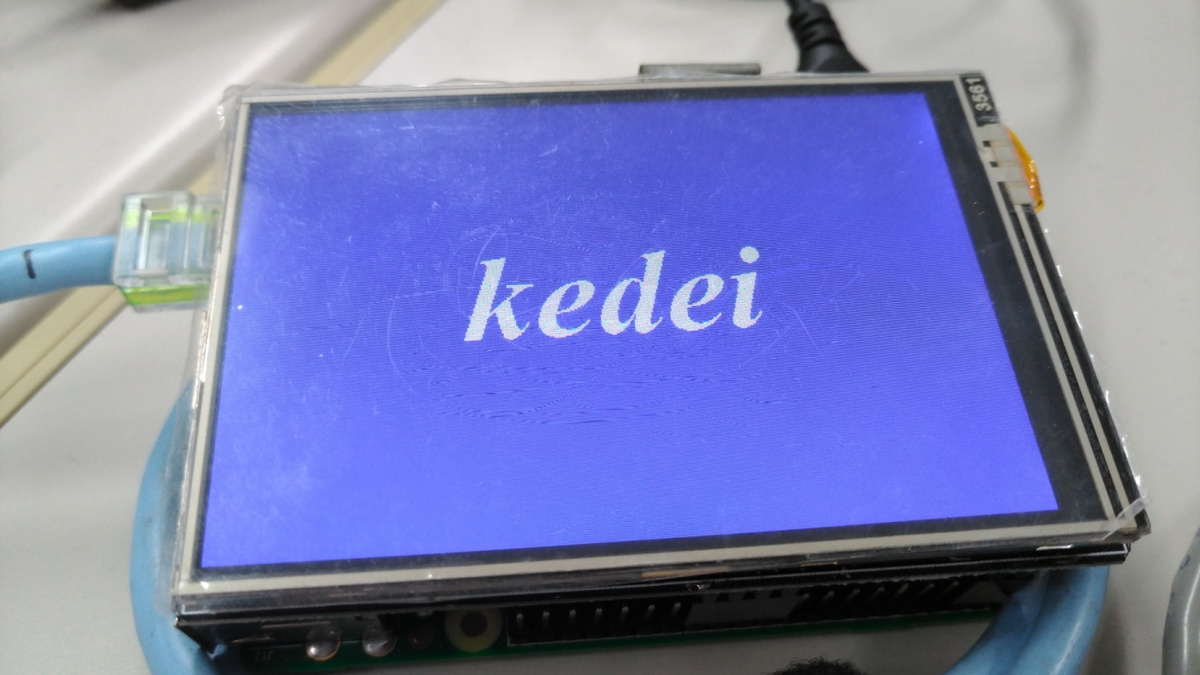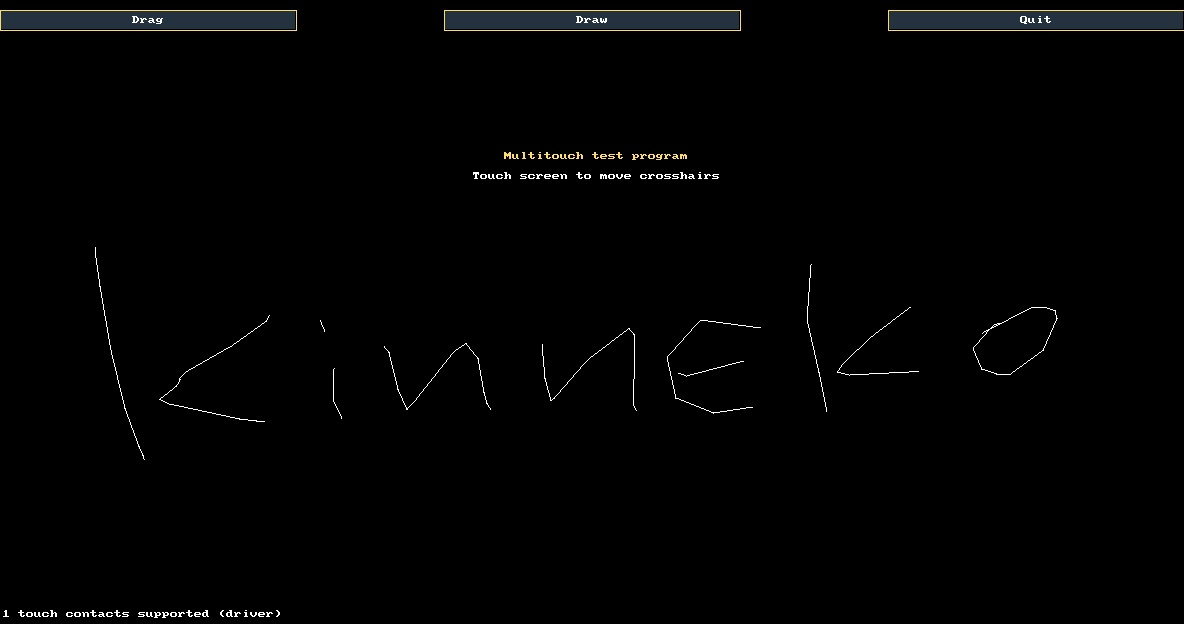

この環境ではX11は使わないのだけど、キャリブレーションはxinput-calibratorを使うしかないのかな?
昔、Androidとかi.MXでフォトフレームをやっていたときに、コンソールから使えるキャリブレーションツールがあったような記憶があるのだけど、まったく憶えていないな。
昔のメモを漁る。tslibで配布しているts_calibrate使ったのだったか。パッケージを探す。
pi@raspberrypi:~ $ ts_calibrate
-bash: ts_calibrate: command not found
pi@raspberrypi:~ $ apt-cache search ts_calibrate
libts-bin - touch screen library utilities
libts-binに含まれているようなので、インストールして実行してみる。
pi@raspberrypi:~ $ sudo apt-get install libts-bin
pi@raspberrypi:~ $ ts_calibrate
ts_setup: No such file or directory
エラーになった。ts_setupってなんなのだろう? ts_calibrateがシンボリックリンクになっていてts_setupを呼び出しているわけでもない。
どうやら、環境変数で、インプットデバイス名を渡してやる必要があるようだ。
pi@raspberrypi:~ $ export TSLIB_TSDEVICE=/dev/input/event3 ts_calibrate
しかし、スクリーンには何も表示されない。
root権限でないといけないということでもない感じ。再起動したので何か変わった? コンソールからの実行じゃないから?
環境を確認してみるが、問題なさそう。
pi@raspberrypi:~ $ lsmod | grep ads
ads7846                24576  0
hwmon                  16384  2 raspberrypi_hwmon,ads7846
pi@raspberrypi:~ $ dmesg | grep ads
[    6.944223] ads7846 spi0.1: spi0.1 supply vcc not found, using dummy regulator
[    6.944341] ads7846 spi0.1: Linked as a consumer to regulator.0
[    6.956989] ads7846 spi0.1: touchscreen, irq 166

pi@raspberrypi:~ $ ls /dev/input/event*
/dev/input/event0
ドライバはロードされているようだ。/dev/input/eventが0になっている。前にあった他の0-2は消えている。single-touch.shでも値は出てくる。いっしょに入ったts_printでもタッチの情報は取得できた。
pi@raspberrypi:~ $ ts_print
1574046771.411832:   2504   2376  65229
1574046771.469941:   2504   2376      0
一応、コンソールからts_calibrateを実行してみたけれど、ダメだった。
/etc/ts.confファイルは出来ている。内容は問題なさそう。
pi@raspberrypi:~ $ cat /etc/ts.conf
# Access plugins
################

# Uncomment if you wish to use the linux input layer event interface
module_raw input

# For other driver modules, see the ts.conf man page


# Filter plugins
################

# Uncomment if first or last samples are unreliable
# module skip nhead=1 ntail=1

# Uncomment if needed for devices that measure pressure
module pthres pmin=1

# Uncomment if needed
# module debounce drop_threshold=40

# Uncomment if needed to filter spikes
# module median depth=5

# Uncomment to enable smoothing of fraction N/D
# module iir N=6 D=10

# Uncomment if needed
# module lowpass factor=0.1 threshold=1

# Uncomment if needed to filter noise samples
module dejitter delta=100

# Uncomment and adjust if you need to invert an axis or both
# module invert x0=800 y0=480

# Uncomment to use ts_calibrate's settings
module linear
rootシェルから実行してみる。
pi@raspberrypi:~ $ sudo su -
root@raspberrypi:~# TSLIB_TSDEVICE=/dev/input/event0 ts_calibrate
xres = 1184, yres = 624
Took 11 samples...
Top left : X = 3440 Y =  346
Took 5 samples...
Top right : X = 3423 Y = 3602
Took 2 samples...
Bot right : X =  710 Y = 3618
Took 3 samples...
Bot left : X =  697 Y =  335
Took 4 samples...
Center : X = 2087 Y = 1947
-61.621094 0.000314 0.331524
710.091003 -0.192069 -0.000122
Calibration constants: -4038400 20 21726 46536524 -12587 -7 65536
できた。画面に出る十字マークを順に押していく。四隅と中央の5ヶ所。
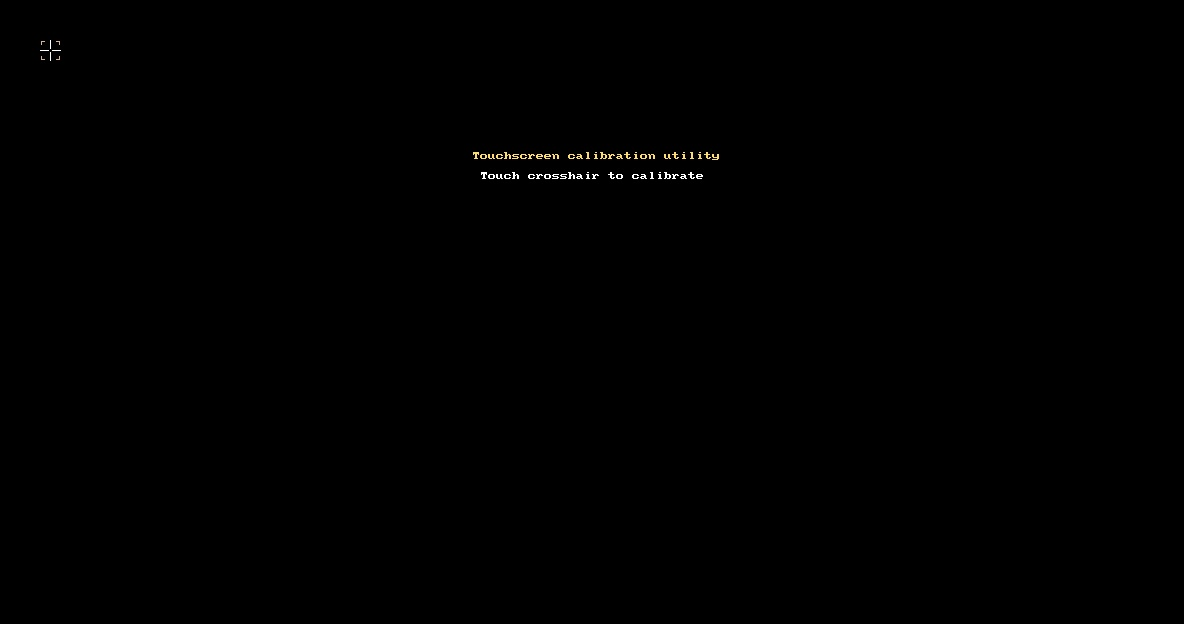
ts_calibrateは、tslibのlinearプラグインにより/etc/pointercalにパラメータが出力される。このファイルは手動で編集しないこと。
root@raspberrypi:~# cat /etc/pointercal
20 21726 -4038400 -12587 -7 46536524 65536 1184 624 0
ts_test_mtコマンドを使うと、構成されたフィルターから生じたタッチ動作をテストできる。
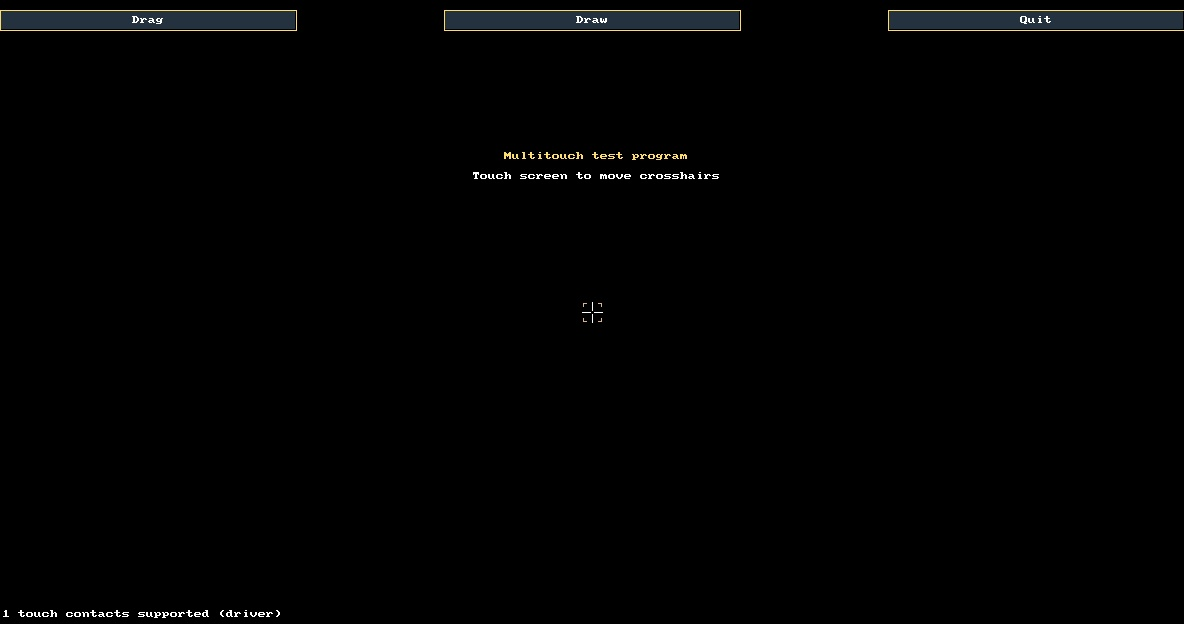
Dragボタンではドラッグしてポインタが追随するかどうかのテスト、Drawボタンでは簡単な線画を描くテスト、Quitボタンでは終了になる。

tslibでは、基本的には、/dev/inputをオーバーライドする感じでフィルタなどを実現する。キャリブレーションなどのパラメータを適用した値を取るには、ts_uinputコマンドで新しいデバイスを作って常駐しているdaemonがキャリブレーションした結果を中継する形になる。
ts_uinputは、起動パラメータは環境変数で渡すのだが、設定ファイルなどはデフォルト値を見に行くので、元になるインプットデバイスだけを渡す。設定できる環境変数には、以下のようなものがある。
>  export TSLIB_TSDEVICE=/dev/input/event0 (元になるインプットデバイス)
   export TSLIB_TSEVENTTYPE=INPUT (対応するイベントタイプ)
   export TSLIB_CONFFILE=/etc/ts.conf (設定ファイルの場所)
   export TSLIB_CALIBFILE=/etc/pointercal (キャリブレーションデータの場所)
   export TSLIB_FBDEVICE=/dev/fb0 (対象になるフレームバッファデバイス)
   export TSLIB_PLUGINDIR=/usr/lib/ts (プラグインを使用する場合の場所設定)
root@raspberrypi:~# TSLIB_TSDEVICE=/dev/input/event0 ts_uinput -d -v
/dev/input/event4
ここでは、途中にUSBキーボードを挿入したので、1-3が生成されて、4が新規に割り当てられた。
ts_uinput_start.shという自動割り当てスクリプトが配布されているので、これを起動スクリプト内で実行してやると、デバイス生成は自動的に行われts_uinputにリンクされたファイルができる。
https://github.com/libts/tslib/blob/master/tools/ts_uinput_start.sh
#!/bin/bash
# SPDX-License-Identifier: GPL-2.0+
# Copyright (C) 2017, Martin Kepplinger <martink@posteo.de>

# This starts ts_uinput as a daemon and creates /dev/input/ts_uinput to use
# as an evdev input device

TS_UINPUT_DEV_FILE=$(ts_uinput -d -v)
TS_UINPUT_DEV_FILE_CHECKED=$(ls "$TS_UINPUT_DEV_FILE" | grep 'event')

if [ ! -z "$TS_UINPUT_DEV_FILE_CHECKED" ]
then
	rm -f /dev/input/ts_uinput
	ln -s $TS_UINPUT_DEV_FILE_CHECKED /dev/input/ts_uinput
else
	echo "ts_uinput: Error creating event device"
	exit 1
fi

exit 0
短いスクリプトなので、rc.localに埋めてしまうのがいいだろう。
root@raspberrypi:~# vi /etc/rc.local
root@raspberrypi:~# cat /etc/rc.local
#!/bin/sh -e
#
# rc.local
#
# This script is executed at the end of each multiuser runlevel.
# Make sure that the script will "exit 0" on success or any other
# value on error.
#
# In order to enable or disable this script just change the execution
# bits.
#
# By default this script does nothing.

# Print the IP address
_IP=$(hostname -I) || true
if [ "$_IP" ]; then
  printf "My IP address is %s\n" "$_IP"
fi

TS_UINPUT_DEV_FILE=$(ts_uinput -d -v)
TS_UINPUT_DEV_FILE_CHECKED=$(ls "$TS_UINPUT_DEV_FILE" | grep 'event')
if [ ! -z "$TS_UINPUT_DEV_FILE_CHECKED" ]
then
	rm -f /dev/input/ts_uinput
	ln -s $TS_UINPUT_DEV_FILE_CHECKED /dev/input/ts_uinput
else
	echo "ts_uinput: Error creating event device"
	exit 1
fi

exit 0
再起動して確認する。できてない。
pi@raspberrypi:~ $ ls -la /dev/input/event*
crw-rw---- 1 root input 13, 64 Nov 18 04:21 /dev/input/event0
確認。
pi@raspberrypi:~ $ sudo su -
root@raspberrypi:~# /etc/rc.local
My IP address is 192.168.2.12
ts_setup: No such file or directory
環境変数を指定してもうまく動かない。ハードコードになるがデバイス名を直接渡す。
root@raspberrypi:~# vi /etc/rc.local
TS_UINPUT_DEV_FILE=$(TSLIB_TSDEVICE=/dev/input/event0 ts_uinput -d -v)
エラーなく動くようになった。
新規にevent1が作られて、そこにts_uinputがリンクされている。
pi@raspberrypi:~ $ ps ax | grep input
  354 ?        Ss     0:00 /usr/sbin/thd --triggers /etc/triggerhappy/triggers.d/ --socket /run/thd.socket --user nobody --deviceglob /dev/input/event*
  519 ?        Ss     0:00 ts_uinput -d -v
pi@raspberrypi:~ $ ls -l /dev/input/event*
crw-rw---- 1 root input 13, 64 Nov 18 04:34 /dev/input/event0
crw-rw---- 1 root input 13, 65 Nov 18 04:34 /dev/input/event1
pi@raspberrypi:~ $ ls -l /dev/input/ts_uinput
lrwxrwxrwx 1 root root 17 Nov 18 04:34 /dev/input/ts_uinput -> /dev/input/event1
タッチ入力結果を見る時には、tslibで制御されている/dev/input/event1を見れば補正された値を取ることができる。入力デバイスを書き換えたsingle-touch2.shを用意して、single-touch.shと同時に起動して出力される値を見ると、補正された値が出ているのがわかる。
pi@raspberrypi:~ $ sudo ./single-touch.sh
X=1814
Y=2010
X=1509
Y=2766
X=1501
Y=2770
pi@raspberrypi:~ $ sudo ./single-touch2.sh
X=605
Y=361
X=855
Y=419
X=856
Y=420
X=857
Y=421
オリジナル投稿: Raspi用表示装置4種を試す -2.4-|kinneko|pixivFANBOX
https://www.fanbox.cc/@kinneko/posts/663583